
Create a Feed Post
Feed Posts allow you to share updates, announcements, promotions, and engaging content with your customers. You can publish a post immediately or schedule it to be published at a later date.
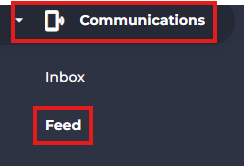
- From the side menu, navigate to Communications.
- Select Feed.
- Click Add Post.

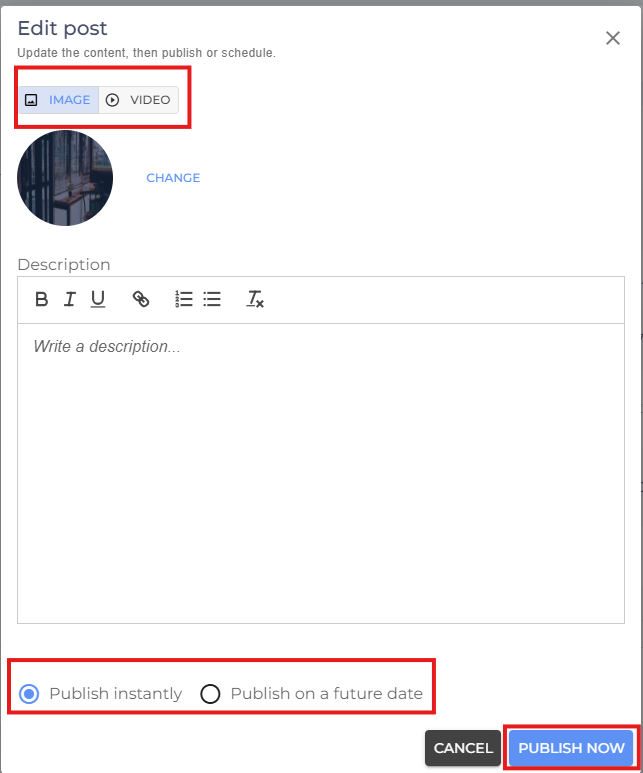
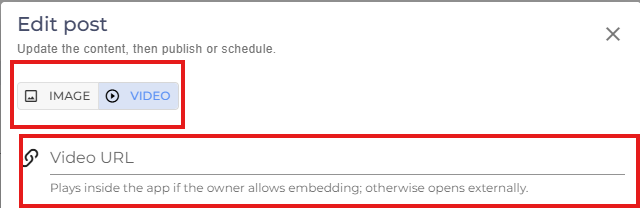
- Choose the type of post you want to create:
- Image – Upload an image to include in your post.
- Video – Paste the URL of the video you want to share.
- Add a Description for your post to provide additional information or context.
- Choose when you want the post to be published:
- Publish Instantly – Makes the post visible to customers immediately.
- Publish on a Future Date – Schedule the post to be published on a specific date and time.
- Review your post and click Publish Now to save your changes.
- If you are facing any difficulties, get in touch with us via help.studiogrowth.com and we'll help you to get up and running in no time.