
Create a Series Tag
Series Tags help you organize and categorize your series, making it easier to identify, filter, and manage different types of series offerings.
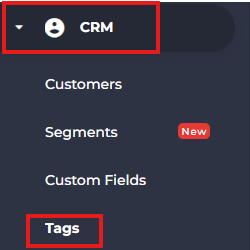
- From the side menu, navigate to CRM.
- Select Tags.
- Click Add Tag.

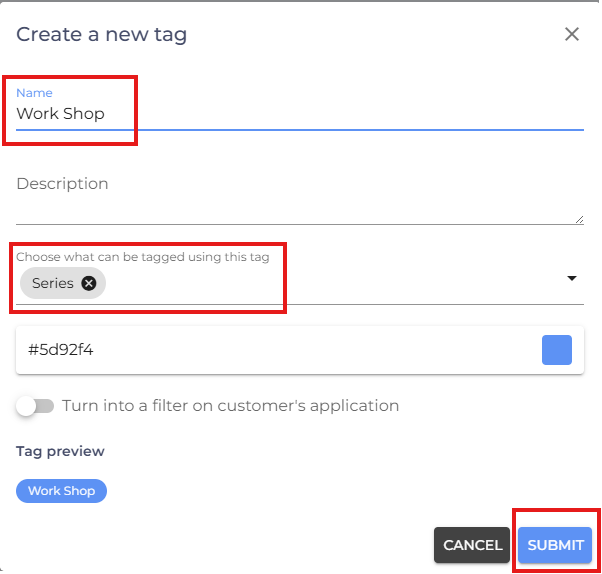
- Enter a Tag Name.
- (Optional) Add a Description to explain the purpose of the tag.
- From the Choose What Can Be Tagged Using This Tag dropdown, select Series.
- Review the tag details and click Submit.
- If you are facing any difficulties, get in touch with us via help.studiogrowth.com and we'll help you to get up and running in no time.