
Assigning Tag to a Series
Creating a series allows you to group multiple classes together and organize them efficiently. By assigning tags to a series, you can easily categorize and filter series based on specific criteria, making it simpler to manage and locate them when needed.
- Navigate to Series from the side menu.
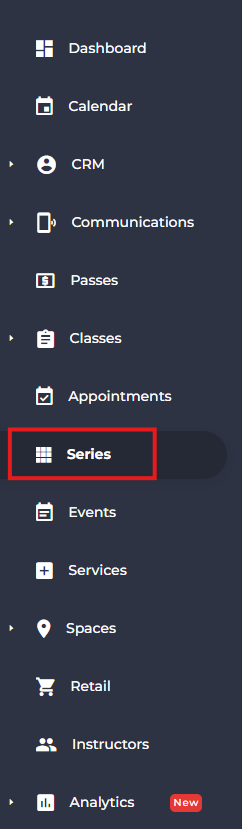
- Click Add New Series.

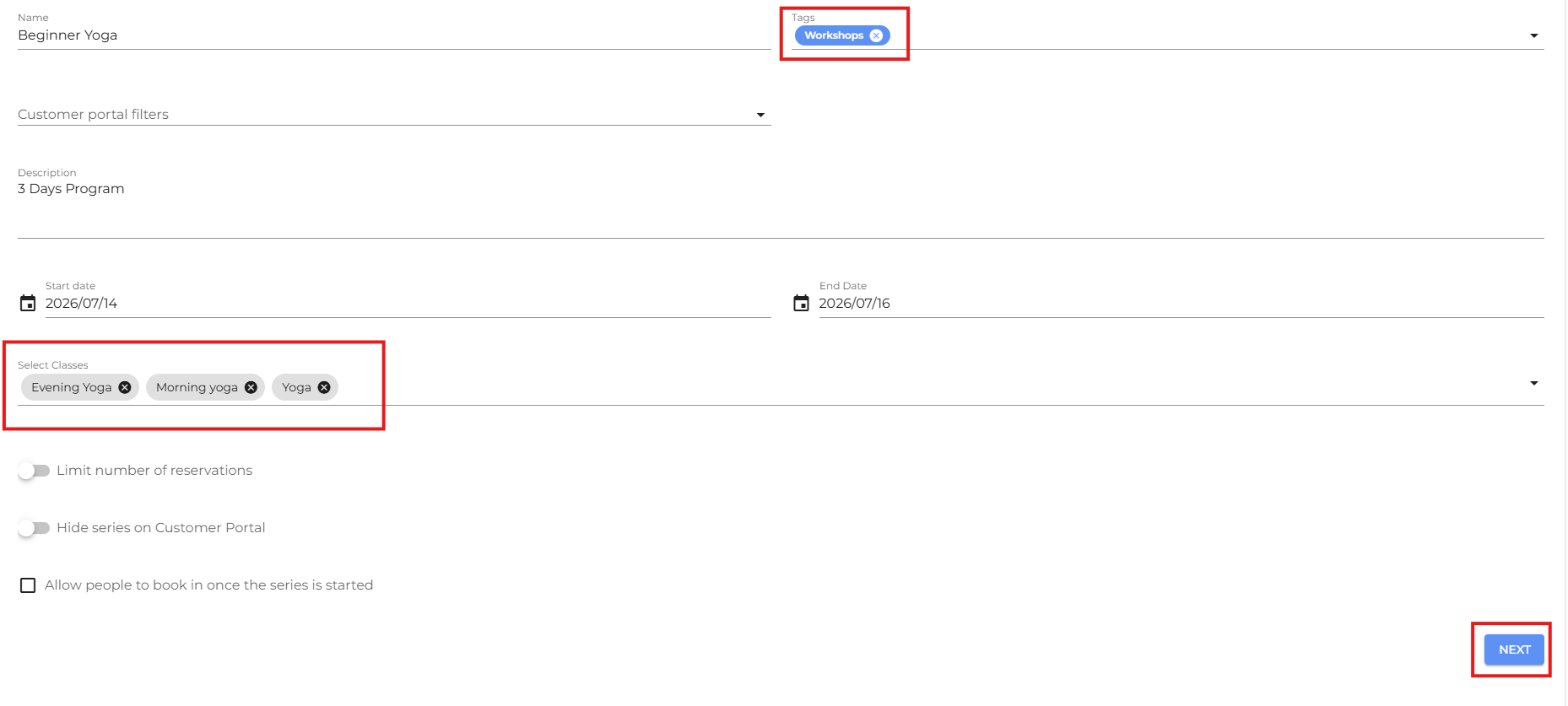
- Enter the required series details.
- From the Tags section and assign the appropriate tag.
- Select the classes you want to include in the series.
- Click Next to continue.
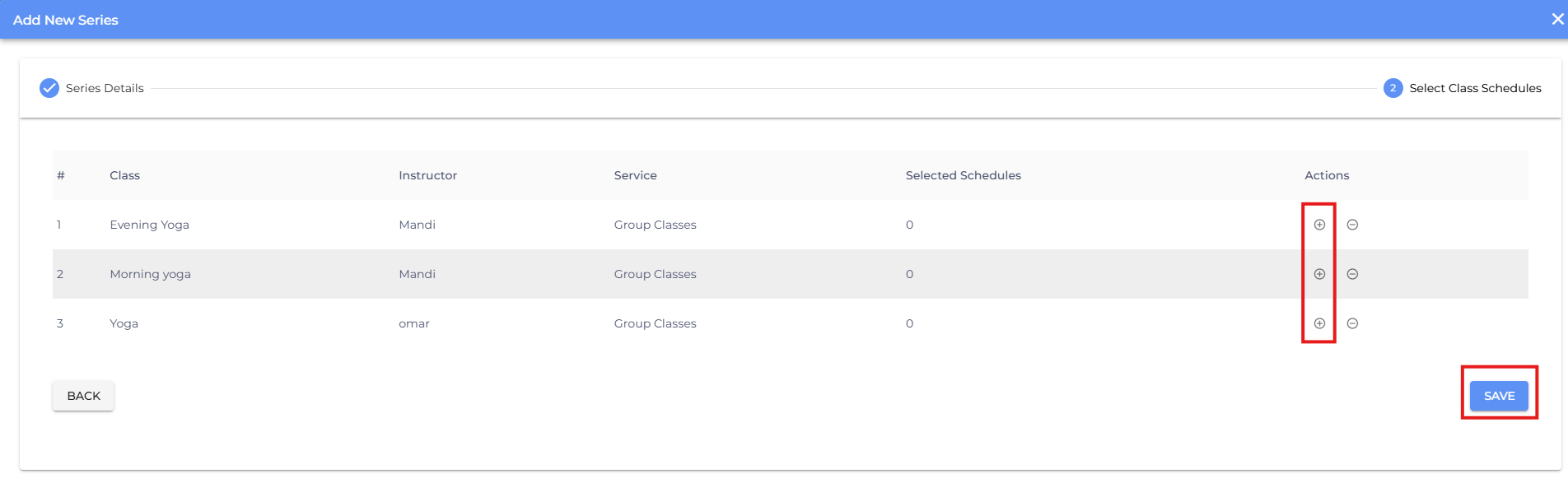
- Click the + icon to add schedules for the series.
- Click Save.
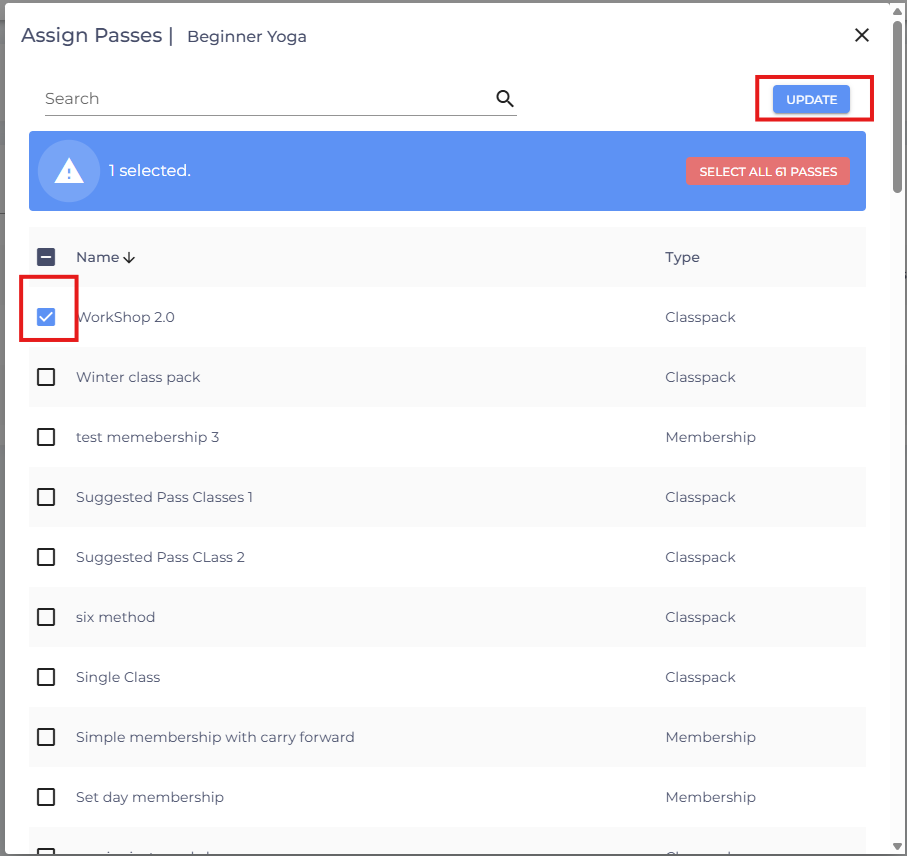
- Assign an appropriate pass to the series and click update.
- If you are facing any difficulties, get in touch with us via help.studiogrowth.com and we'll help you to get up and running in no time.