
Archiving a Customer
Archiving a customer allows you to remove a customer from your active customer list while keeping their information stored in the system. This helps keep your customer records organized without permanently deleting customer details.
To archive a customer:
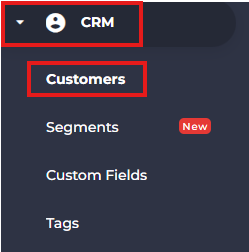
- Navigate to CRM from the side menu.
- Select Customers.
- Search for the customer you want to archive.
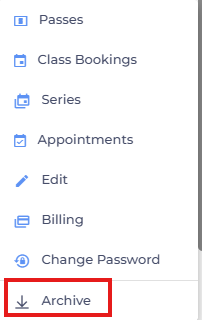
- Click the three-dot menu next to the customer's name.

- Click Archive.
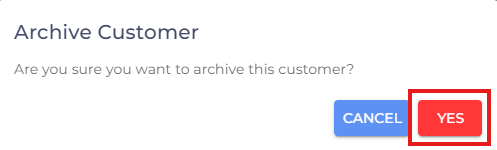
- Click Yes to confirm the action to complete the process.
- If you are facing any difficulties, get in touch with us via help.studiogrowth.com and we'll help you to get up and running in no time.