
Accessing Your Studio Code
Your studio code is a unique identifier that allows customers to connect with your studio through the mobile app. When customers sign up for the app, they will be prompted to enter a studio code to locate and join your studio. Sharing your studio code with customers ensures they can access your classes, appointments, and other studio offerings.
How to Access Your Studio Code
To find your studio code:
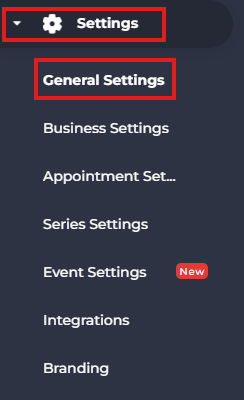
- Navigate to Settings from the side menu.
- Select General Settings.
- In the Subdomain section, locate your Studio Code.
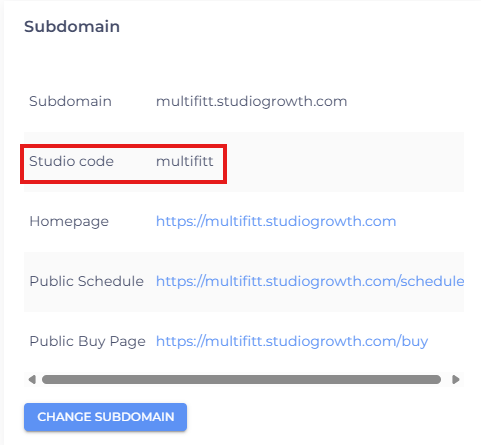
Share this code with your customers. During the sign-up process in the mobile app, they can enter the studio code to connect their account with your studio.
- If you are facing any difficulties, get in touch with us via help.studiogrowth.com and we'll help you to get up and running in no time.