How to Disable Emails to Instructors
Option 1: Disable all emails at once
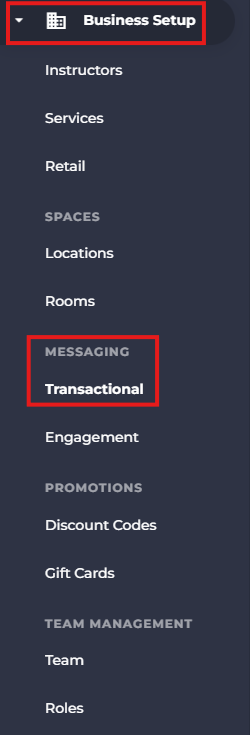
- Access Business Setup from the side menu.
- Under Messaging select Transactional.
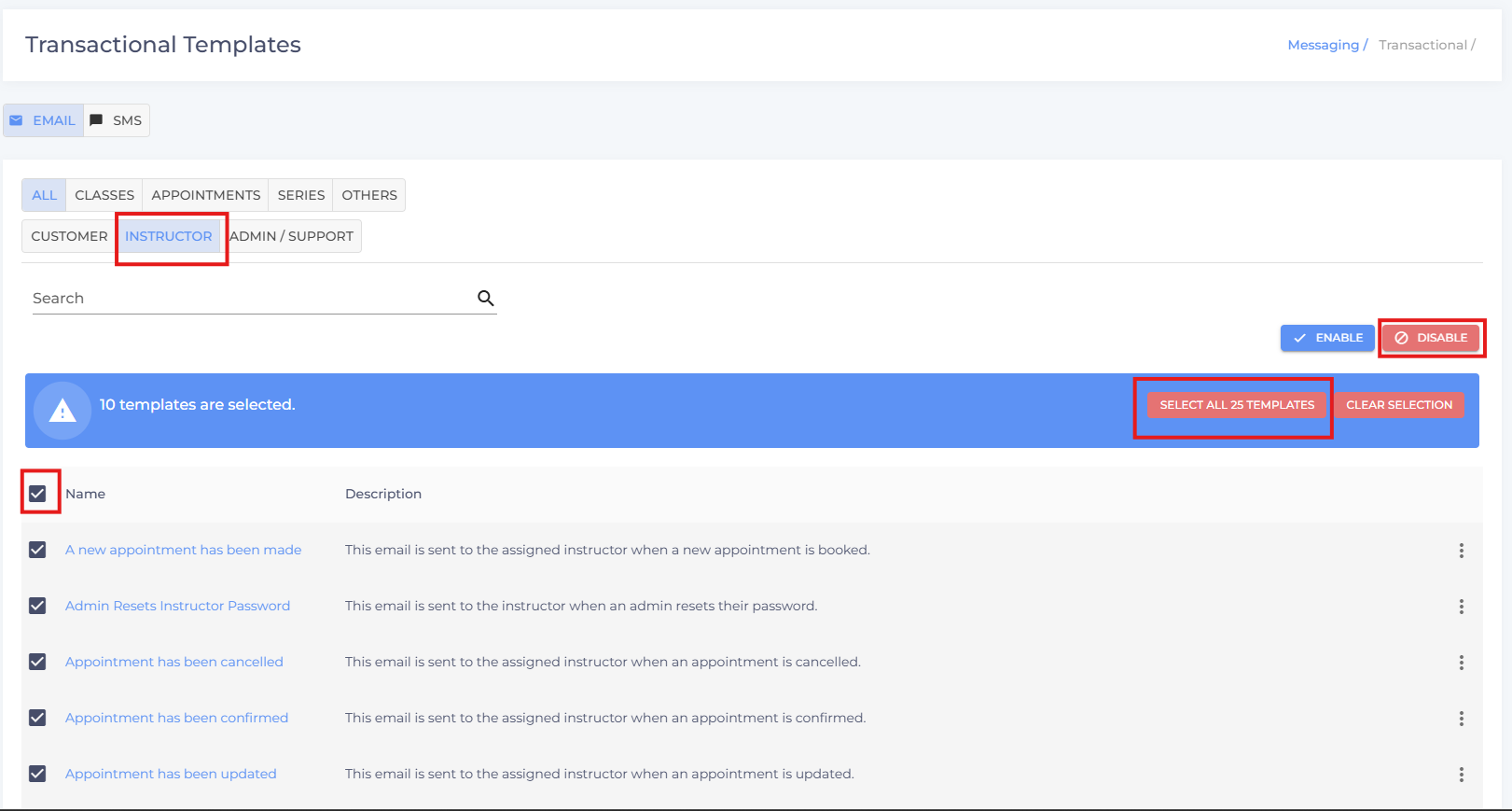
- Check the box next to the emails
- Click “Select all X emails”
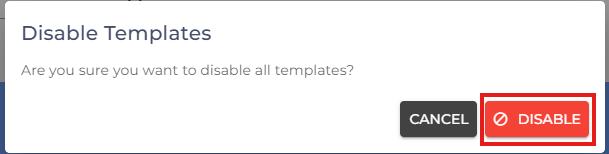
- Click Disable
Option 2: Disable Selected Emails
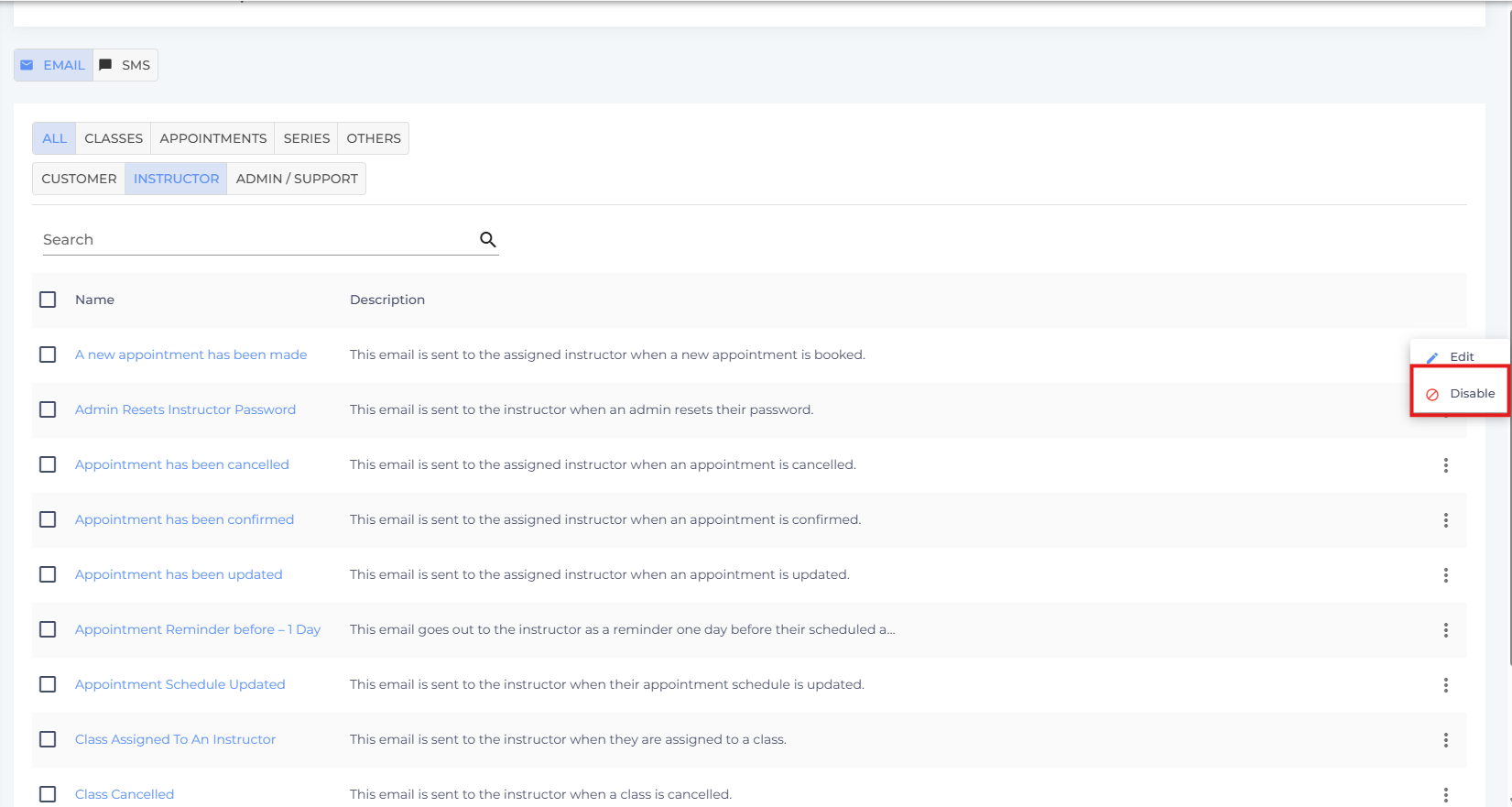
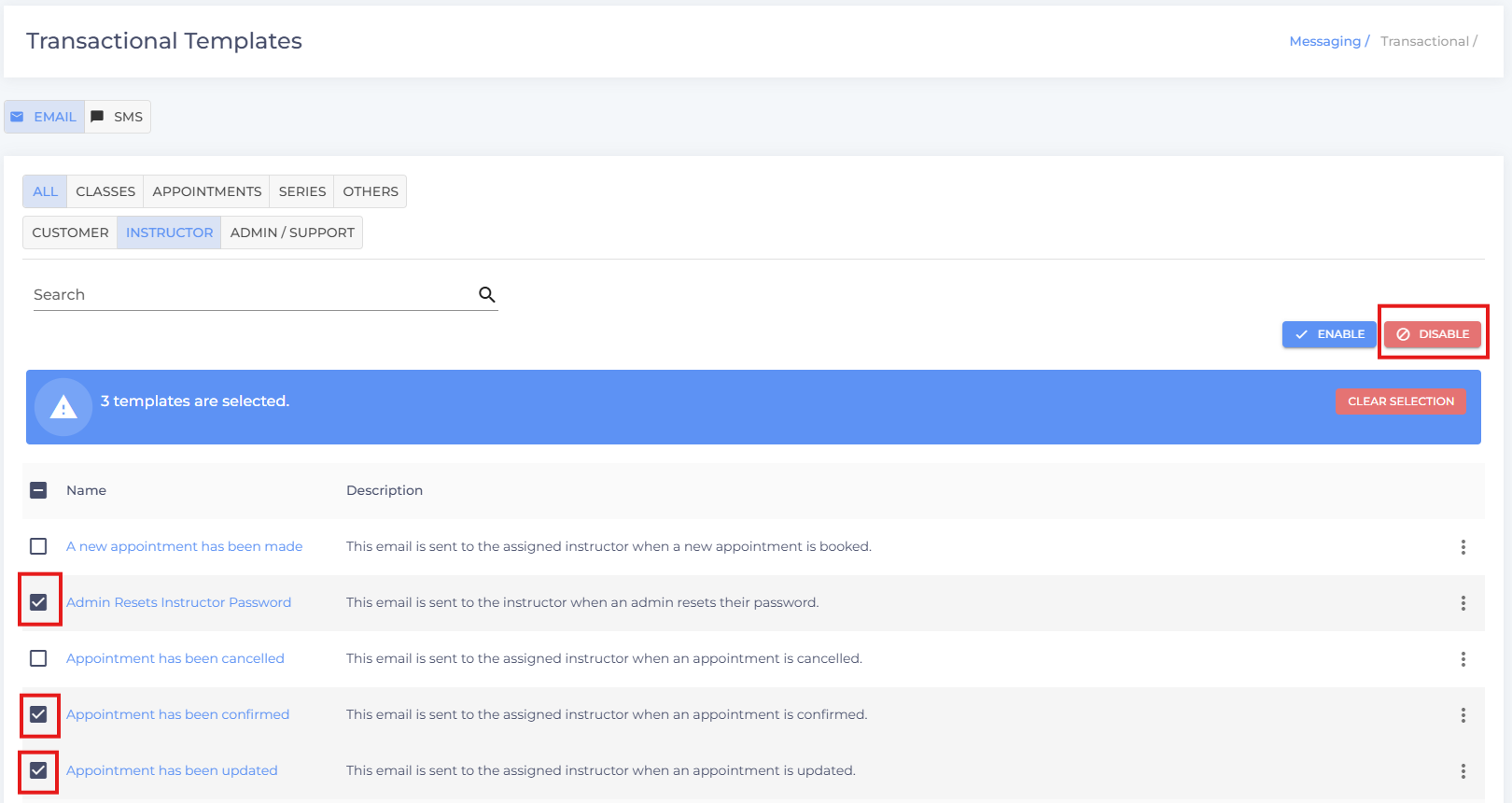
- Click the three dots next to the respective email, or select multiple emails by clicking the checkboxes next to them.
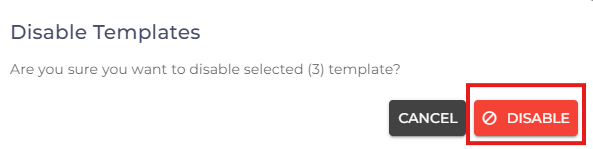
- Click Disable
- If you have any questions or require additional clarifications, reach out to us at team@studiogrowth.com and we'll get you up and running in no time.
Did this answer your question?
Thanks for the feedback
There was a problem submitting your feedback. Please try again later.
No results found

