
Create a Discount Code for a Class Pack or Membership
Discount codes allow you to offer fixed or percentage-based discounts on class packs, memberships, and other eligible purchases.
Create a Discount Code
- From the side menu, navigate to Business Setup.
- Select Discount Codes under Promotions.

- Click Add Discount Code.

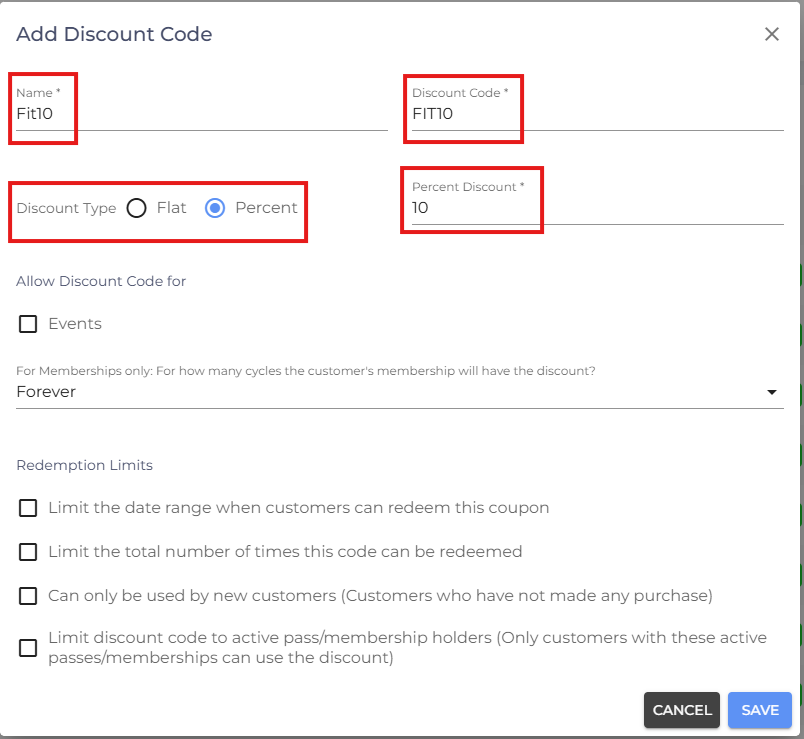
- Enter a Name for the discount code.
- Enter the Discount Code customers will use during checkout.
- Select the Discount Type:
Flat – Applies a fixed discount amount.
Percent – Applies a percentage-based discount.
- Enter the discount amount or percentage.
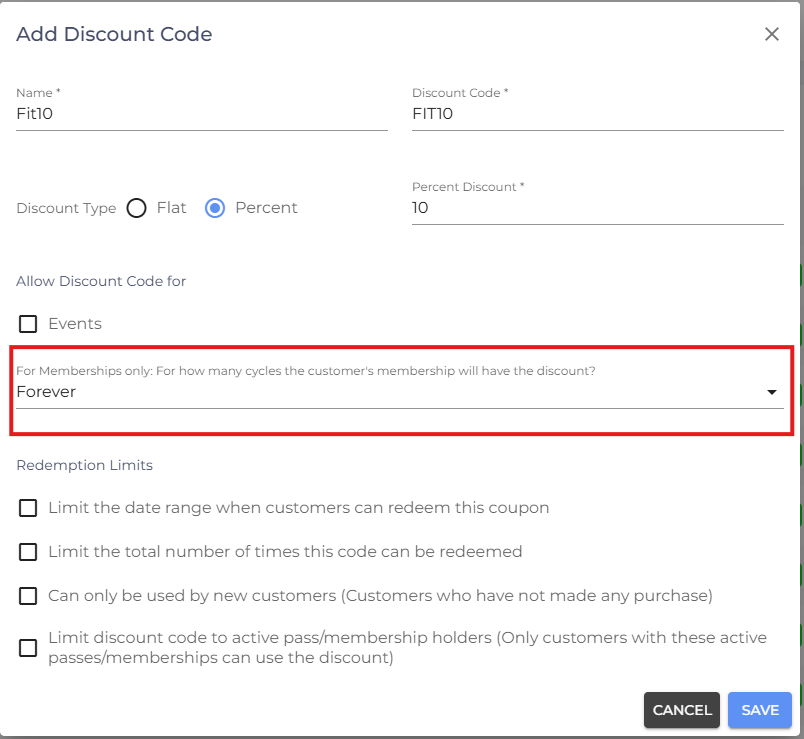
Membership Discount Duration
For Memberships Only – For How Many Cycles Will the Customer's Membership Have the Discount?
Choose how long the discount should apply to recurring membership payments. You can apply the discount for a specific number of billing cycles or Forever.
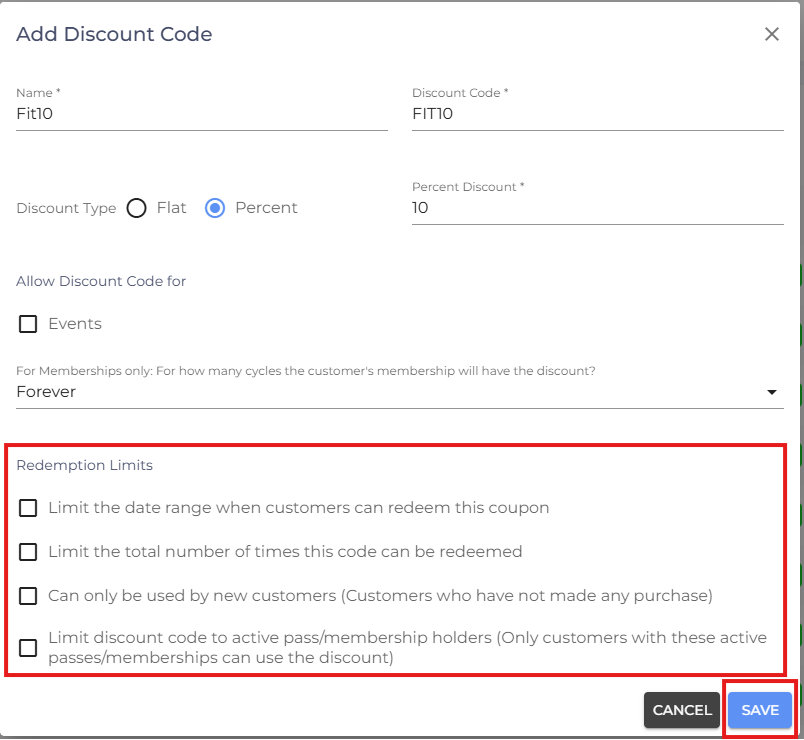
Redemption Limits
Configure any restrictions for the discount code:
- Limit the Date Range When Customers Can Redeem This Coupon – Restrict the discount code so it can only be used within a specified date range.
- Limit the Total Number of Times This Code Can Be Redeemed – Set a maximum number of times the discount code can be redeemed across all customers.
- Can Only Be Used by New Customers – Restrict the discount code to customers who have never completed a purchase.
- Limit Discount Code to Active Pass/Membership Holders – Restrict the discount code so it can only be redeemed by customers with an active pass or membership.
- Review the discount code settings.
- Click Save.
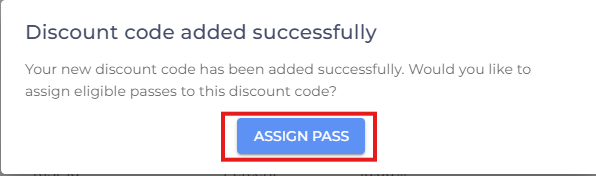
- After saving, the Assign Pass window will appear. Click Assign Pass.
- Select the Class Pack or Membership you want the discount code to apply to.
- Click Update.
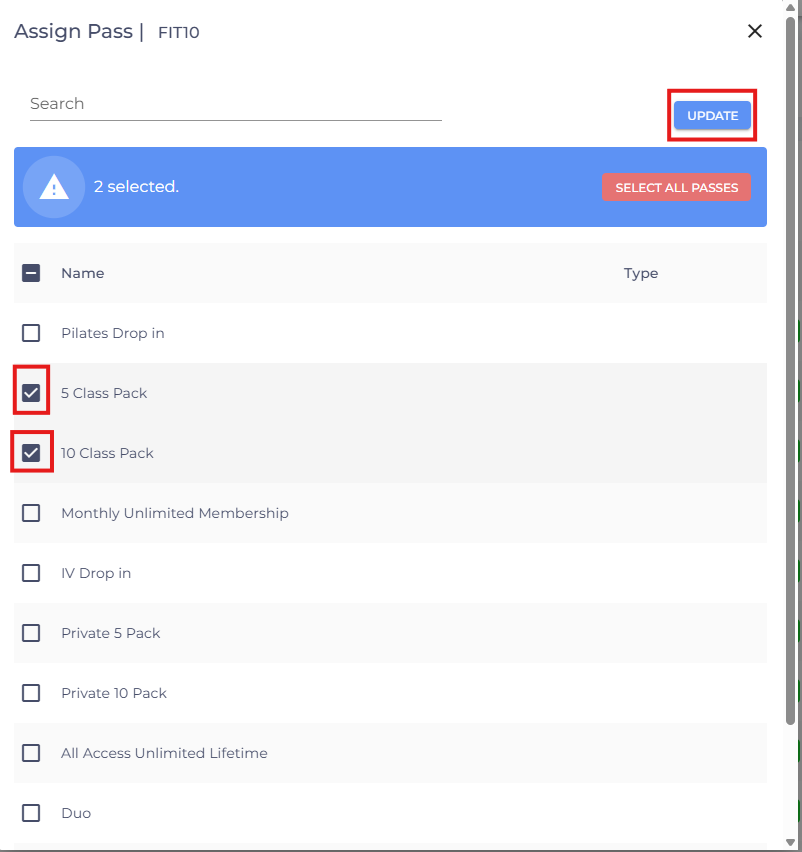
Note: The discount code can only be redeemed for the Class Pack or Membership it has been assigned to. If a pass is not assigned, the discount code cannot be used for that pass.
Related Article: See Use the Point of Sale (POS) for step-by-step instructions on applying discount codes during a Point of Sale purchase.