
Purchase a Gift Card
Customers can purchase gift cards through the StudioGrowth mobile app and send them immediately or schedule them for delivery on a future date.
- Open the StudioGrowth mobile app.
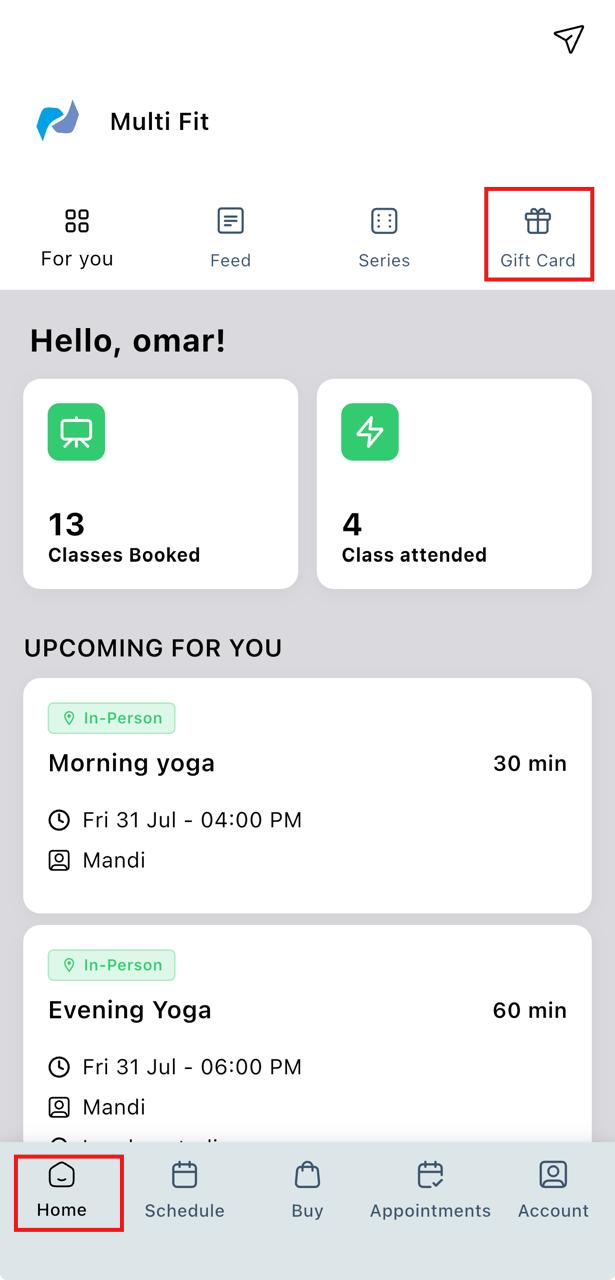
- On the Home page, tap Gift Cards.
- Select the gift card amount you want to purchase.
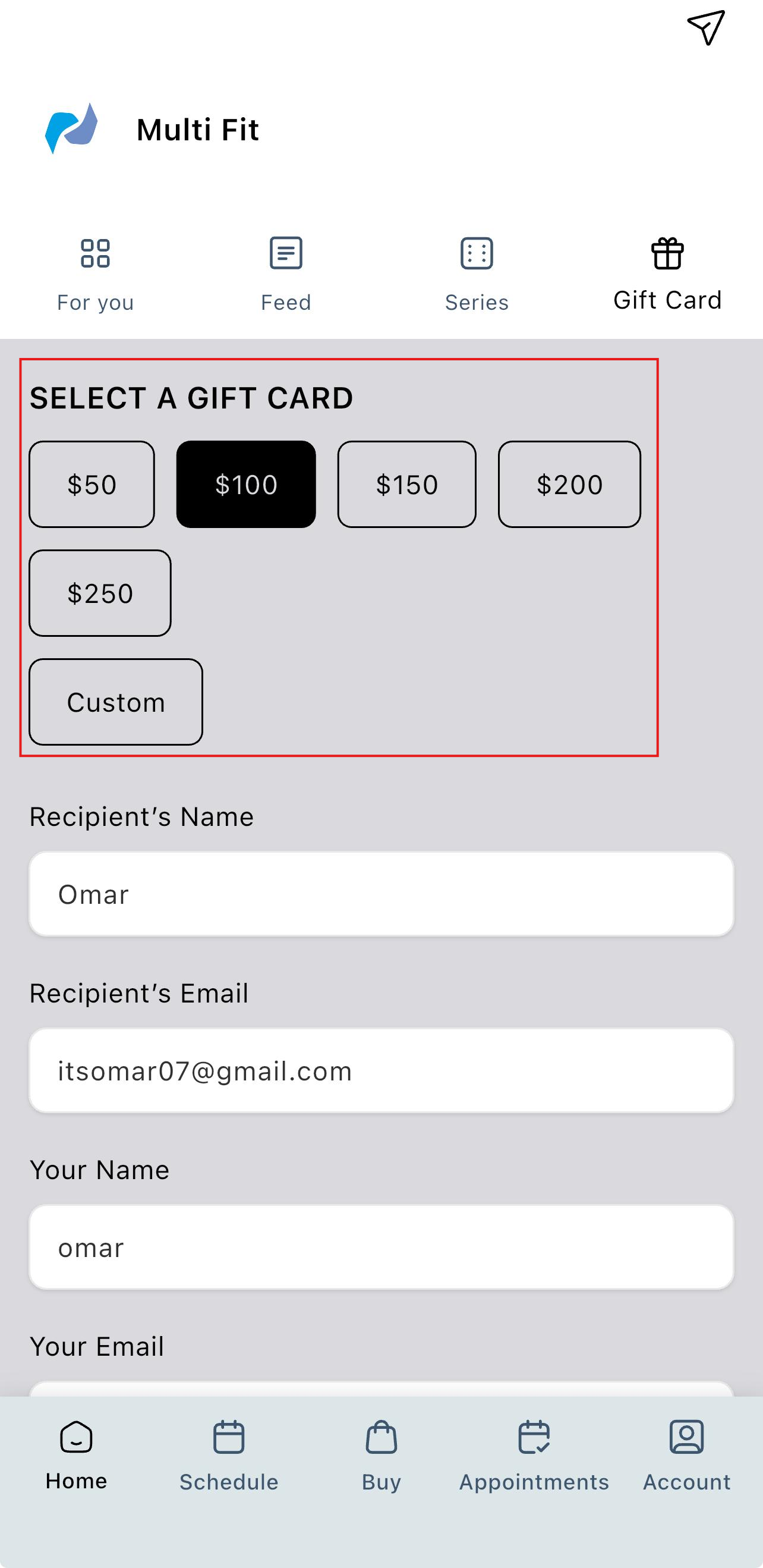
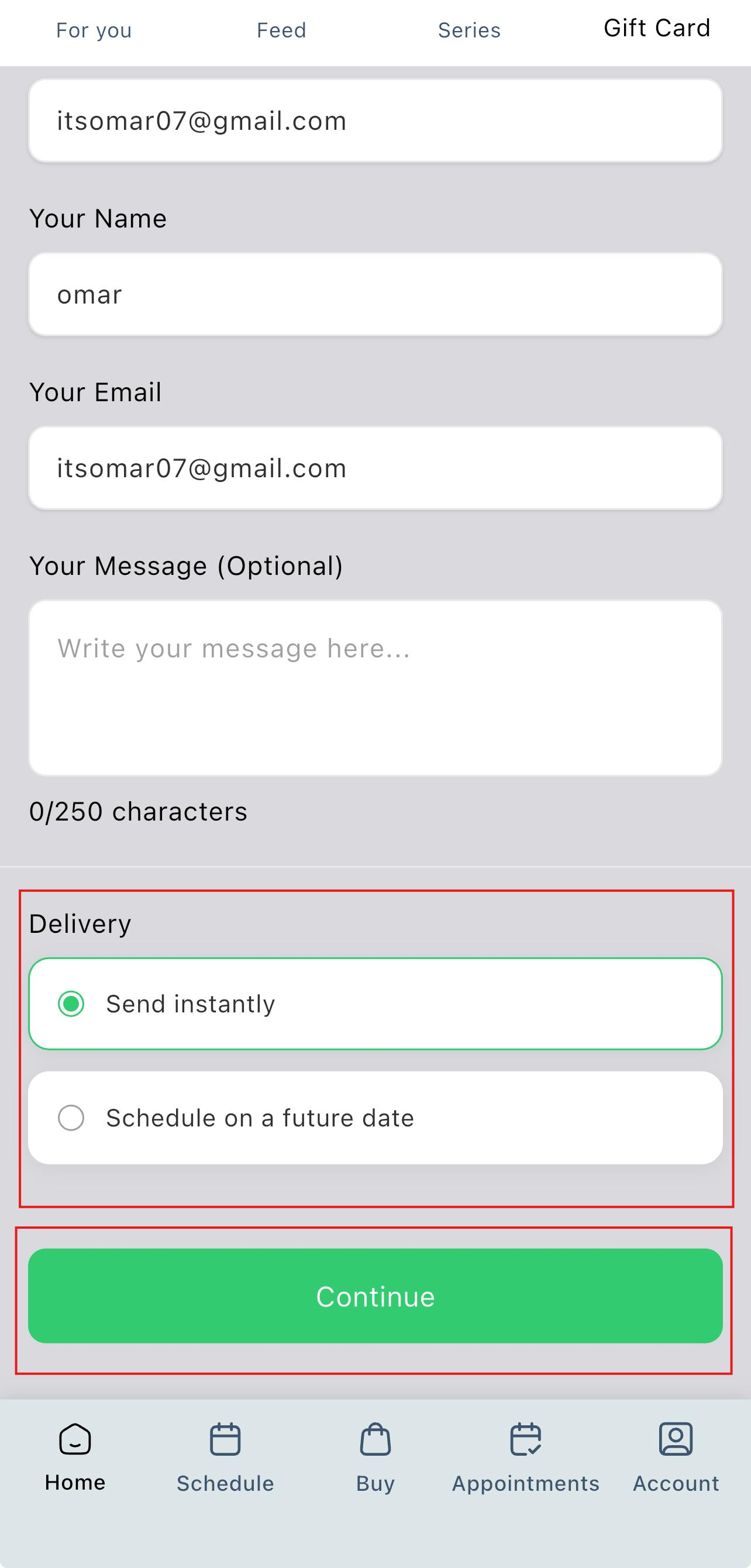
- Enter the required recipient and purchase details.
- Choose whether to Send Instantly or Send on a Future Date.
- Tap Continue.
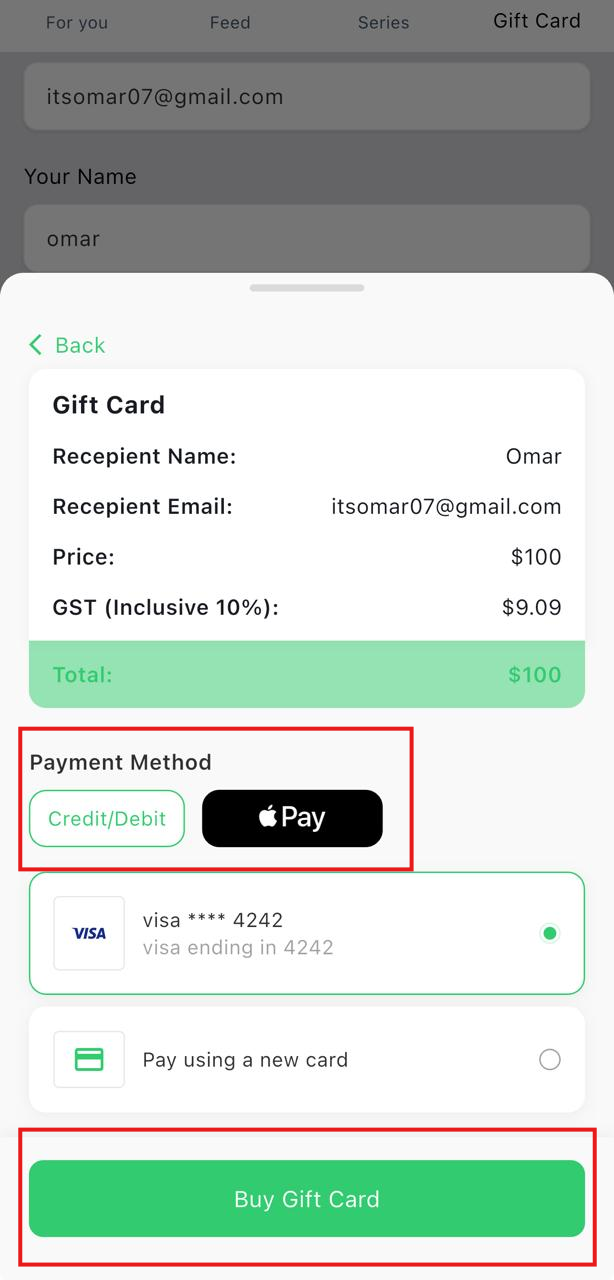
- Select your preferred Payment Method.
- Tap Buy Gift Card to complete the purchase.
Note: If you choose Send on a Future Date, the gift card will be delivered to the recipient on the scheduled date.