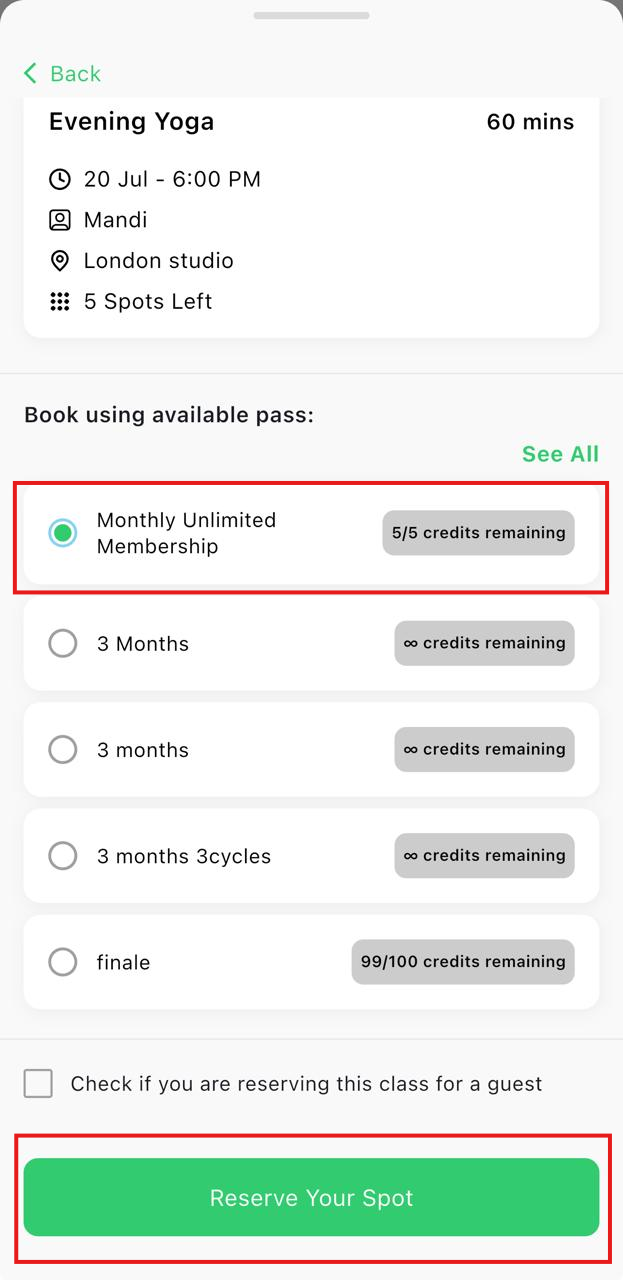
Book a Class
Book classes directly from the StudioGrowth mobile app using your active Class Pack or Membership.
Before you begin: You must have an active Class Pack or Membership with available credits. See Purchase a Pass to learn how to buy a pass.
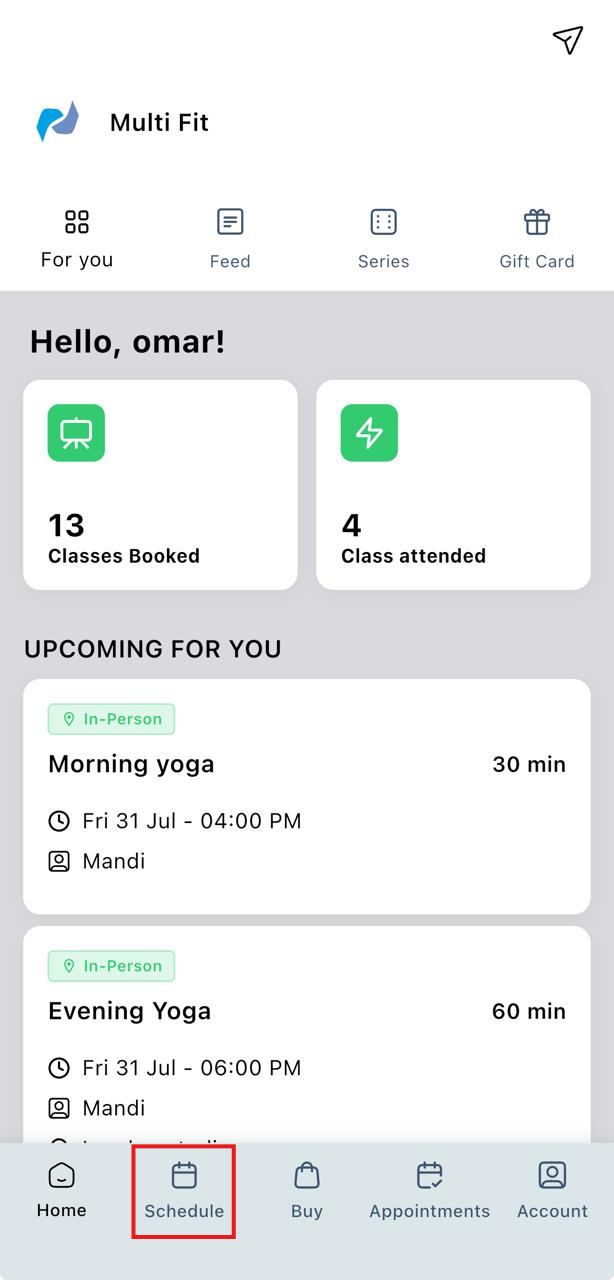
- Open the StudioGrowth mobile app.
- Tap Schedule from the bottom navigation bar.
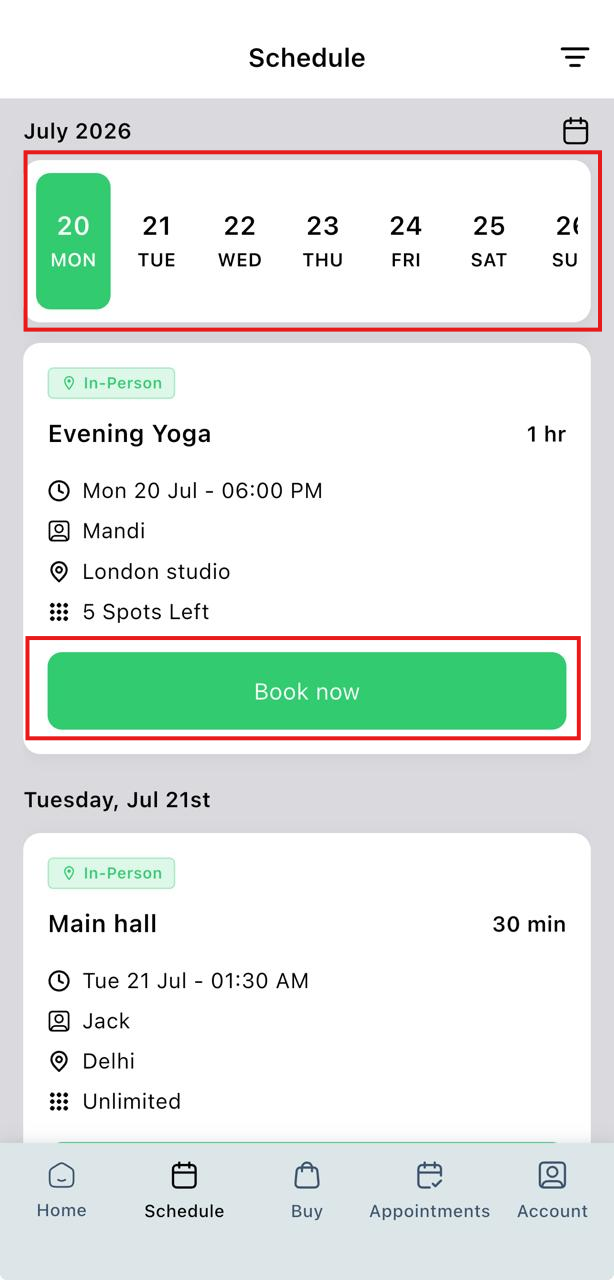
- Select the date you want to attend.
- Browse the available classes and choose your preferred class.
- Review the class details.
- Tap Book Now.
- Select the Class Pack or Membership you want to use for the booking.
- Tap Reserve Your Spot to confirm your booking.