
Book an Appointment
Book appointments directly through the Studio Growth mobile app by selecting either a Service or an Instructor.
Before you begin: You must have an active Class Pack or Membership that is eligible for appointment bookings and has available credits. See Purchase a Pass to learn how to buy a pass.
Book an Appointment by Service
- Open the StudioGrowth mobile app.
- Tap Appointments from the bottom navigation bar.
- Select By Service.
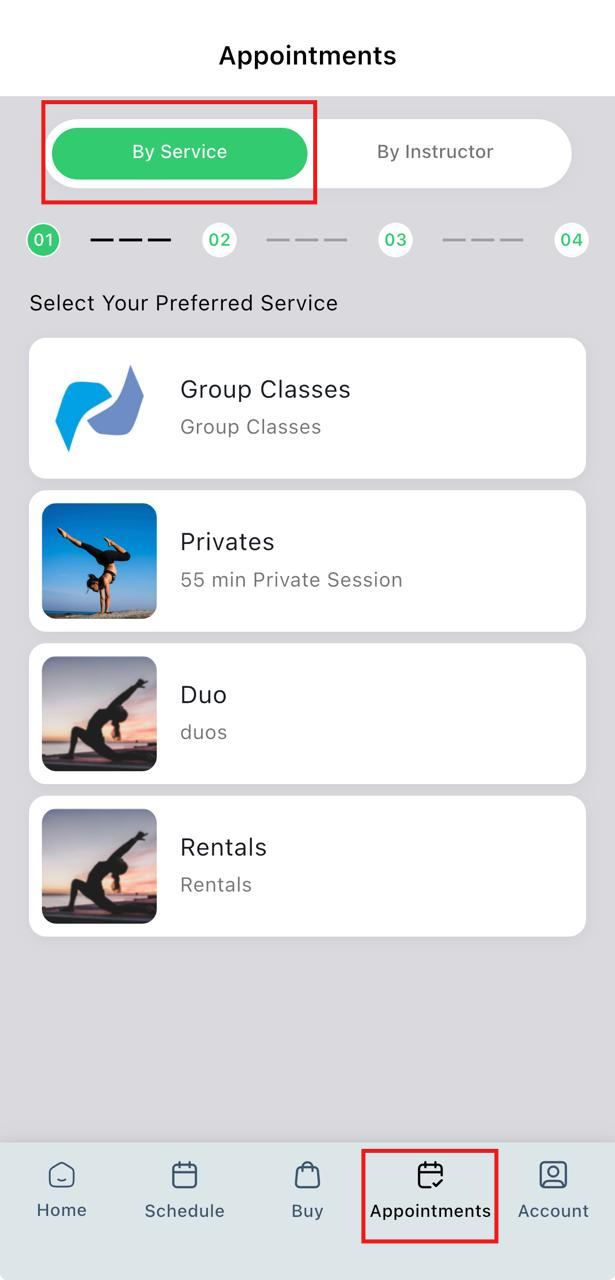
- Choose the service you want to book.
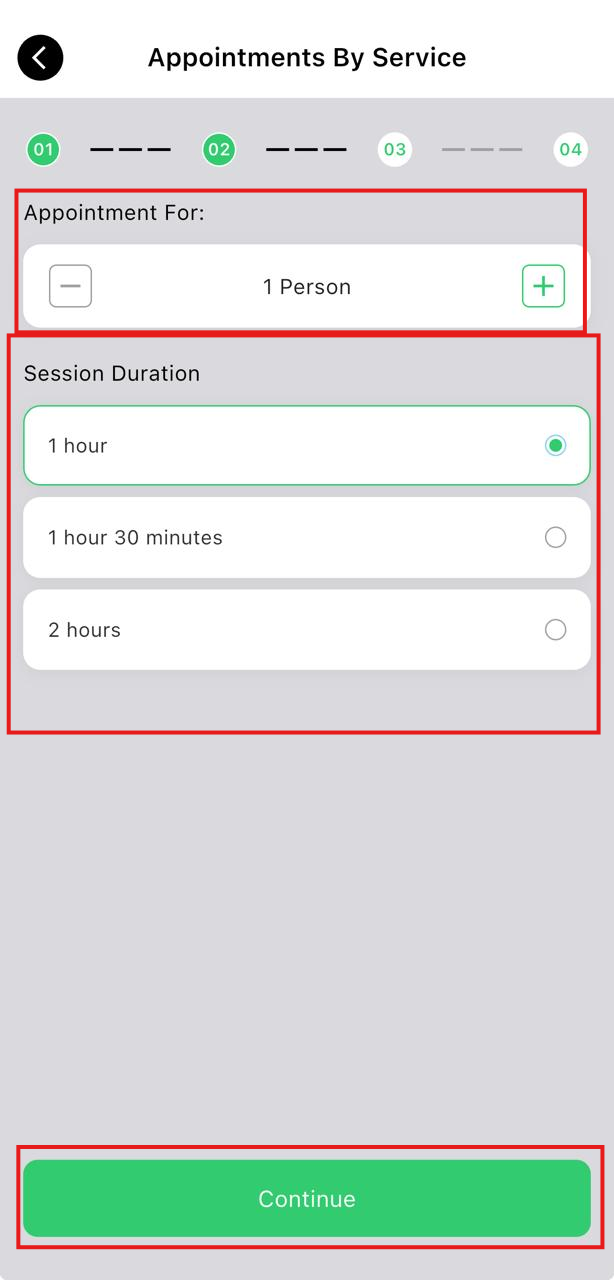
- Select the appointment duration.
- Select the number of attendees for the appointment.
- Tap Continue.
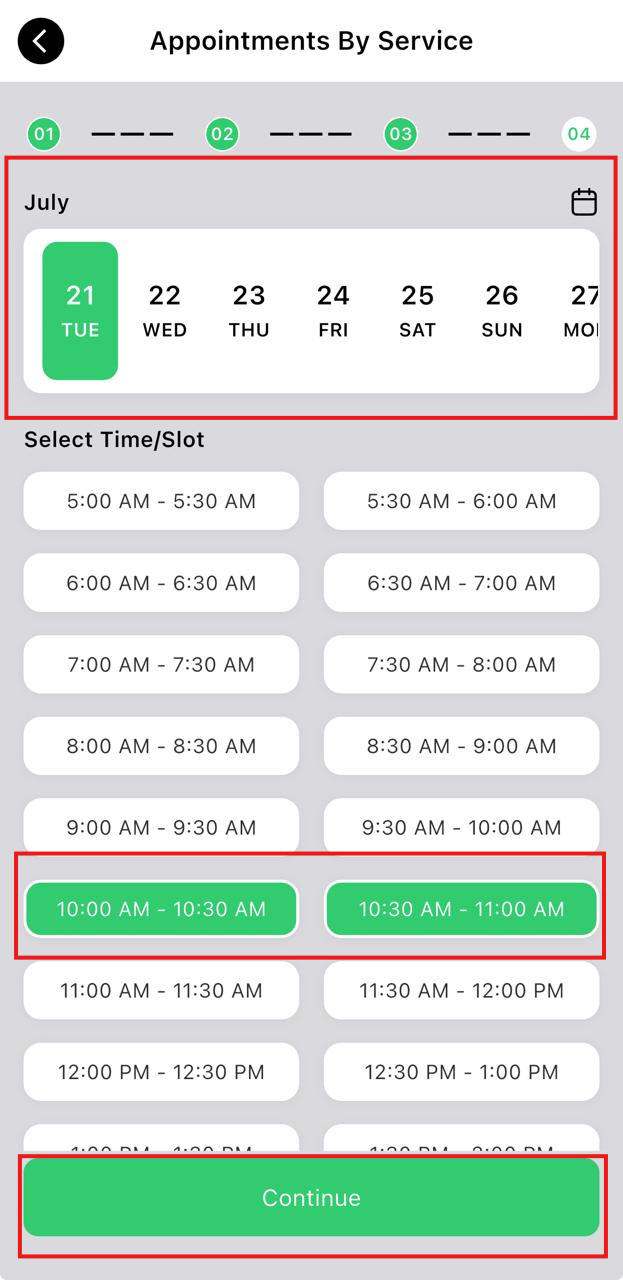
- Select your preferred date and available time slot.
- Tap Continue.
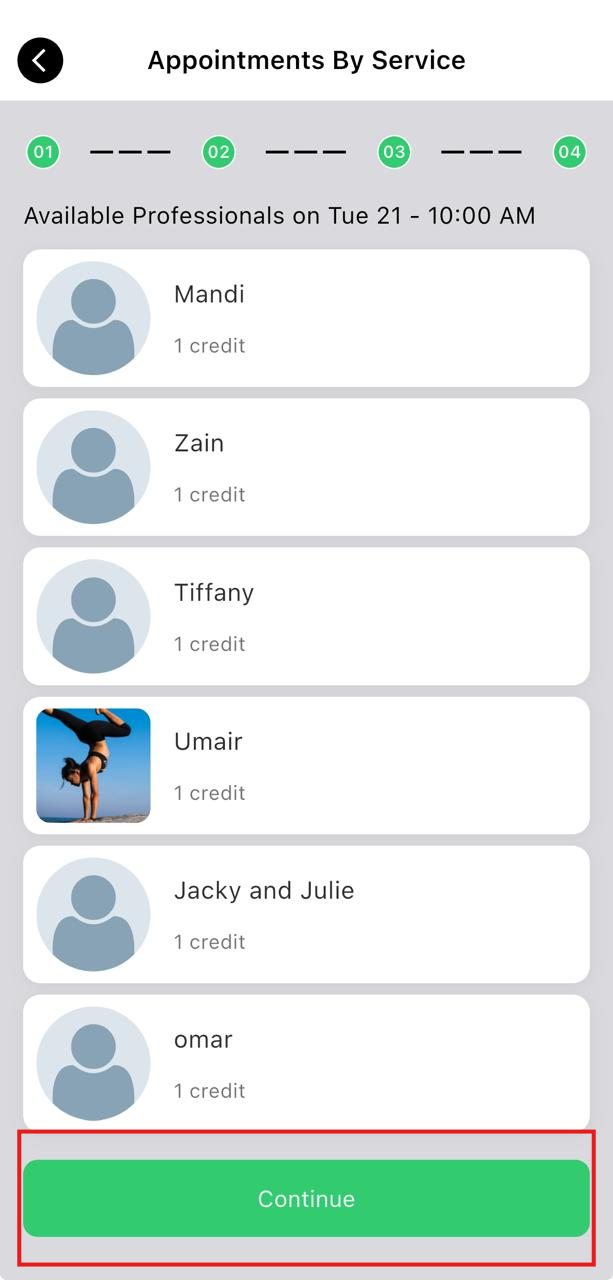
- Select an available instructor.
- Tap Continue.
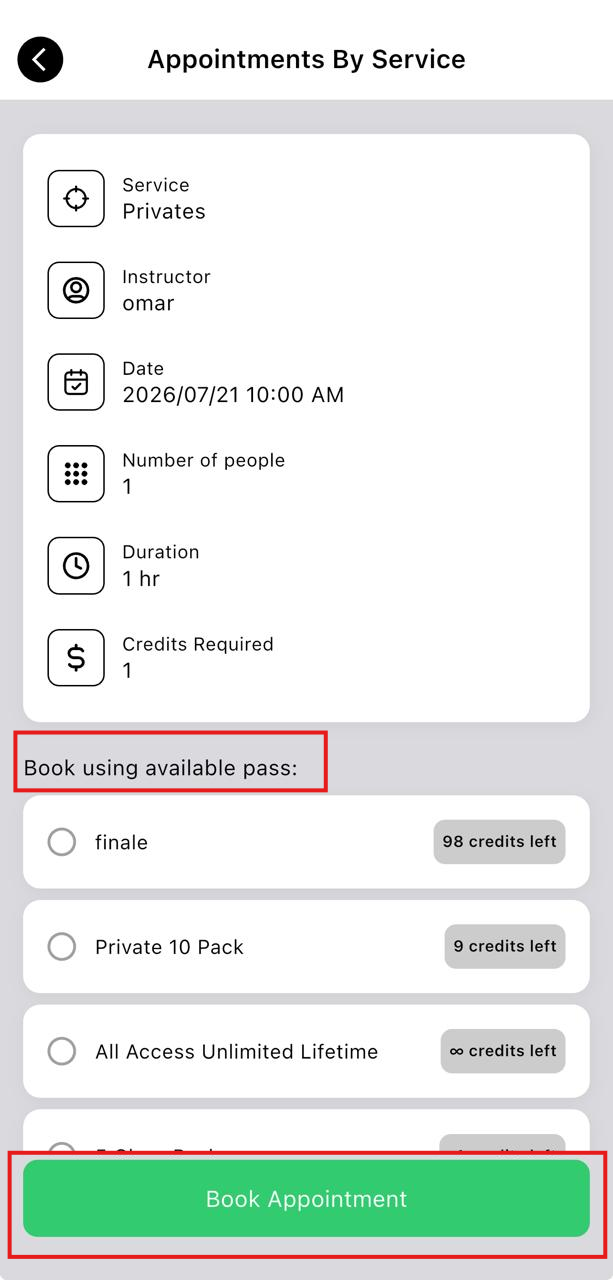
- Select an available pass.
- Tap Book Appointment.
Book an Appointment by Instructor
- Open the StudioGrowth mobile app.
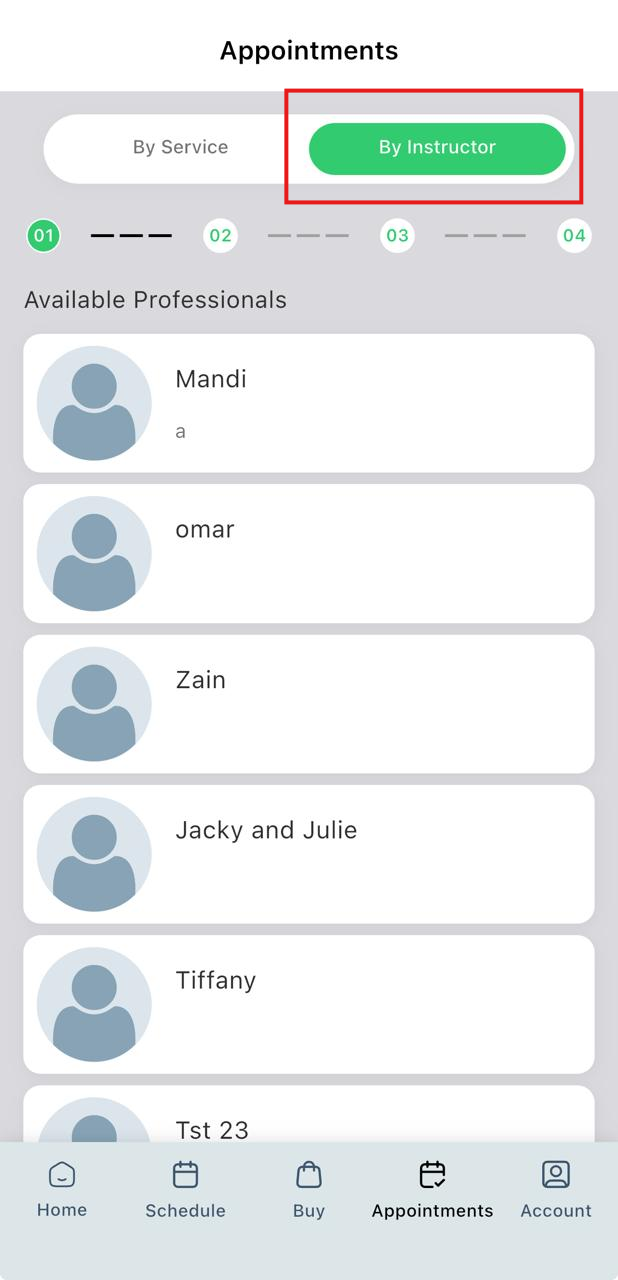
- Tap Appointments from the bottom navigation bar.
- Select By Instructor.
- Choose the instructor you want to book.
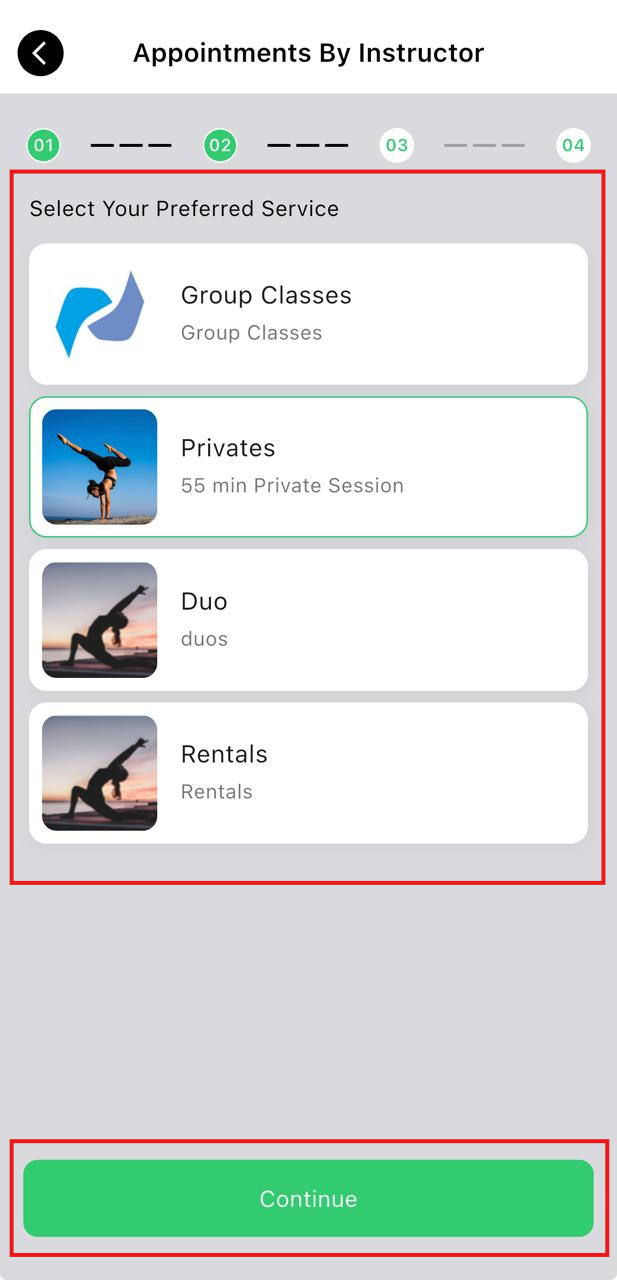
- Select the service.
- Tap Continue.
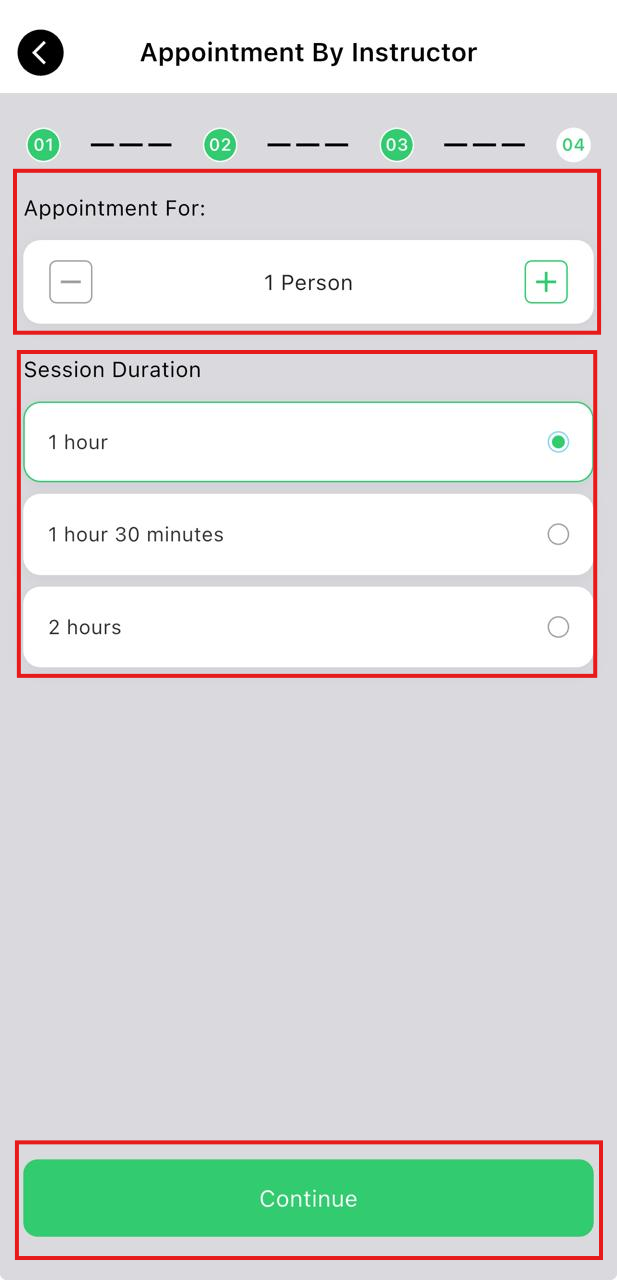
- Select the appointment duration.
- Select the number of attendees for the appointment.
- Tap Continue.
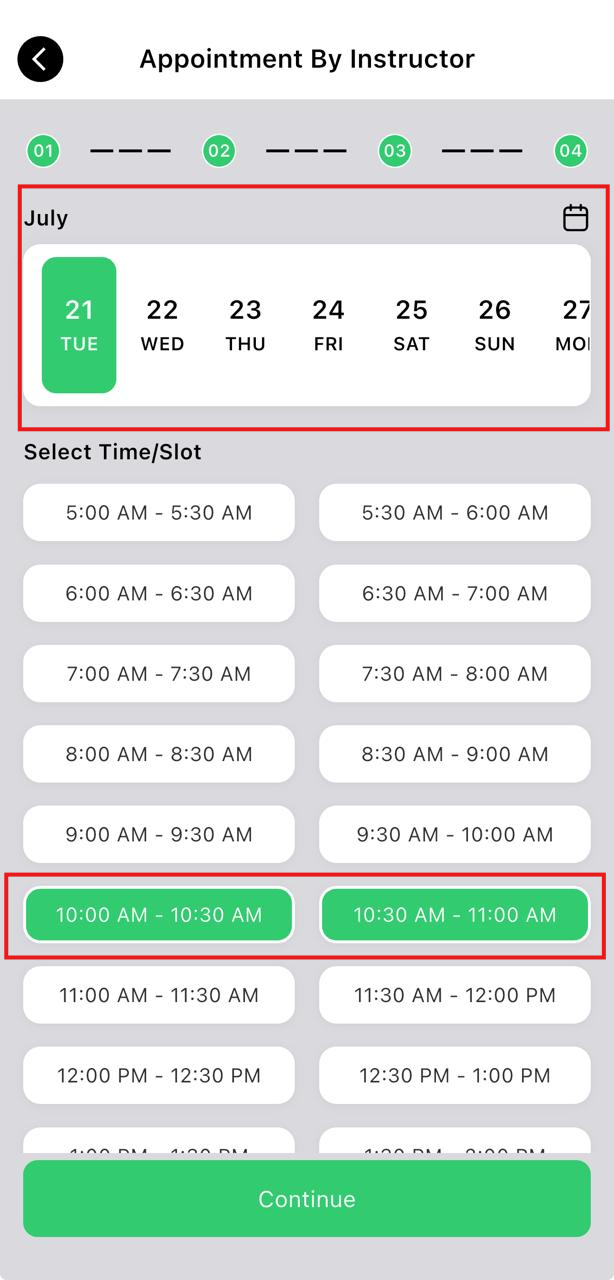
- Select your preferred date and available time slot.
- Tap Continue.
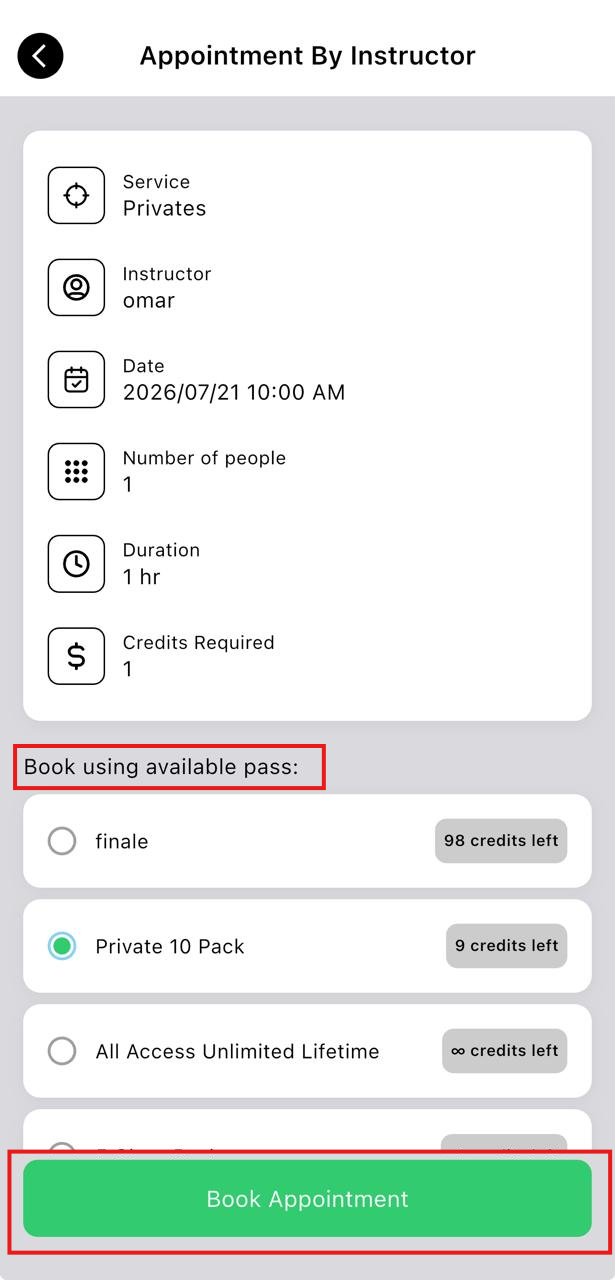
- Select the Class Pack or Membership you want to use for the booking.
- Tap Book Appointment.
Note: The number of attendees you can book depends on the maximum capacity configured for the selected appointment service. Only the available number of attendees can be selected.