
Book a Series
Book a series directly through the Studio Growth mobile app using your active Class Pack or Membership.
Before you begin: You must have an active Class Pack or Membership that is eligible for the selected series and has available credits. See Purchase a Pass to learn how to buy a pass.
- Open the StudioGrowth mobile app.
- On the Home page, tap Series.
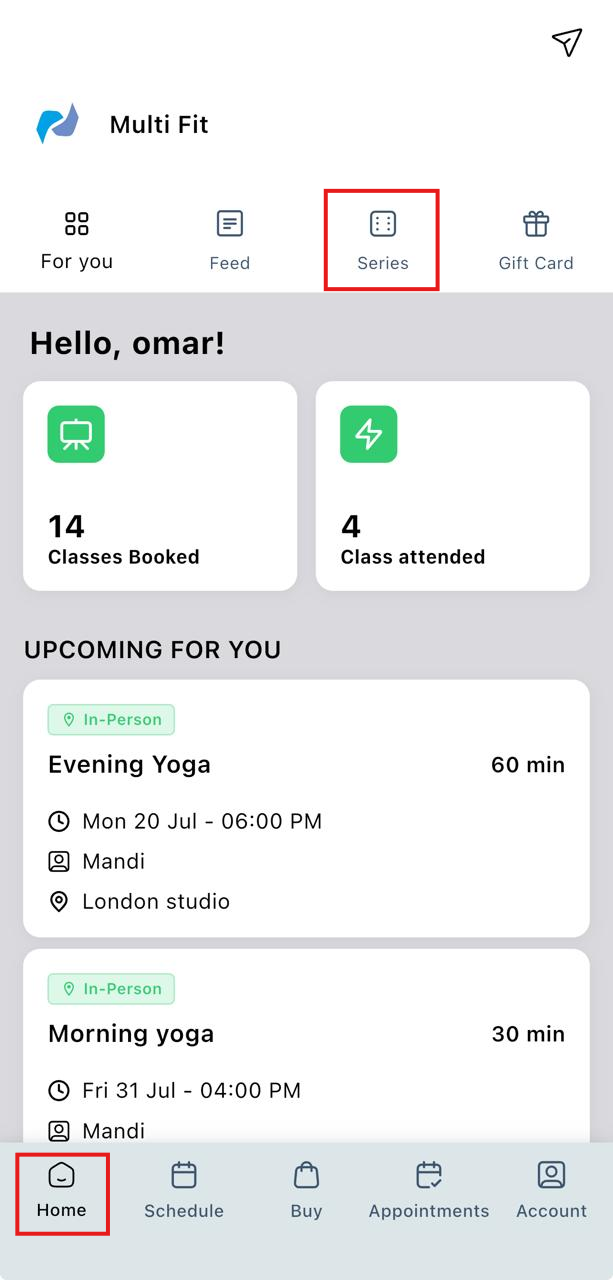
- Browse the available series and select the one you want to book.
- Tap Book Series.
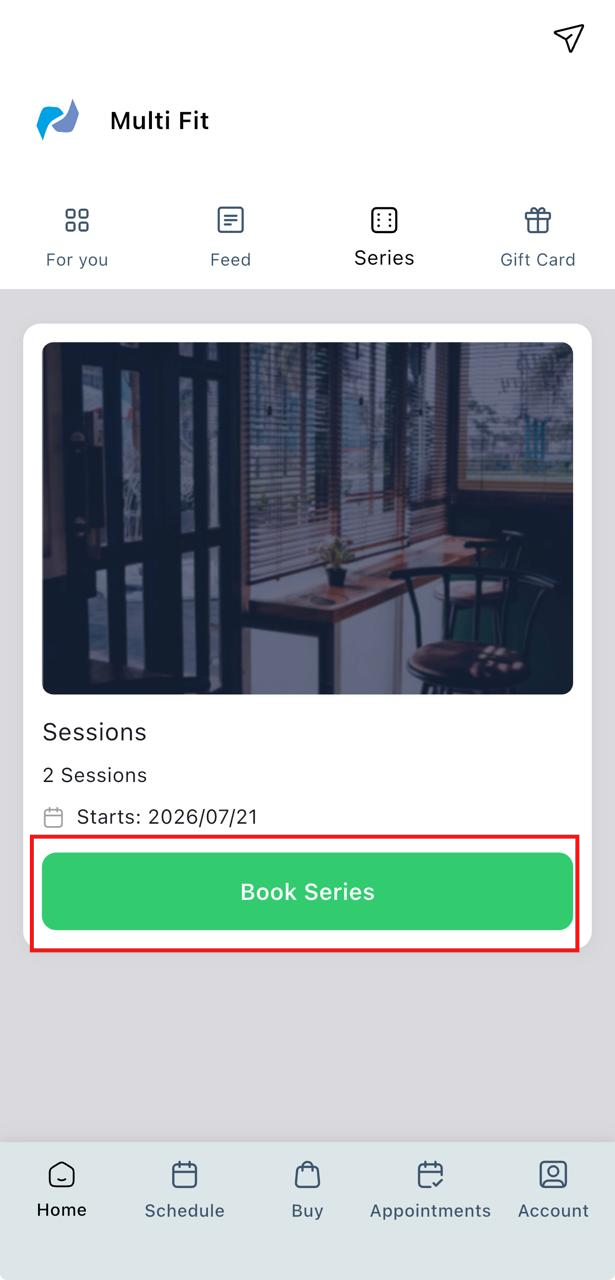
- Tap Reserve Your Spot.
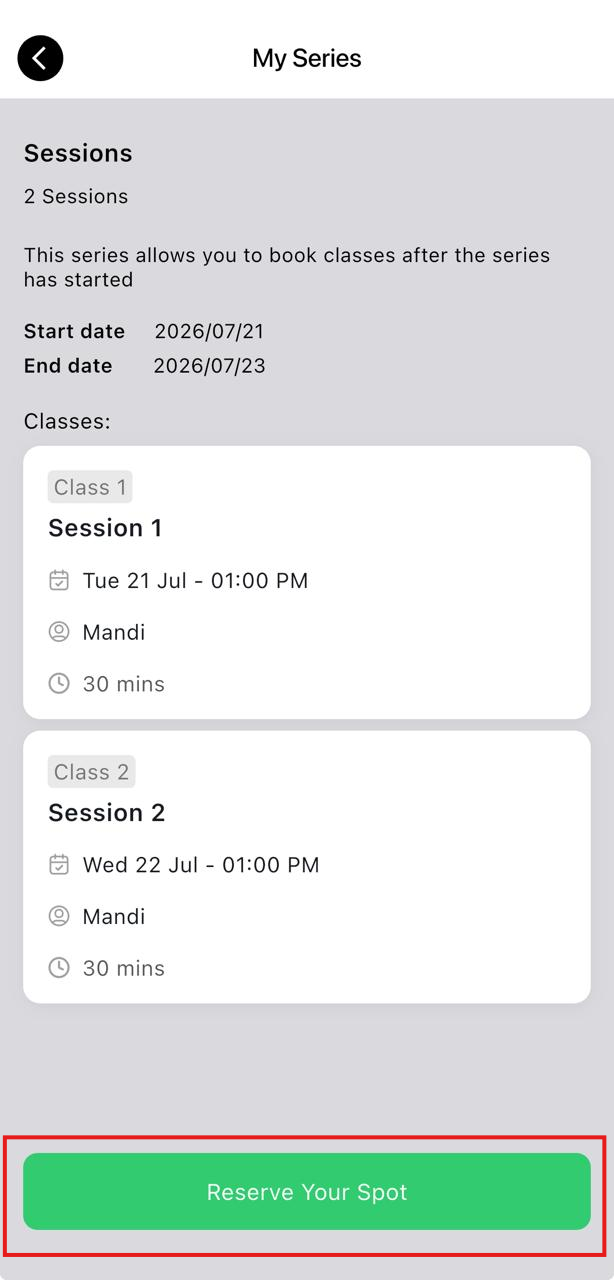
- Select the available pass you want to use for the booking.
- Click Reserve Your Spot.
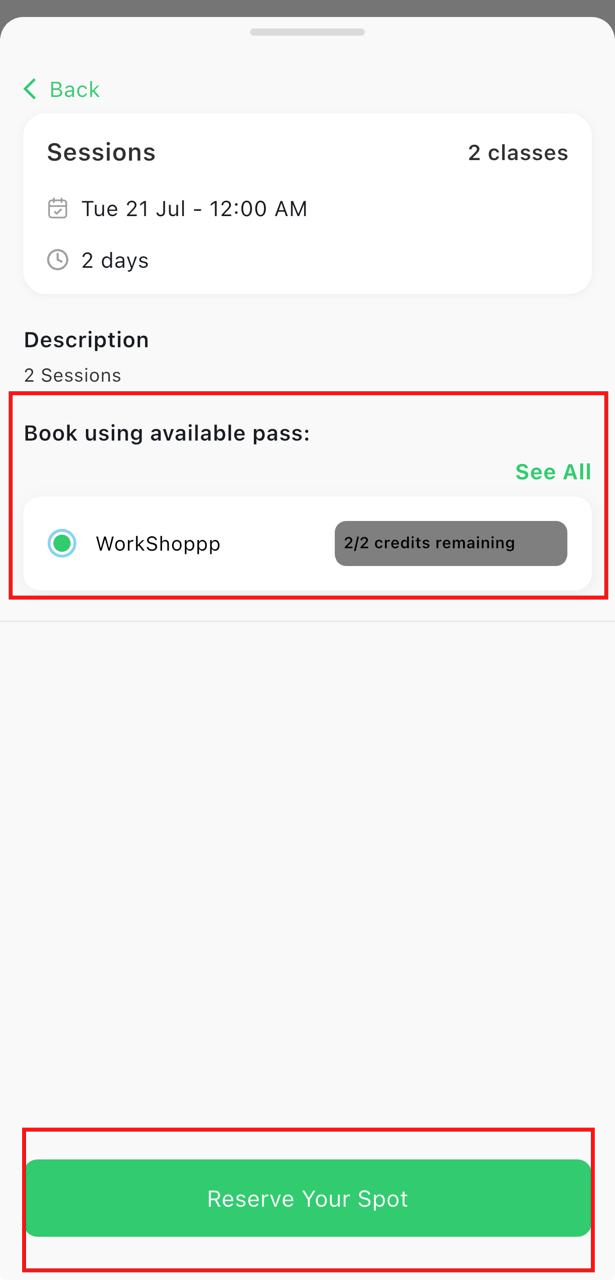
Note: Only eligible passes with available credits will be displayed. If no passes are available, you'll need to purchase an eligible pass before completing the booking.