
Use the Point of Sale (POS) on the Mobile App
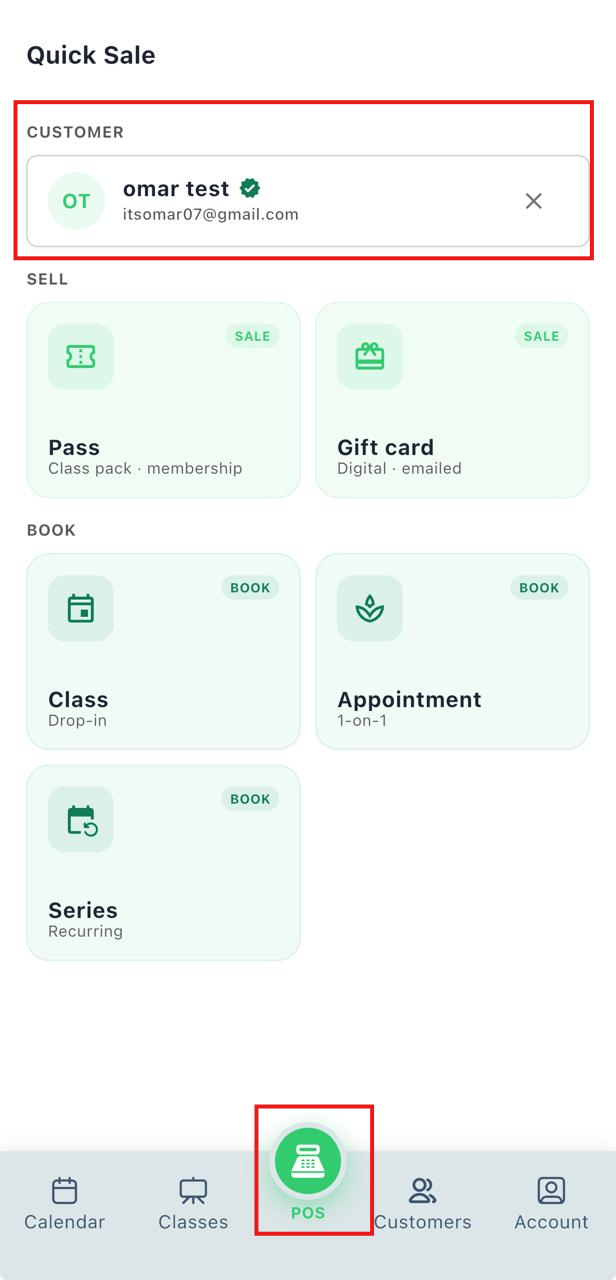
The Point of Sale (POS) allows instructors to sell passes and gift cards, as well as book classes, appointments, and series for customers directly from the StudioGrowth mobile app.
Access the POS
- Open the StudioGrowth mobile app.
- Tap POS from the bottom navigation bar.
- Select the customer.
Sell a Pass
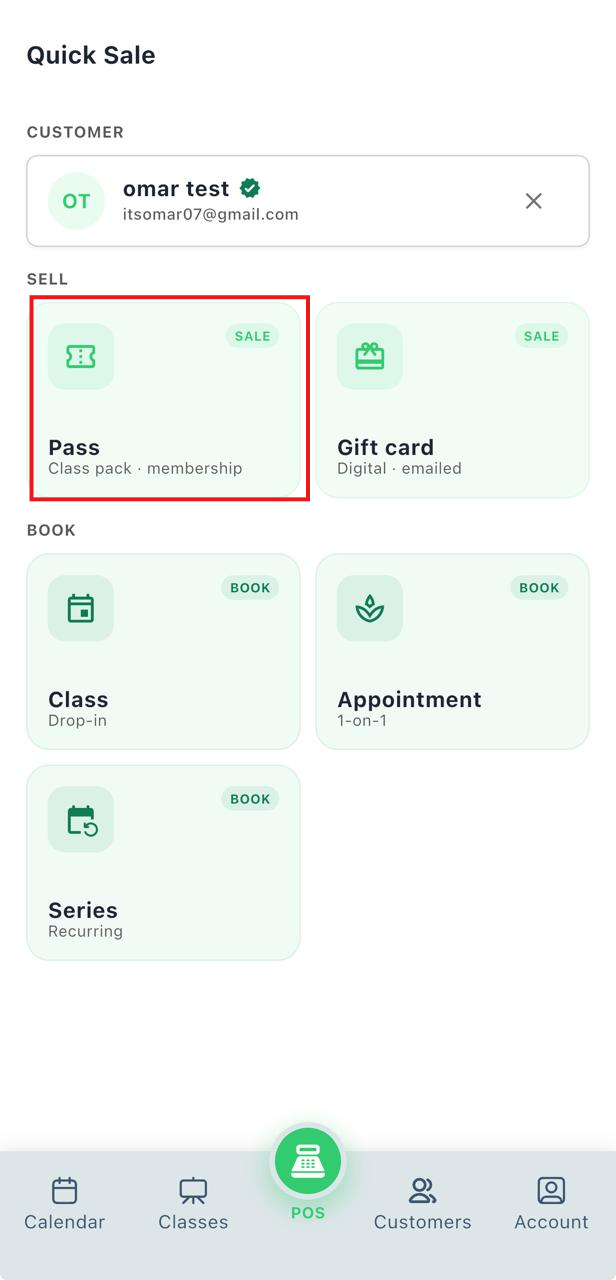
- Tap Pass.
- Choose whether to sell a Class Pack or Membership.
- (Optional) Set a future Start Date.
- (Optional) Apply a Discount Code.
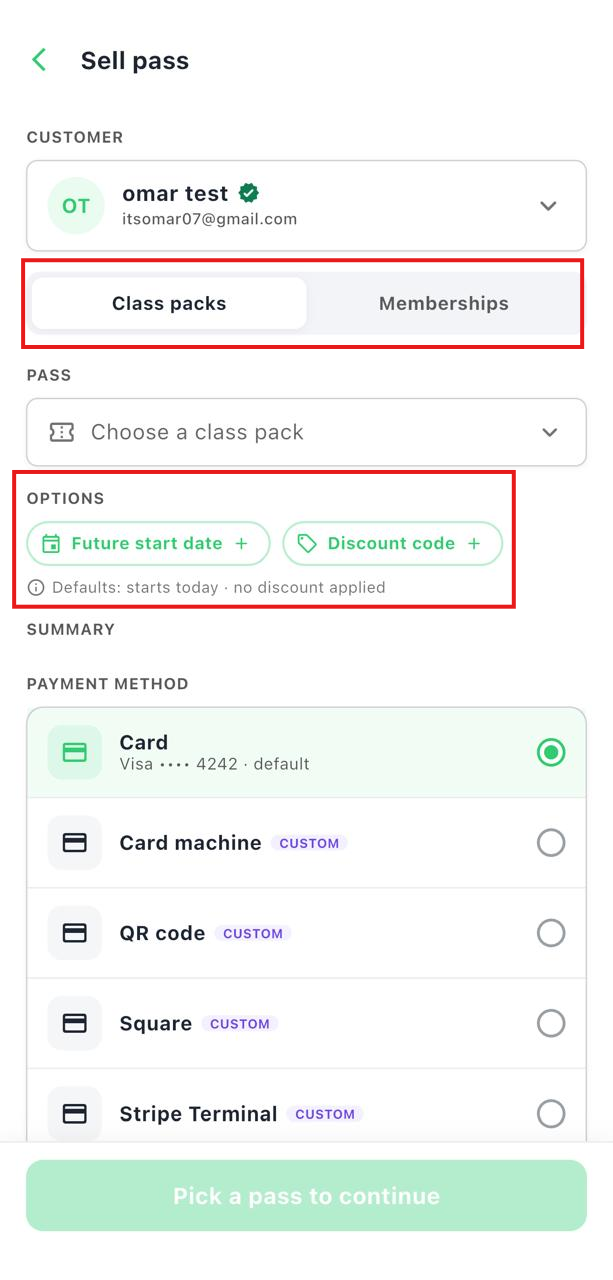
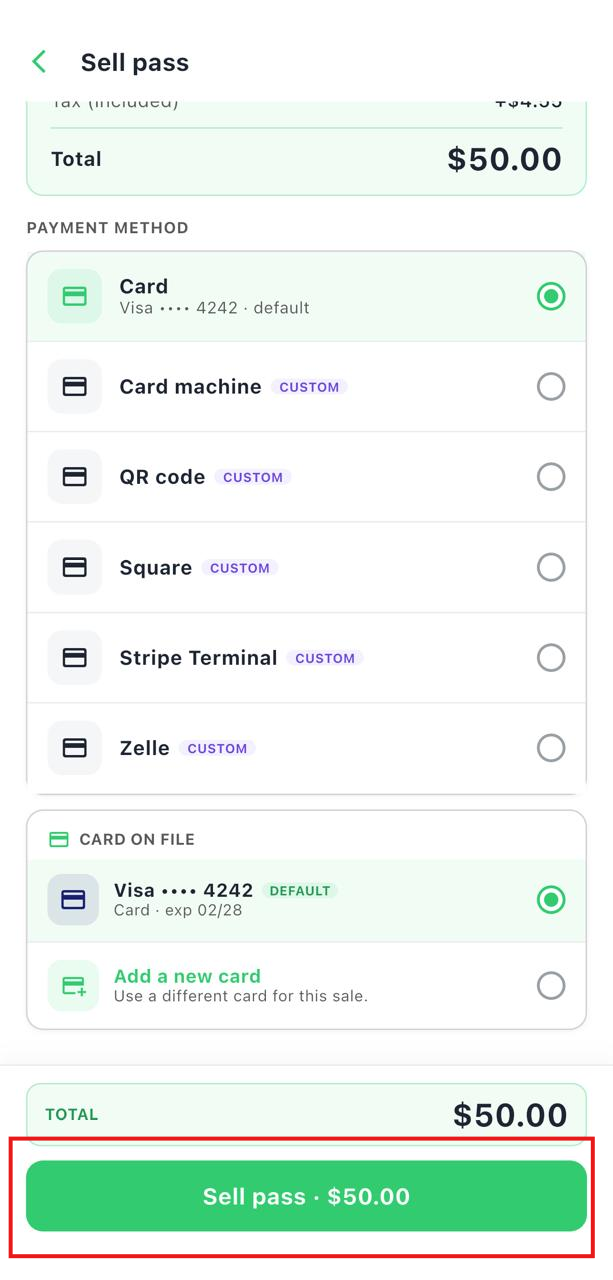
- Select the payment method.
- Tap Sell Pass.
Sell a Gift Card
-
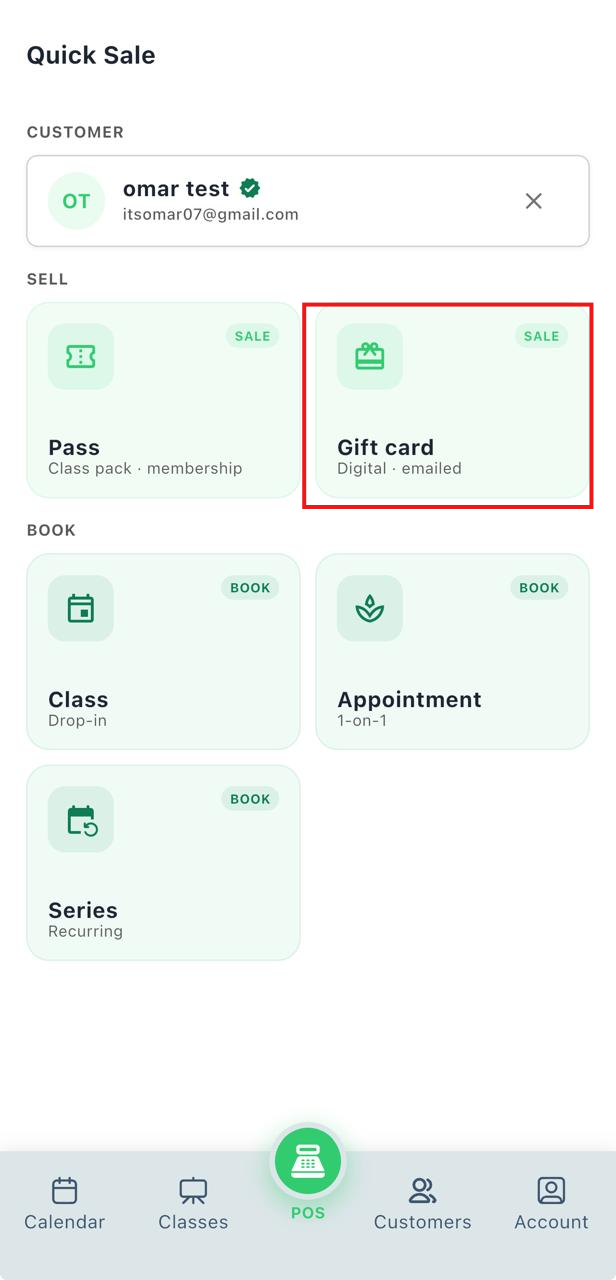
Tap Gift Card.
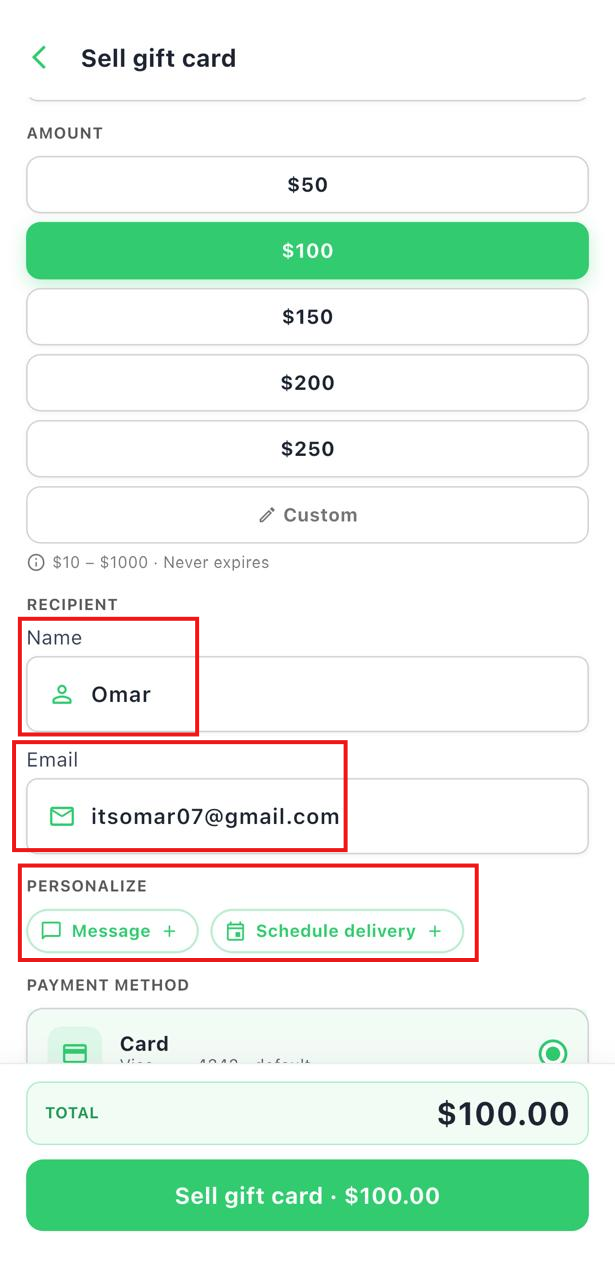
- Select the gift card amount.
- Enter the recipient's name and email address.
- (Optional) Schedule the gift card delivery and add a personal message.
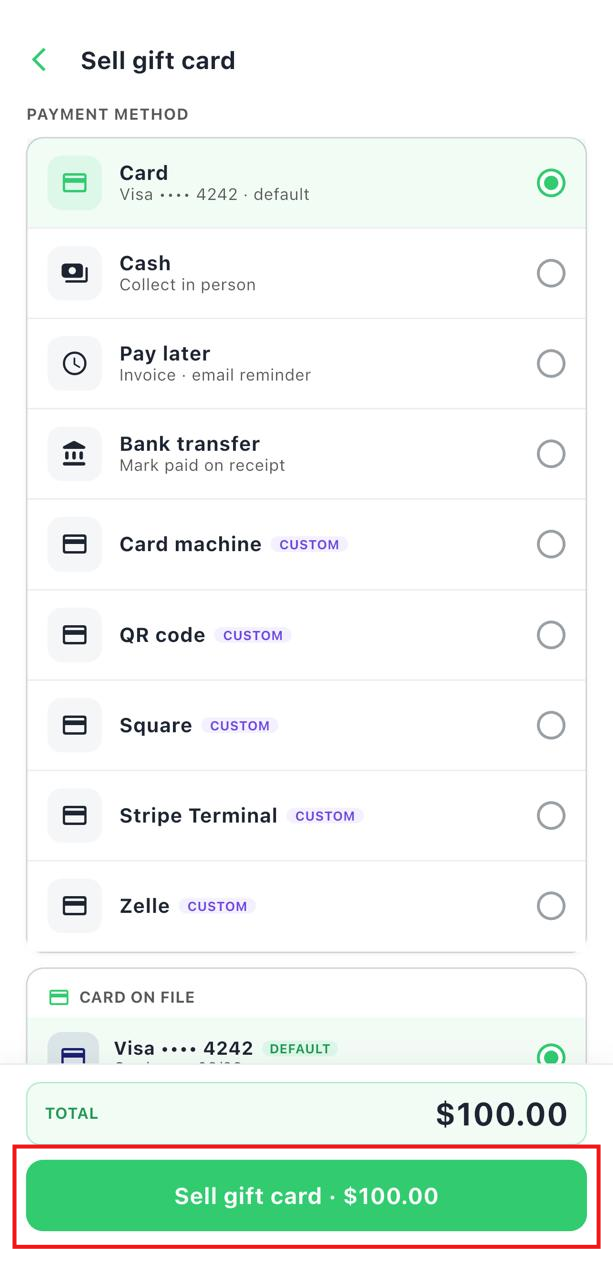
- Select the payment method.
- Tap Sell Gift Card.
Book a Class
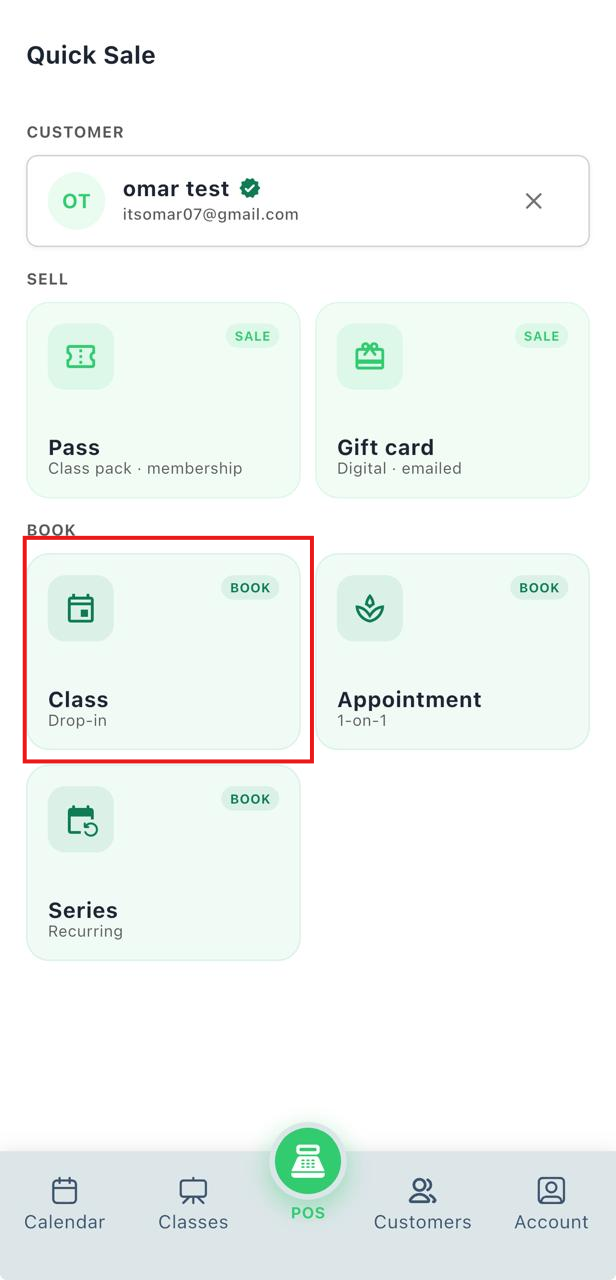
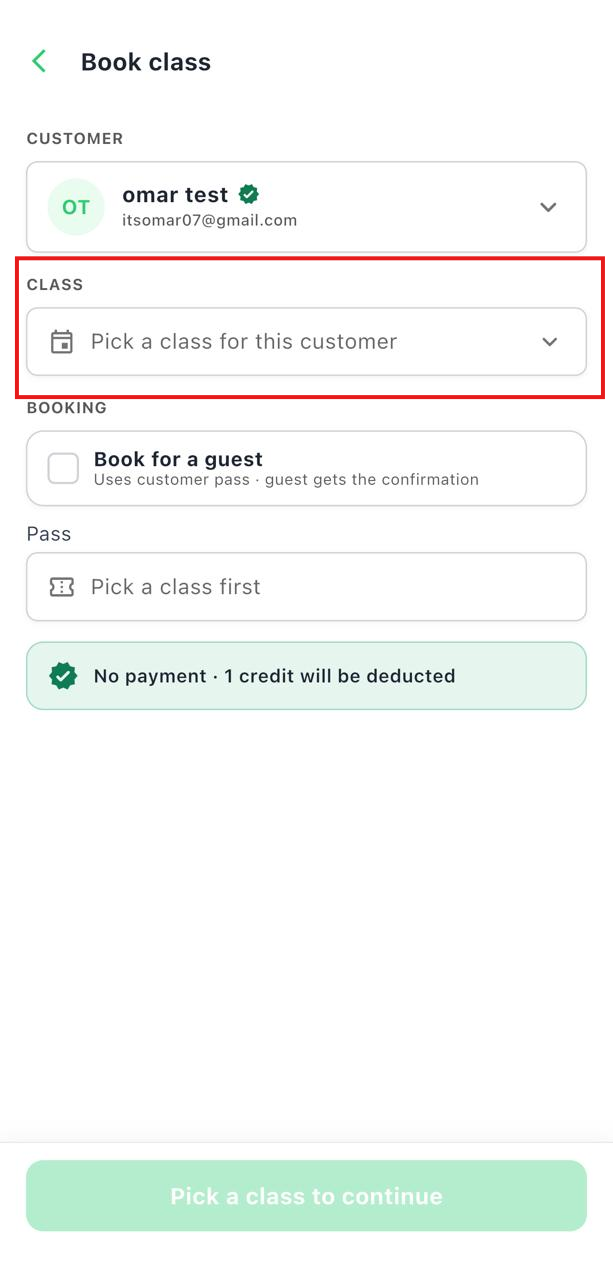
- Tap Class.
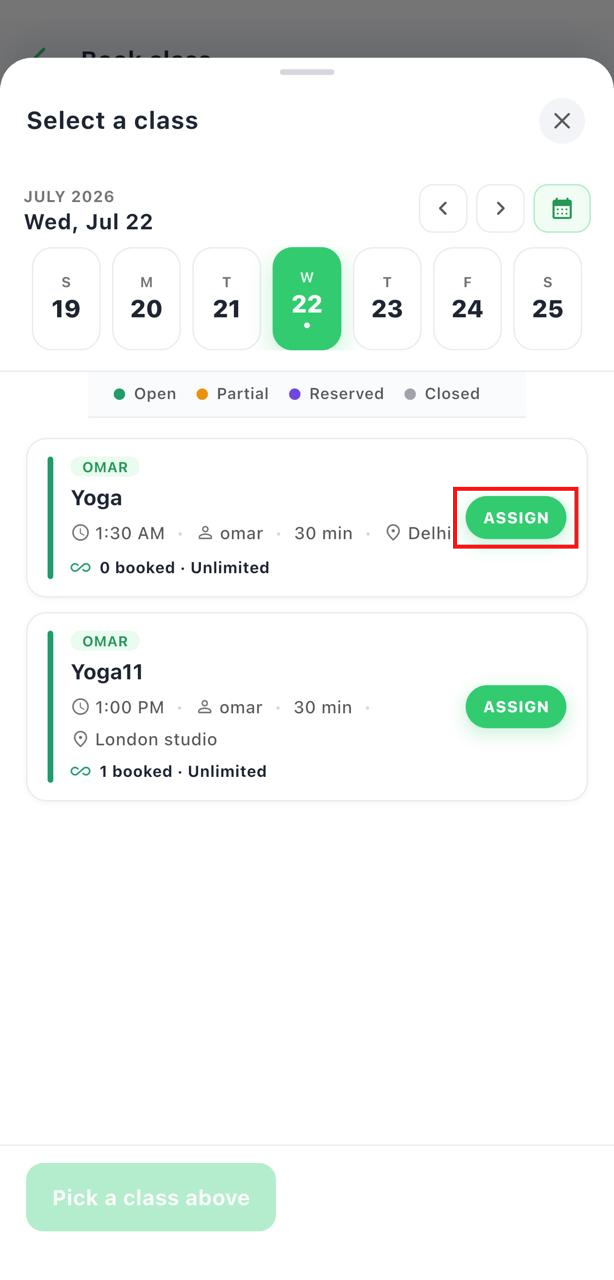
- Select the class you want to book.
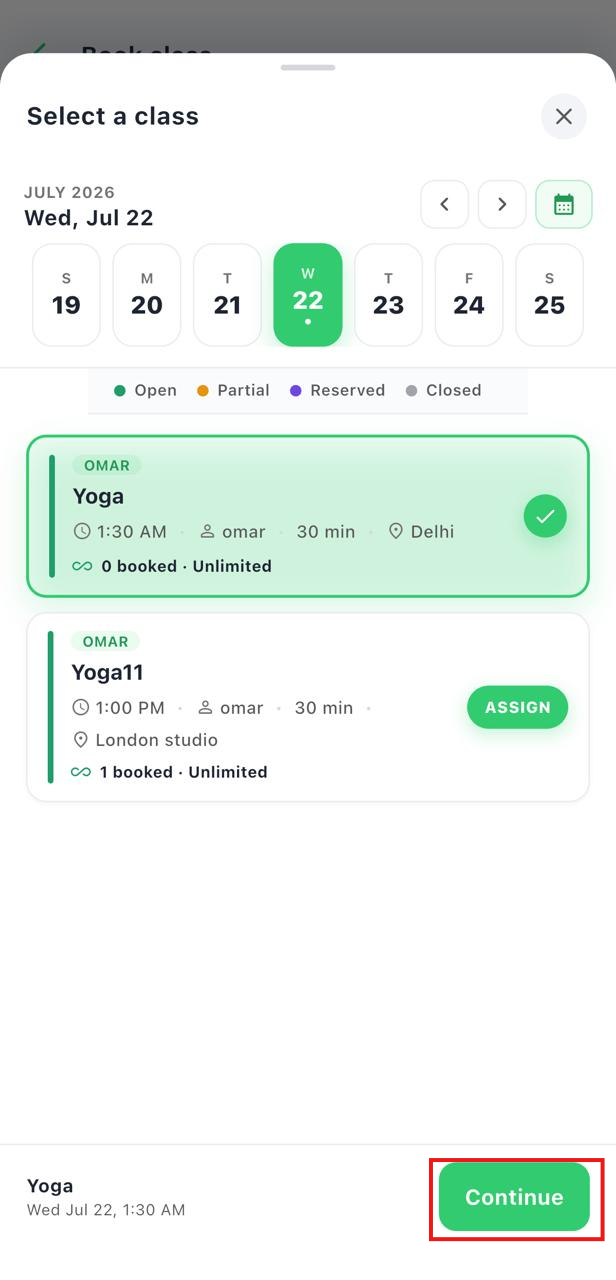
- Tap Assign, then tap Continue.
- Select the customer's pass.
- Tap Book Class.
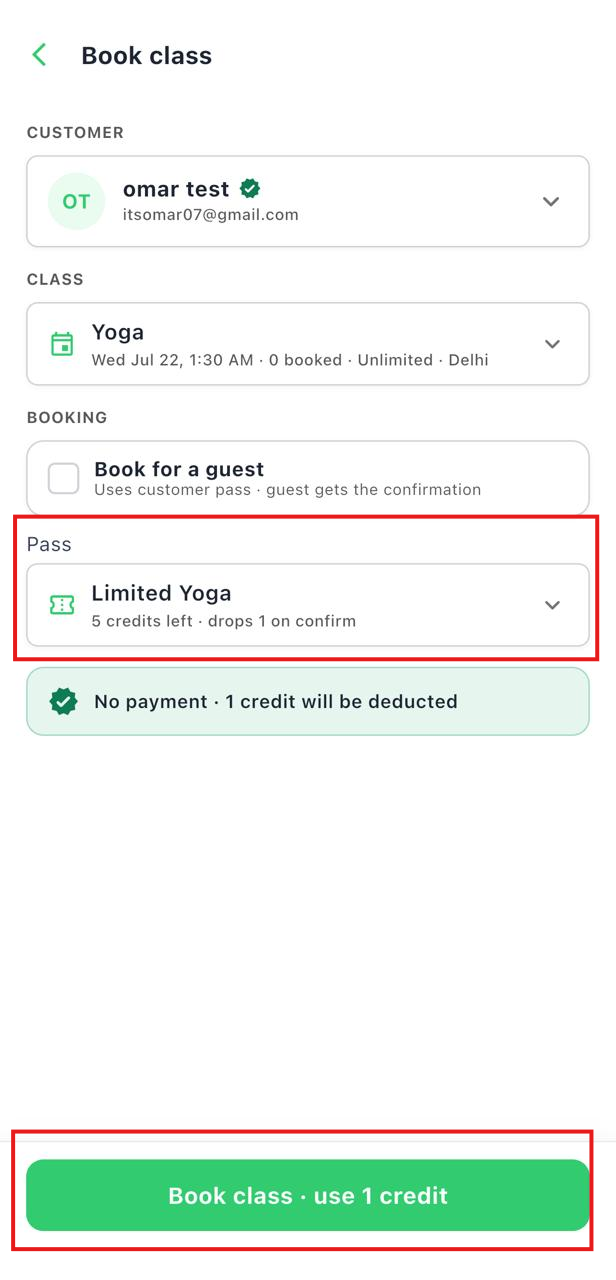
Note: You can also book a class for a guest. The guest will use the selected customer's pass and will receive the booking confirmation.
Book an Appointment
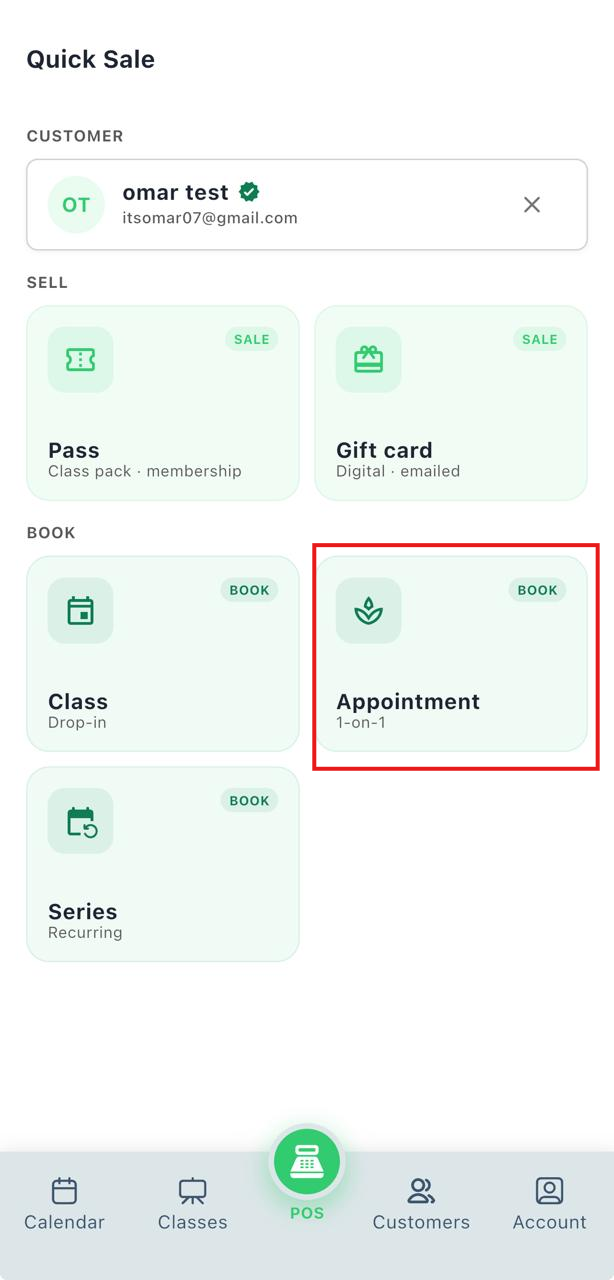
- Tap Appointment.
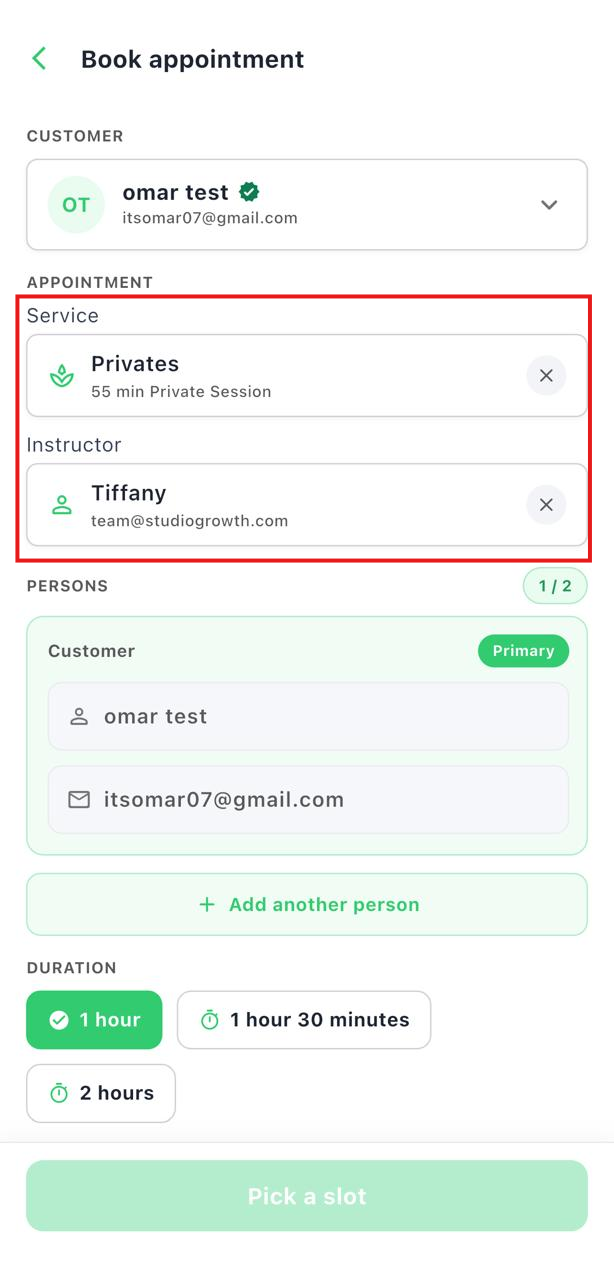
- Select the service.
- Select the instructor.
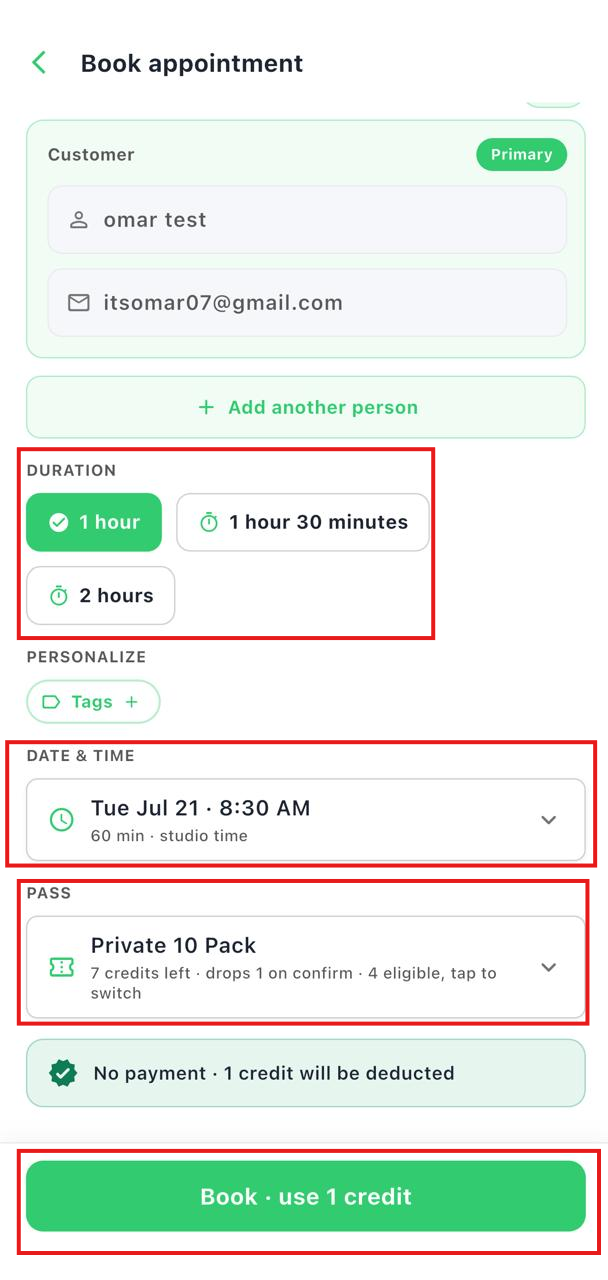
- Choose the appointment duration and available time slot.
- Select the customer's pass.
- Tap Book Appointment.
Book a Series
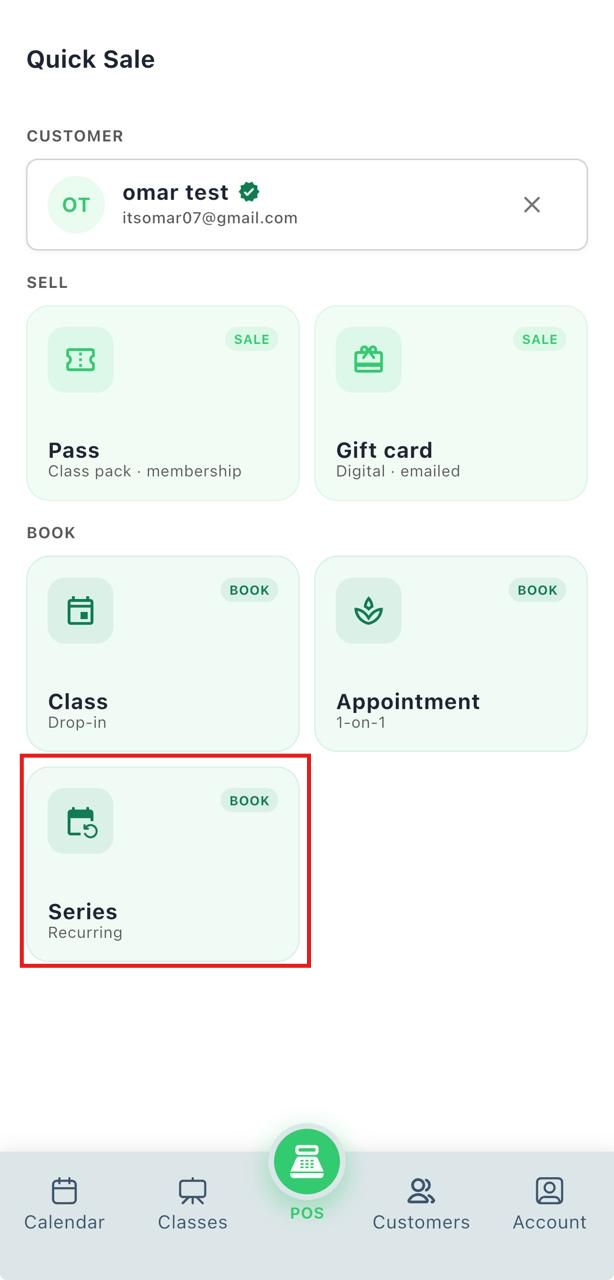
- Tap Series.
- Select the series you want to book.
- Select the customer's pass.
- Tap Book Series.
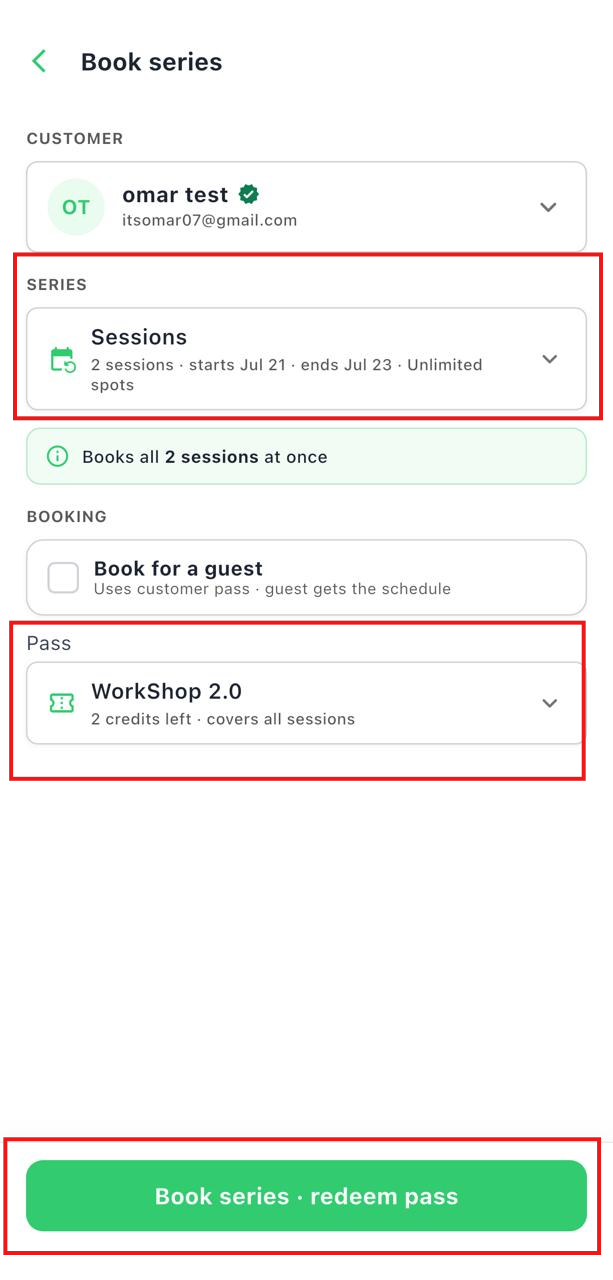
Note: You can also book a series for a guest. The guest will use the selected customer's pass and will receive the booking confirmation.