
Automatically Confirm Appointments
Studios can simplify their appointment booking process with the Automatically Confirm Appointments feature.
When enabled, appointments are automatically confirmed as soon as a client completes a booking. This eliminates the need for admins or instructors to manually review and confirm each appointment, saving time and reducing administrative work.
When disabled, the existing booking flow remains unchanged: appointments are placed in a Waiting for Confirmation status until an admin or instructor manually confirms them.
How to Enable Automatic Appointment Confirmation
To enable this feature:
- Navigate to Settings > Appointments.
- Under Booking rules, scroll all the way down.
-
Enable Automatically confirm appointments.
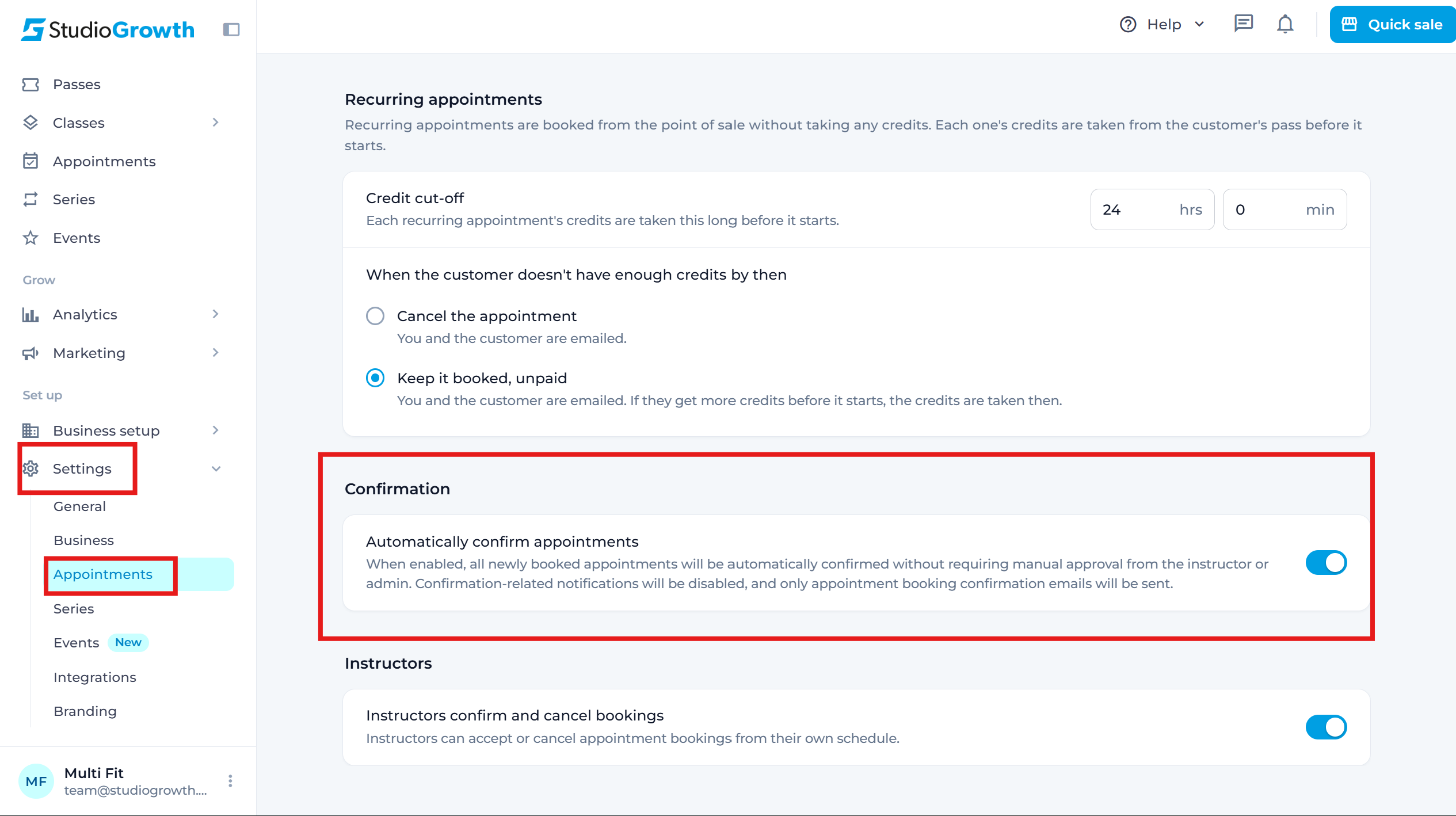
Once enabled, all new appointments will be automatically confirmed when booked.
If you have any questions, reach out to us at team@studiogrowth.com and we'll get you up and running in no time.