
Recurring Appointments
Make scheduling easier by booking multiple appointments at once instead of creating each booking individually!
With Recurring Appointments, studios can schedule a series of appointments for customers who attend regularly.
For example, if Mary comes every Monday at 7 AM, you can book all her upcoming Monday appointments in one go rather than booking them one by one.
How to Book Recurring Appointments
- Start by booking an appointment as you normally would.
-
At checkout, enable Repeats?
Choose how often the appointment should repeat by selecting the desired interval.
Choose when the recurring appointments should end. You can either:
- End after a specific number of appointments.
- End on a specific date.
-
Complete the checkout to create the recurring appointments.
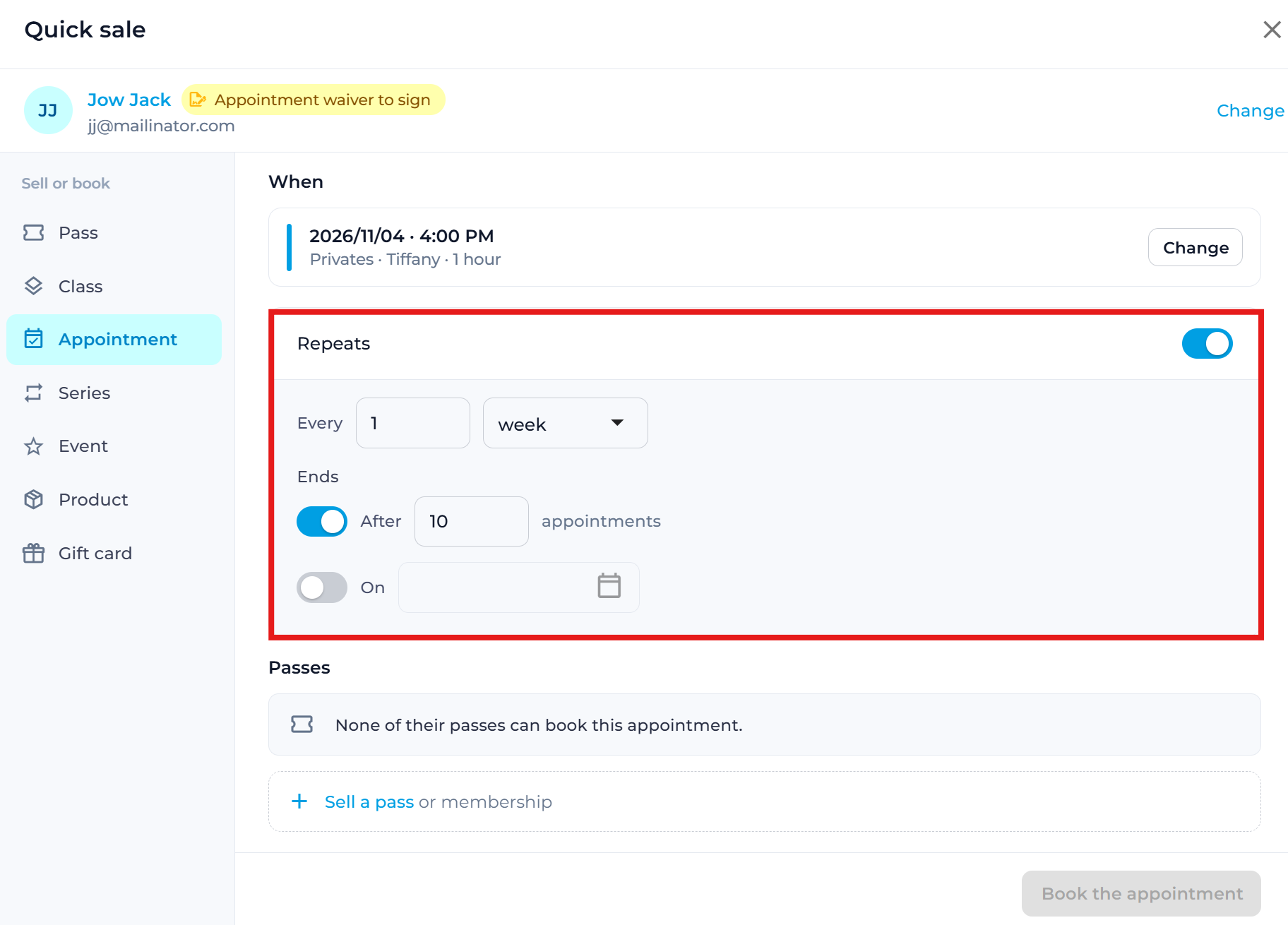
All the appointments in the series will be booked automatically.
How Credits Work for Recurring Appointments
Customers don't need to have enough credits to cover the entire recurring appointment series upfront.
Instead, you can decide when credits should be deducted for each appointment.
1. Set When Credits Are Deducted
To configure this, go to:
Settings > Appointments > Booking rules > Recurring Appointments
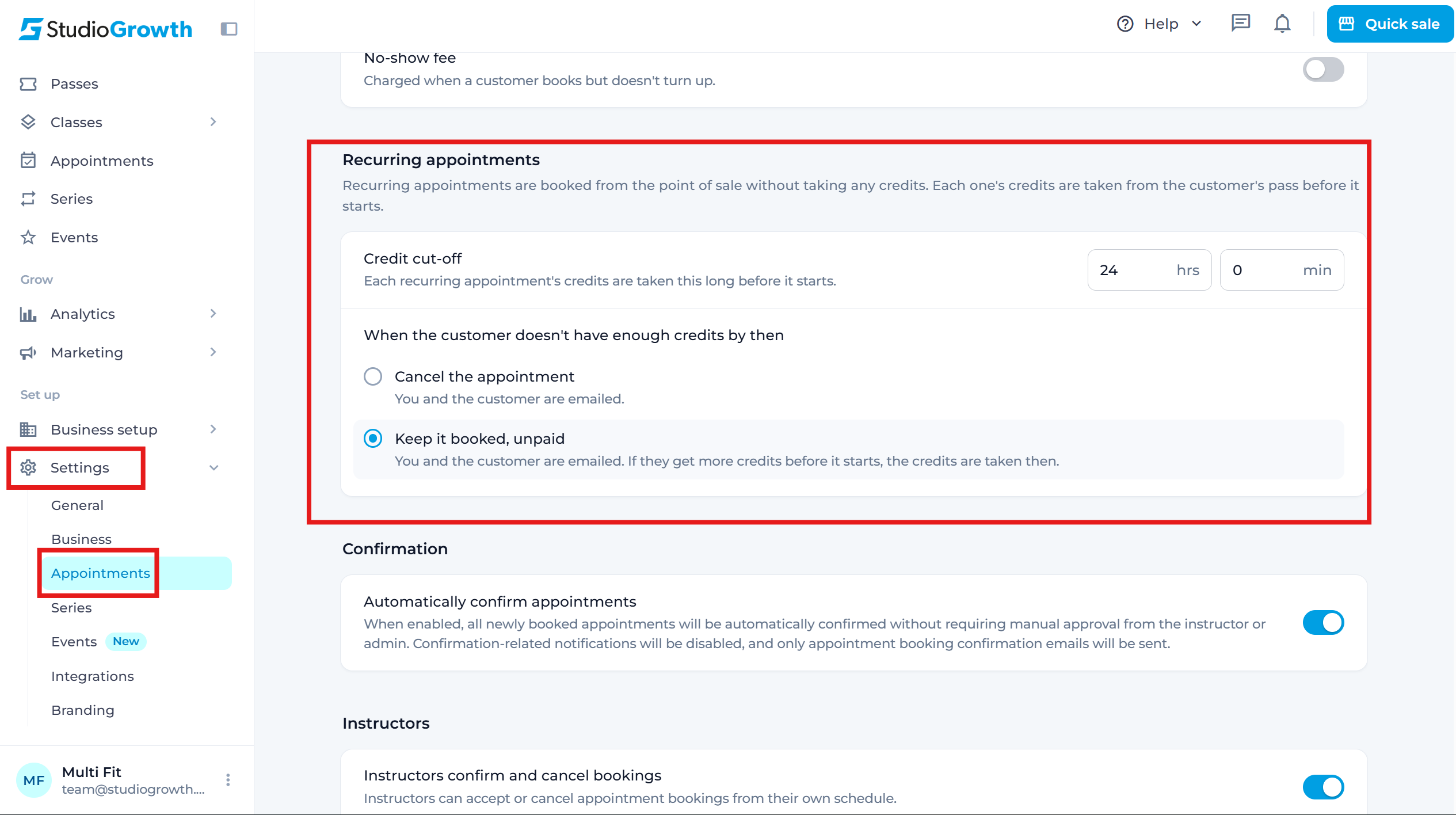
Here, you can set the credit deduction threshold by specifying how many hours or minutes before an appointment the customer's credit should be deducted.
This determines when the system checks whether the customer has an available credit for each appointment.
2. Choose What Happens If the Customer Has No Credits
You can choose between two options:
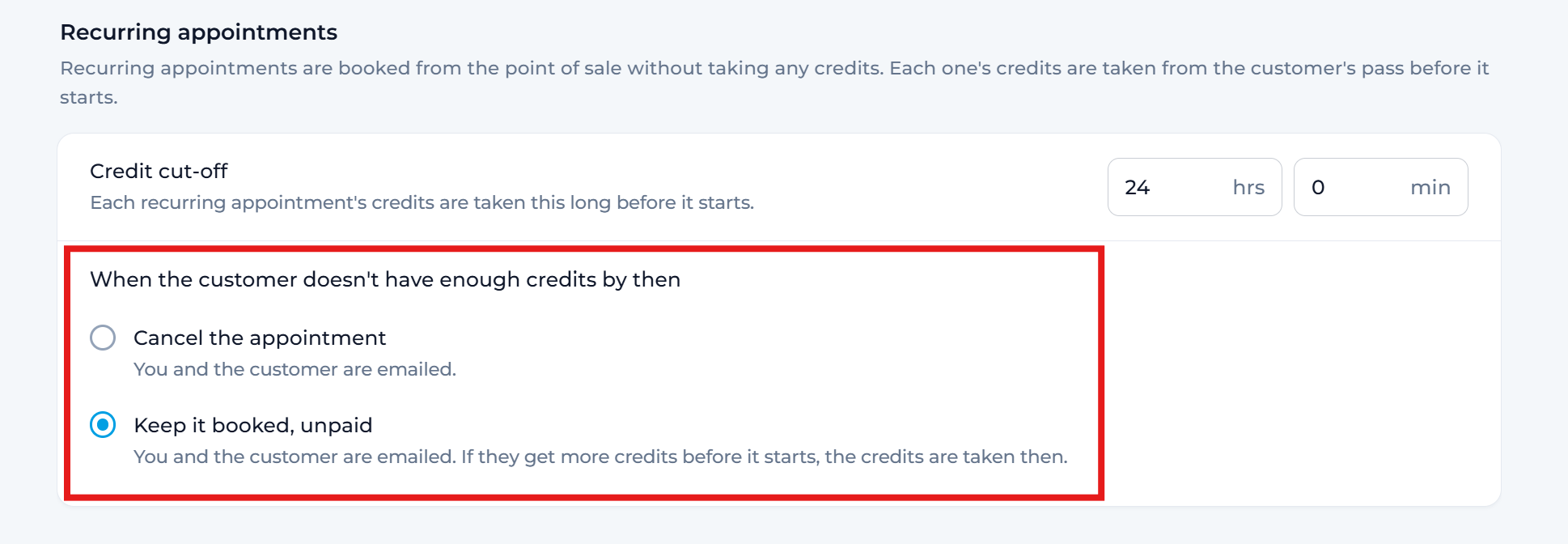
Option 1: Cancel the appointment
If the customer doesn't have an available credit when the deduction threshold is reached, the appointment will be canceled automatically.
Option 2: Keep it booked, unpaid
If the customer doesn't have an available credit, the appointment will remain booked but will be marked as unpaid.
Here's how this option works:
- Both the customer and the admin receive an email notification informing them that the appointment is unpaid.
- If the customer purchases a pass before the appointment, the system will automatically use an available credit for that appointment.
- Once a credit is successfully deducted, the appointment will no longer be marked as unpaid.
- The system checks for available credits every 30 minutes until the appointment takes place.
This way, customers can secure their recurring appointment slots even if they haven't purchased enough credits yet.
Why Use Recurring Appointments?
Recurring Appointments make it easier for studios to manage regular bookings, save time on repetitive scheduling, and provide customers with a consistent appointment schedule without having to book each session individually.
If you have any questions, reach out to us at team@studiogrowth.com and we'll get you up and running in no time.