
Adding Instructors
Instructors are added by Admins via the Admin portal. To add instructors:
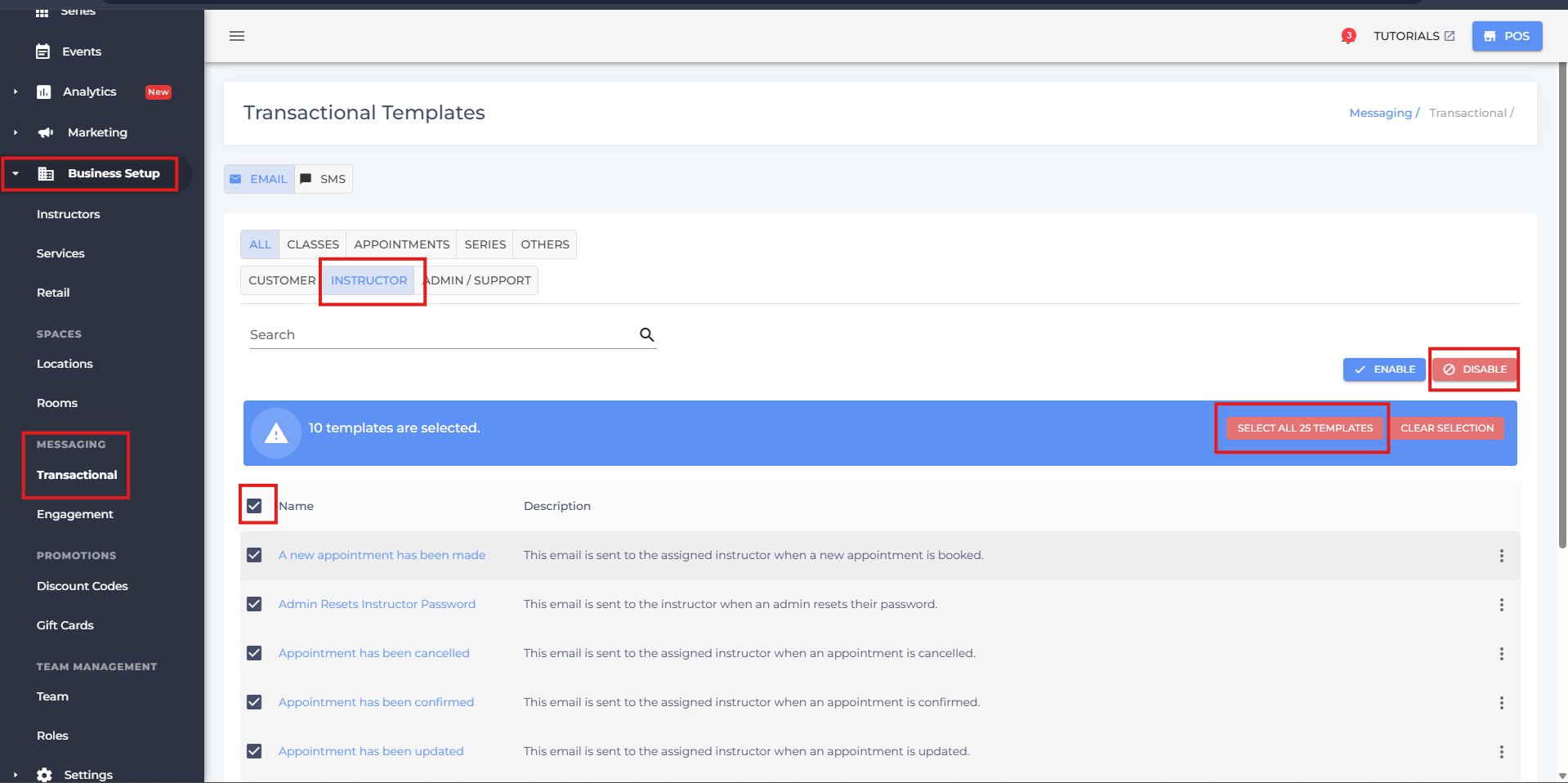
- Firstly, click on 'Business Setup' in the side menu then under 'Messaging' select 'Transactional'.
- Go to 'Instructor' and disable the following emails to prevent unnecessary spam. These can be enabled once the instructor(s) have been added and their classes have been assigned.
- Now, access the 'Business Setup' tab from the side menu and access 'Instructors'.
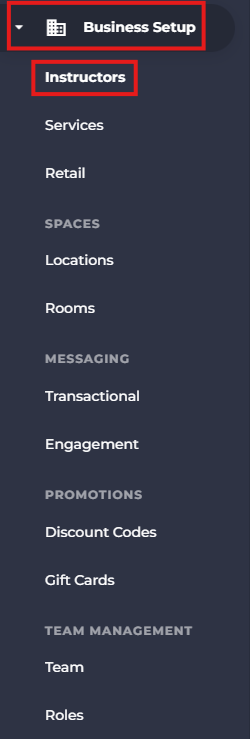
- Click the 'Add Instructor' button toward the top right.

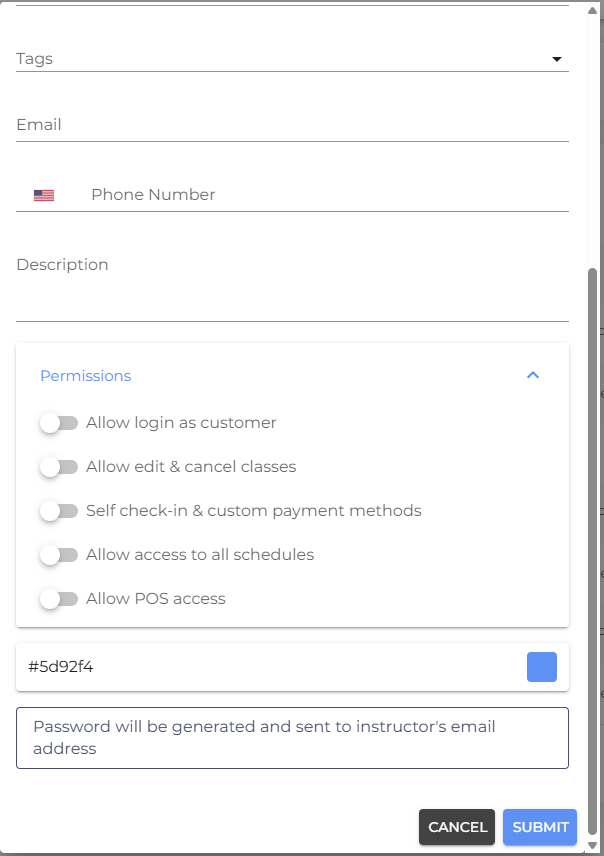
- Fill in the correct details in the respective fields.
- Grant appropriate permissions.
- Scroll down and click 'Submit'.
- If you have any questions or require additional clarifications, reach out to us at team@studiogrowth.com and we'll get you up and running in no time.