
How to Disable Emails to Customers
Option 1: Disable all emails at once
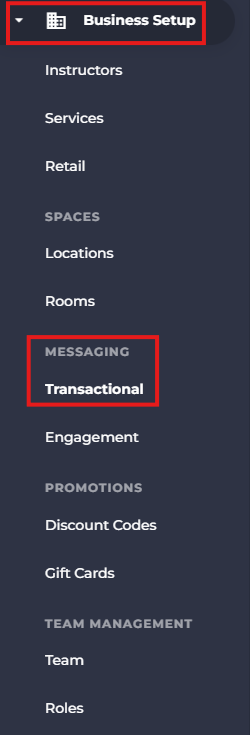
- Access Business Setup from the side menu.
-
Under Messaging access Transactional.
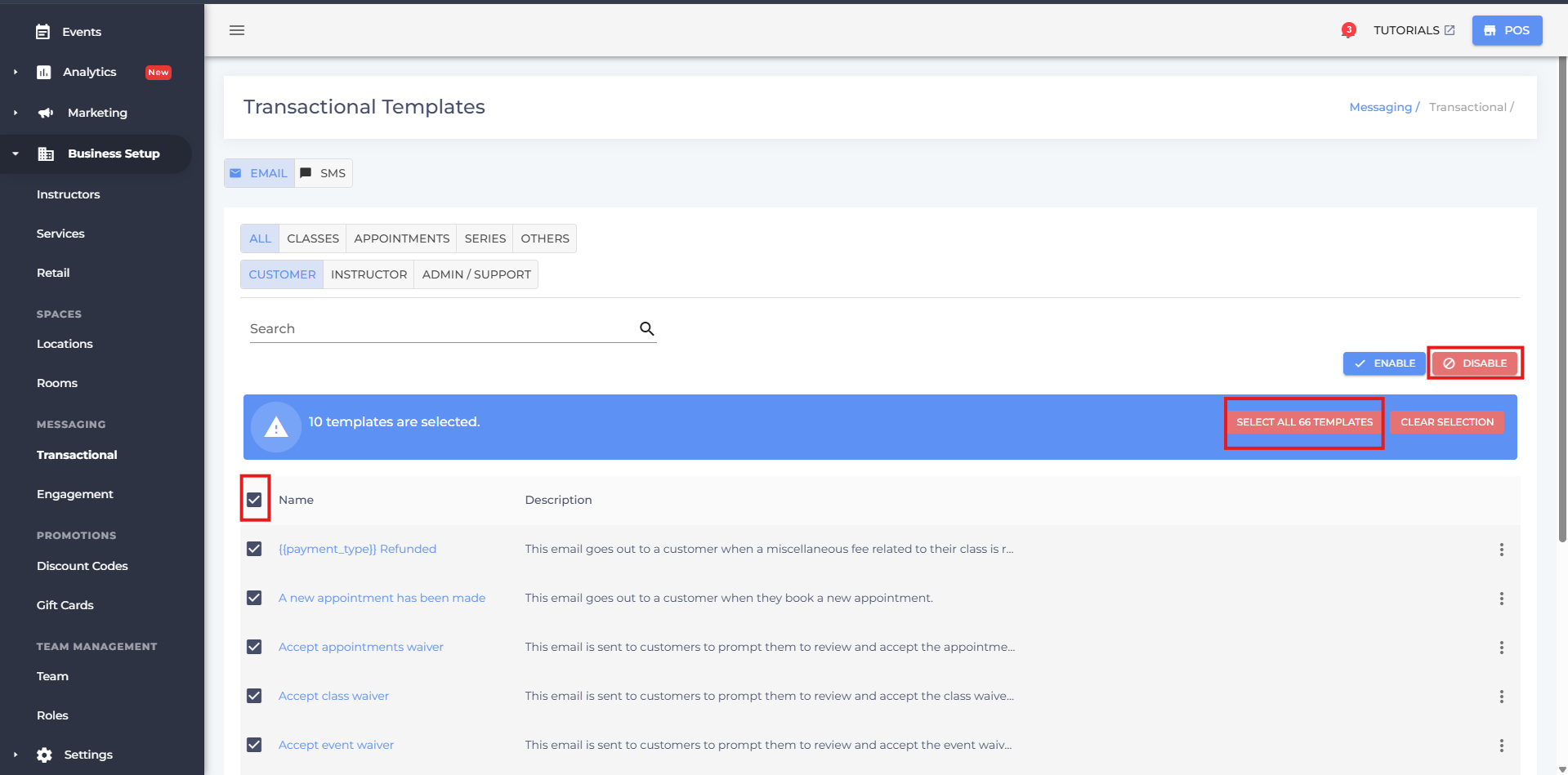
- Check the box next to the emails
- Click “Select all X emails”
-
Click Disable
-
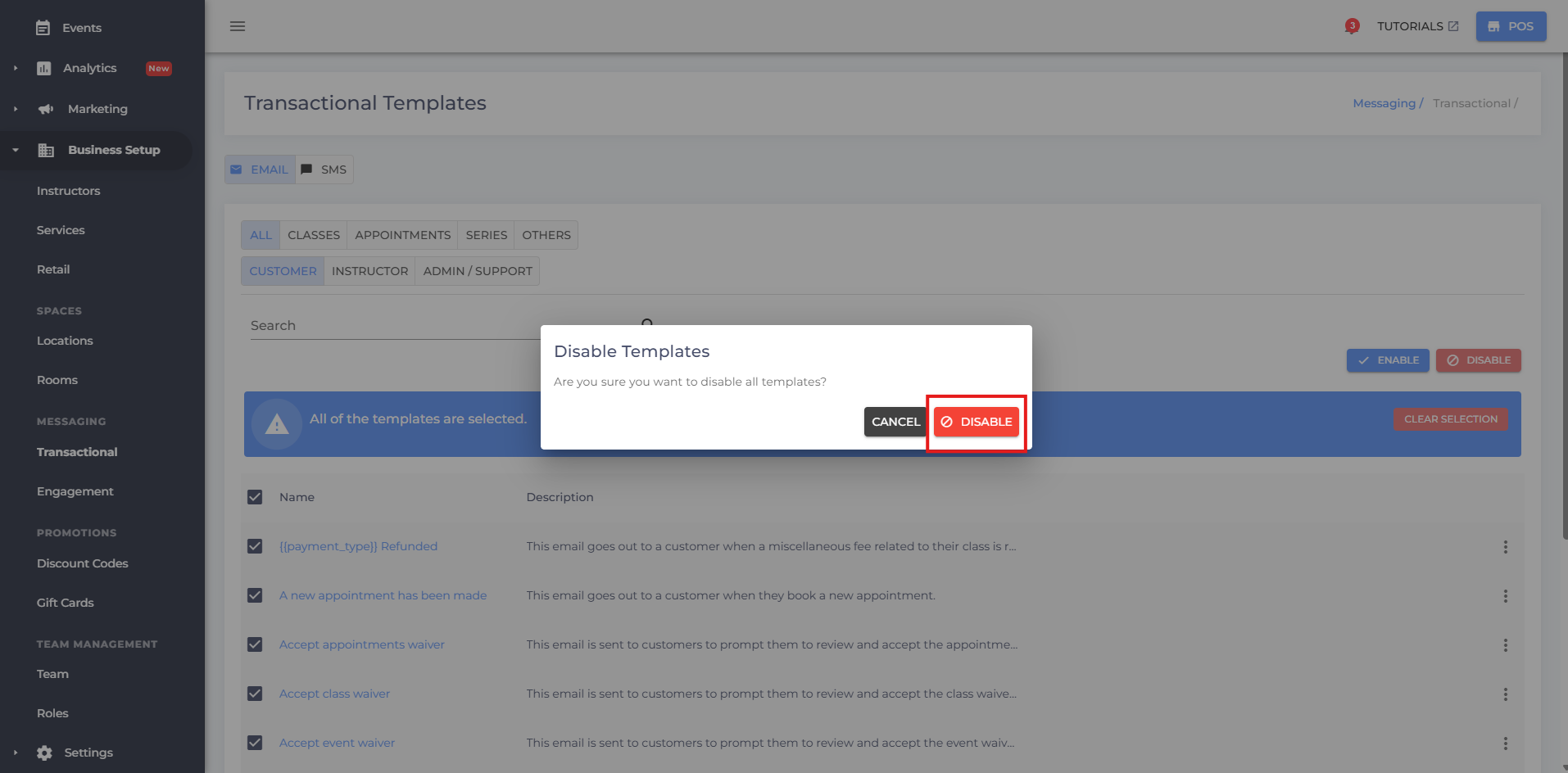
Confirm Disable
Option 2: Disable Selected Emails
- Access Business Setup from the side menu.
-
Under Messaging select Transactional.
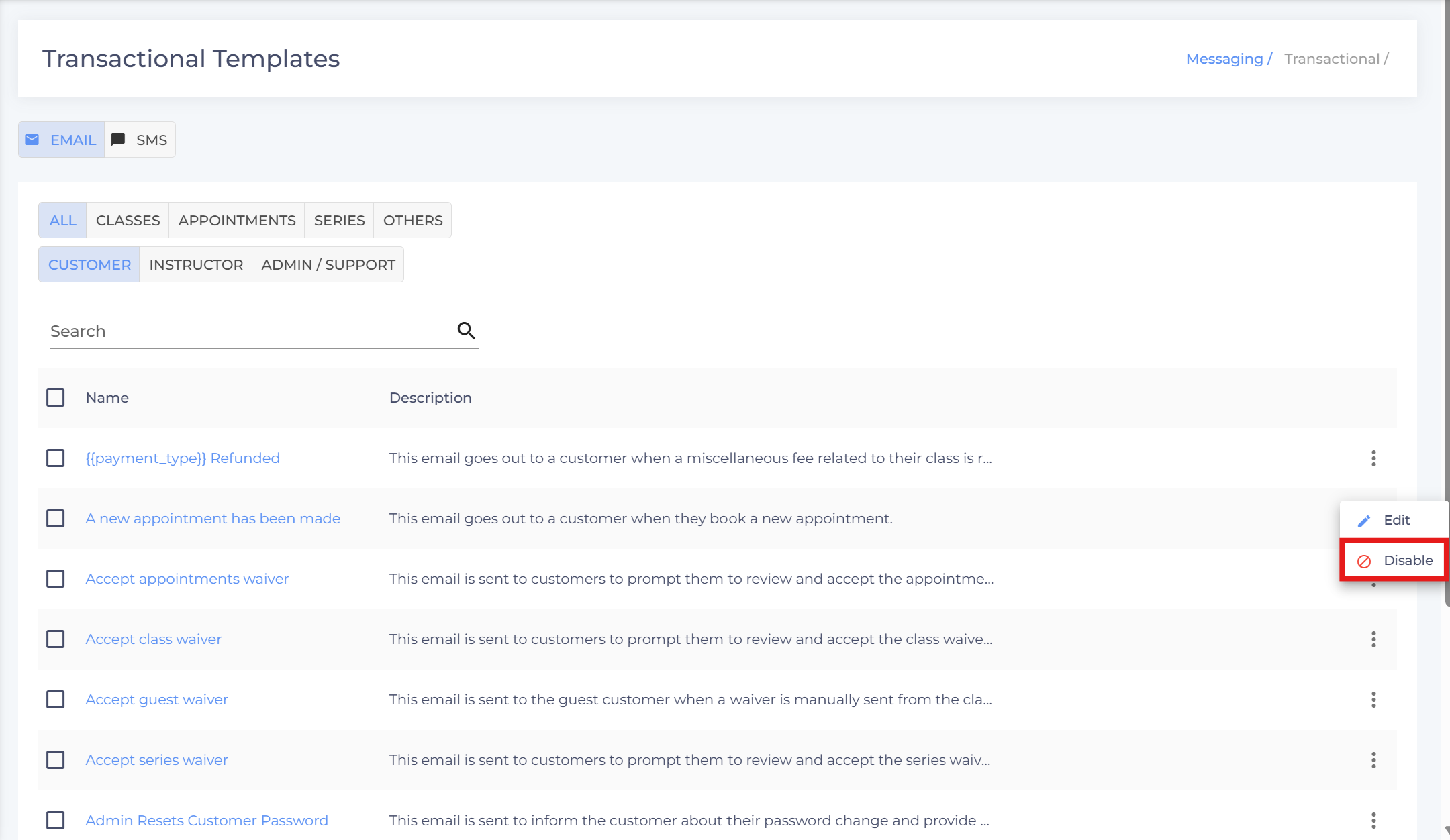
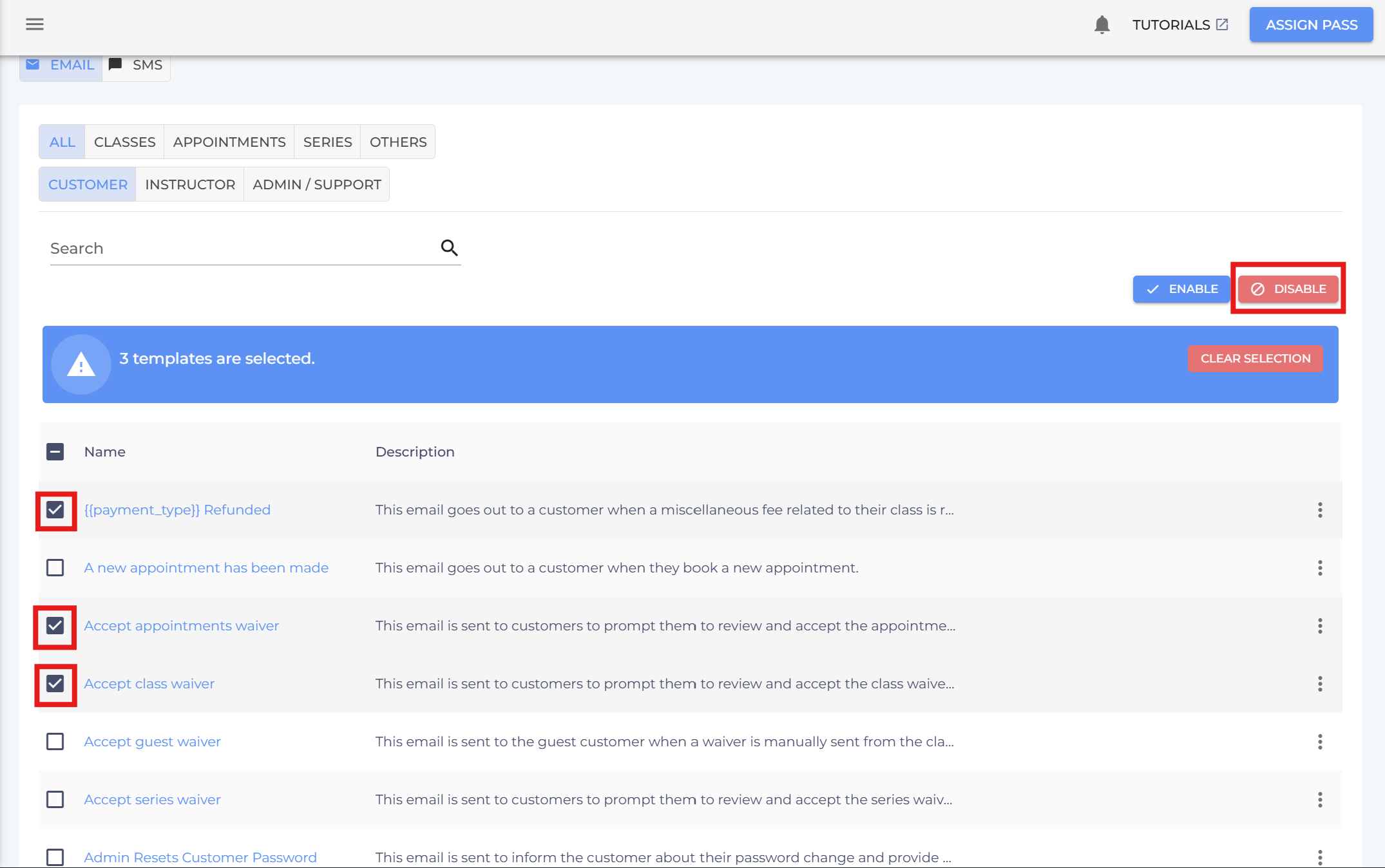
- Click the three dots next to the respective email, or select multiple emails by clicking the checkboxes next to them.
-
Click Disable
- Confirm Disable

- If you have any questions or require additional clarifications, reach out to us at team@studiogrowth.com and we'll get you up and running in no time.