
Adding a Website Icon (Favicon)
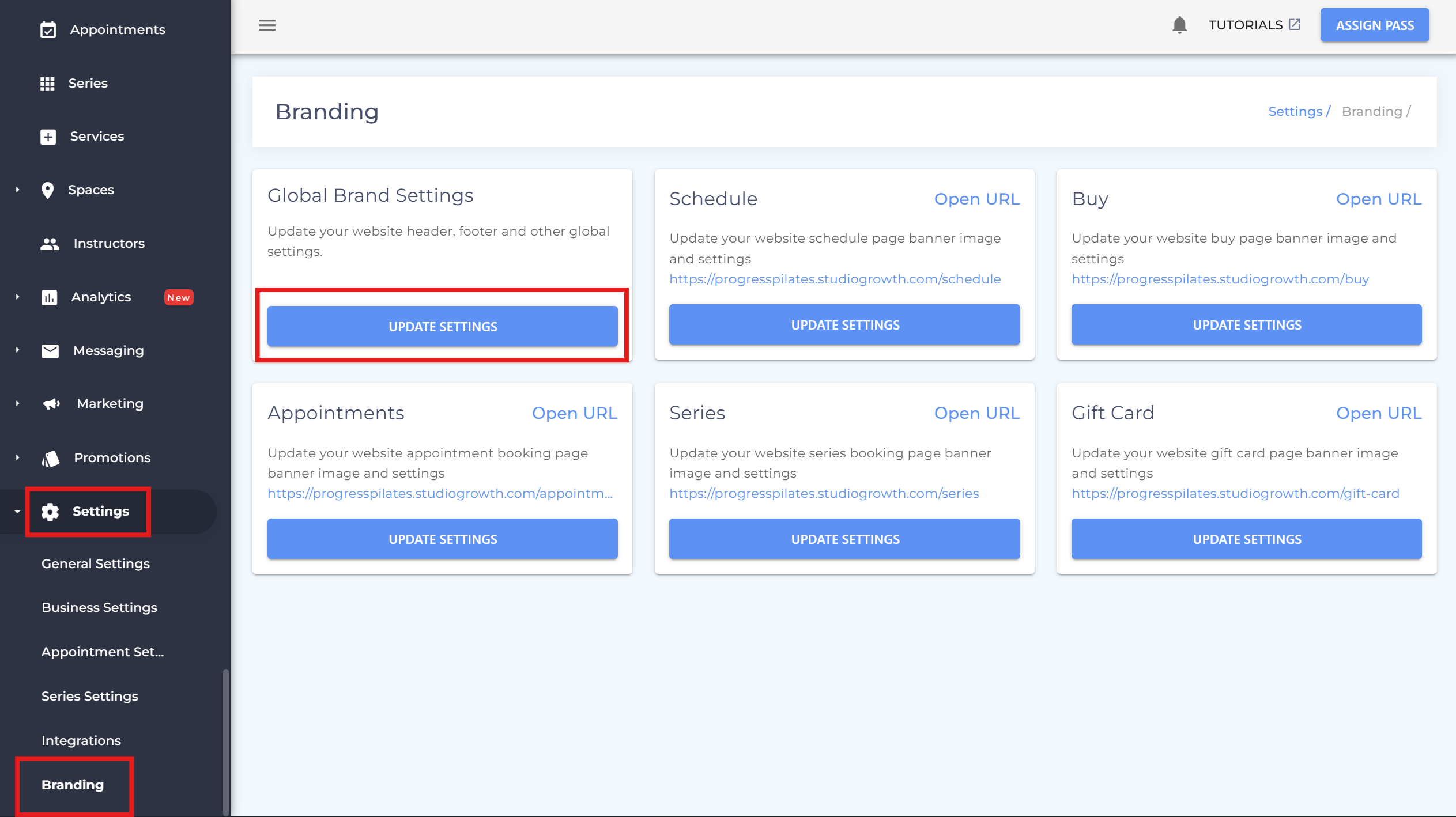
- Go to Settings > Branding
-
Click Update Settings under Global Brand Settings
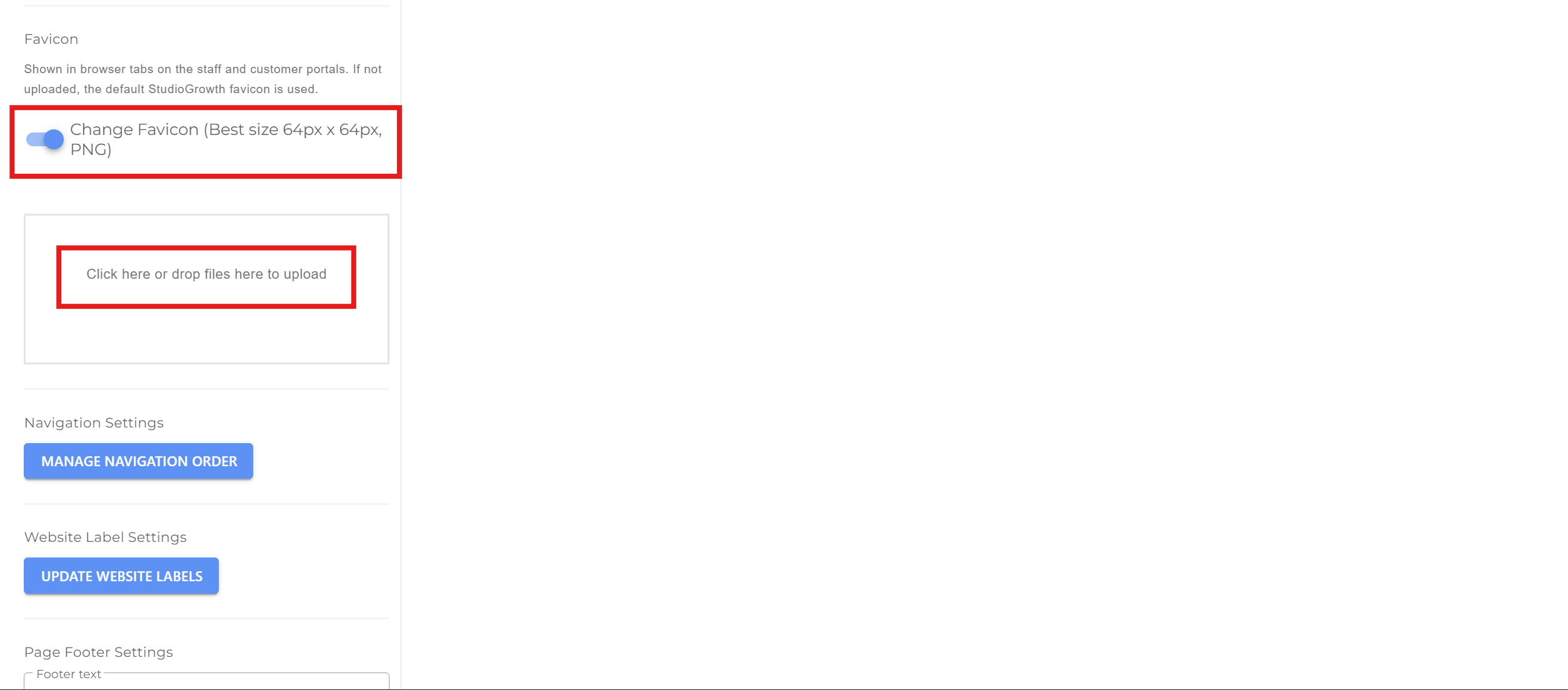
- Scroll down to the Favicon section
- Turn the toggle on
- Upload your image (64 × 64 px, square) — Resize your image
-
Scroll down and click SAVE & PUBLISH ON WEBSITE
- If you have any questions or require additional clarifications, reach out to us at team@studiogrowth.com and we'll get you up and running in no time.
