
Manage Navigation Order
The Manage Navigation Order feature allows you to customize the navigation menu by hiding items that are not relevant to your business.
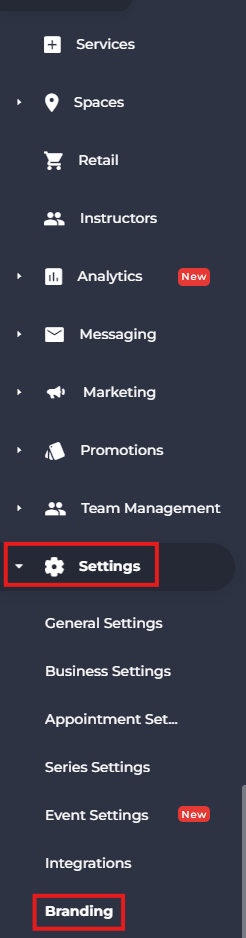
- From the side menu, navigate to Settings.
- Select Branding.
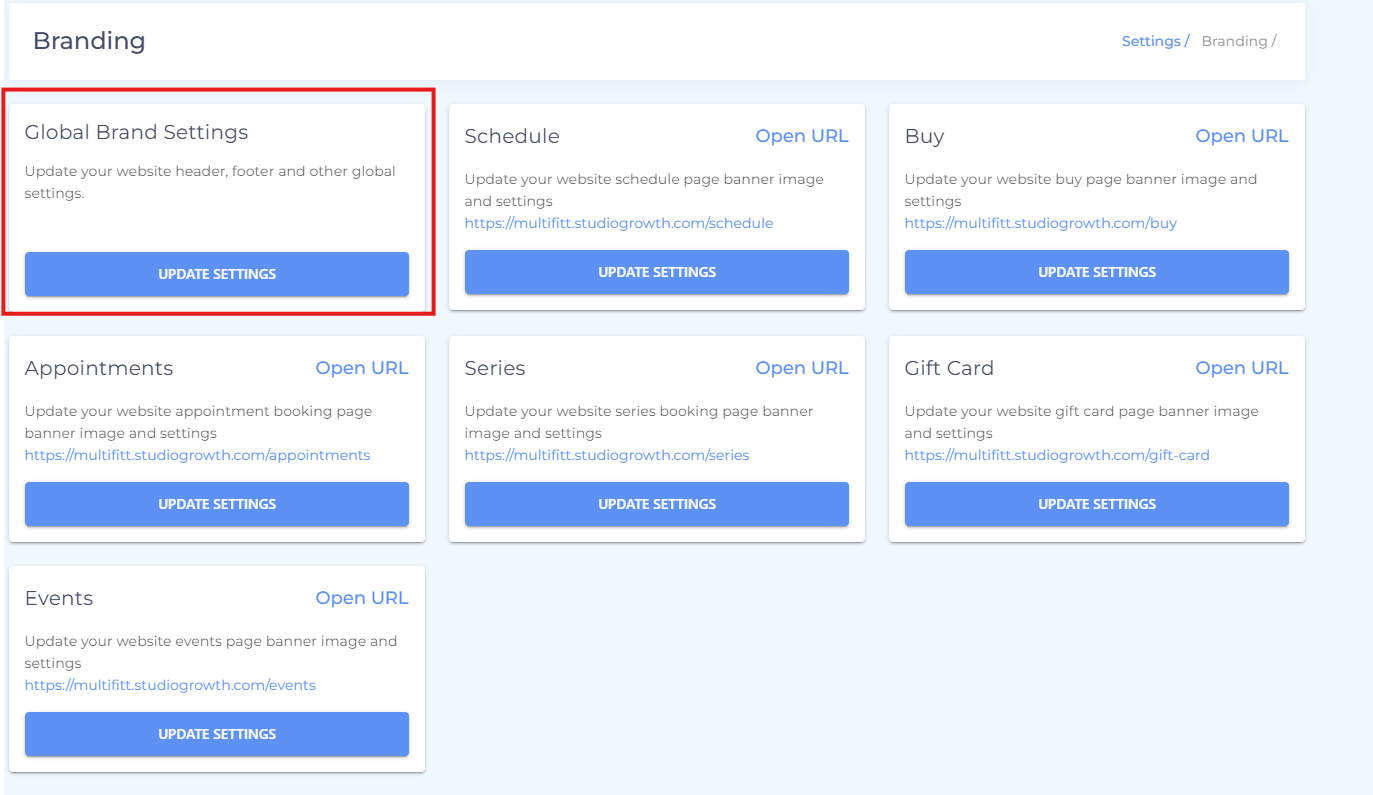
- Open Global Brand Settings.
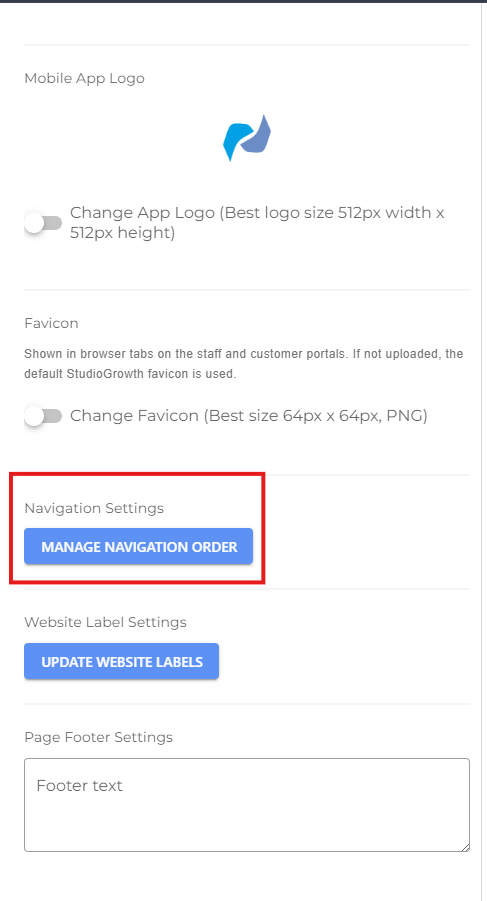
- Scroll down to the Manage Navigation Order section.
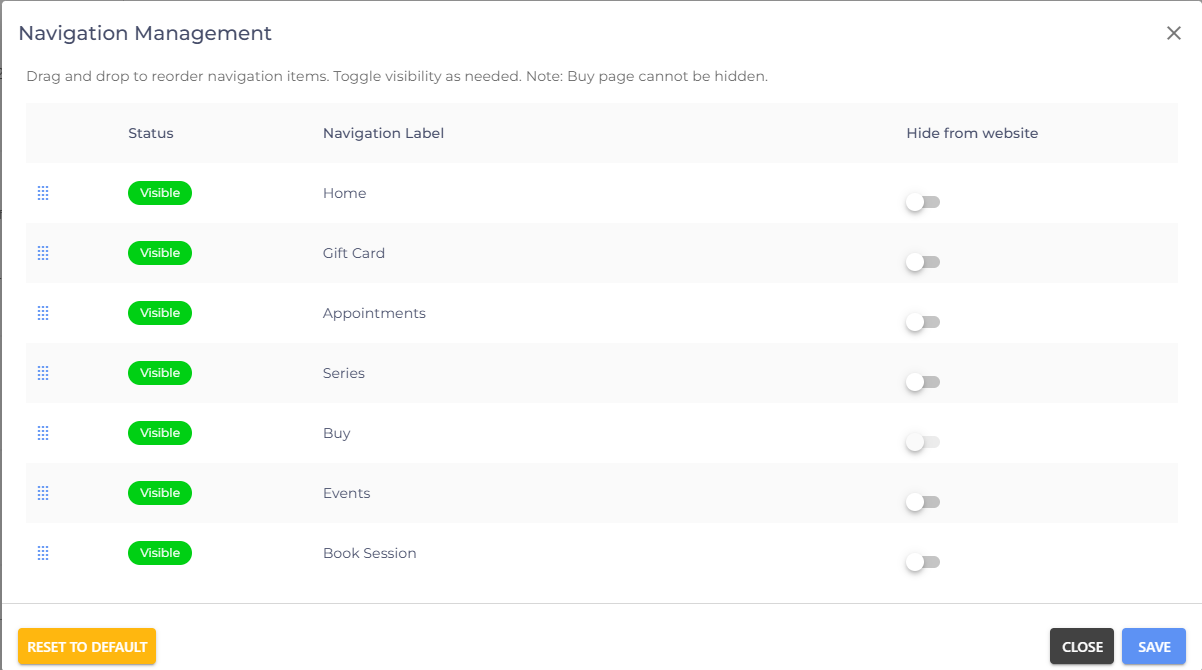
Using Manage Navigation Order
In the Manage Navigation Order section, you can hide navigation items that you do not use. This helps keep your navigation menu clean and relevant for your users.
- If you are facing any difficulties, get in touch with us via help.studiogrowth.com and we'll help you to get up and running in no time.