
Creating Appointment Pass
An Appointment Pass allows customers to book appointment-based services. You can configure the pass with limited or unlimited credits, specify which services are eligible, and set usage limits for individual services.
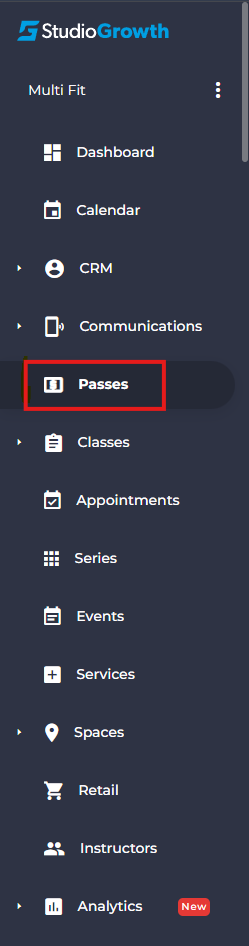
- From the side menu, navigate to Passes.
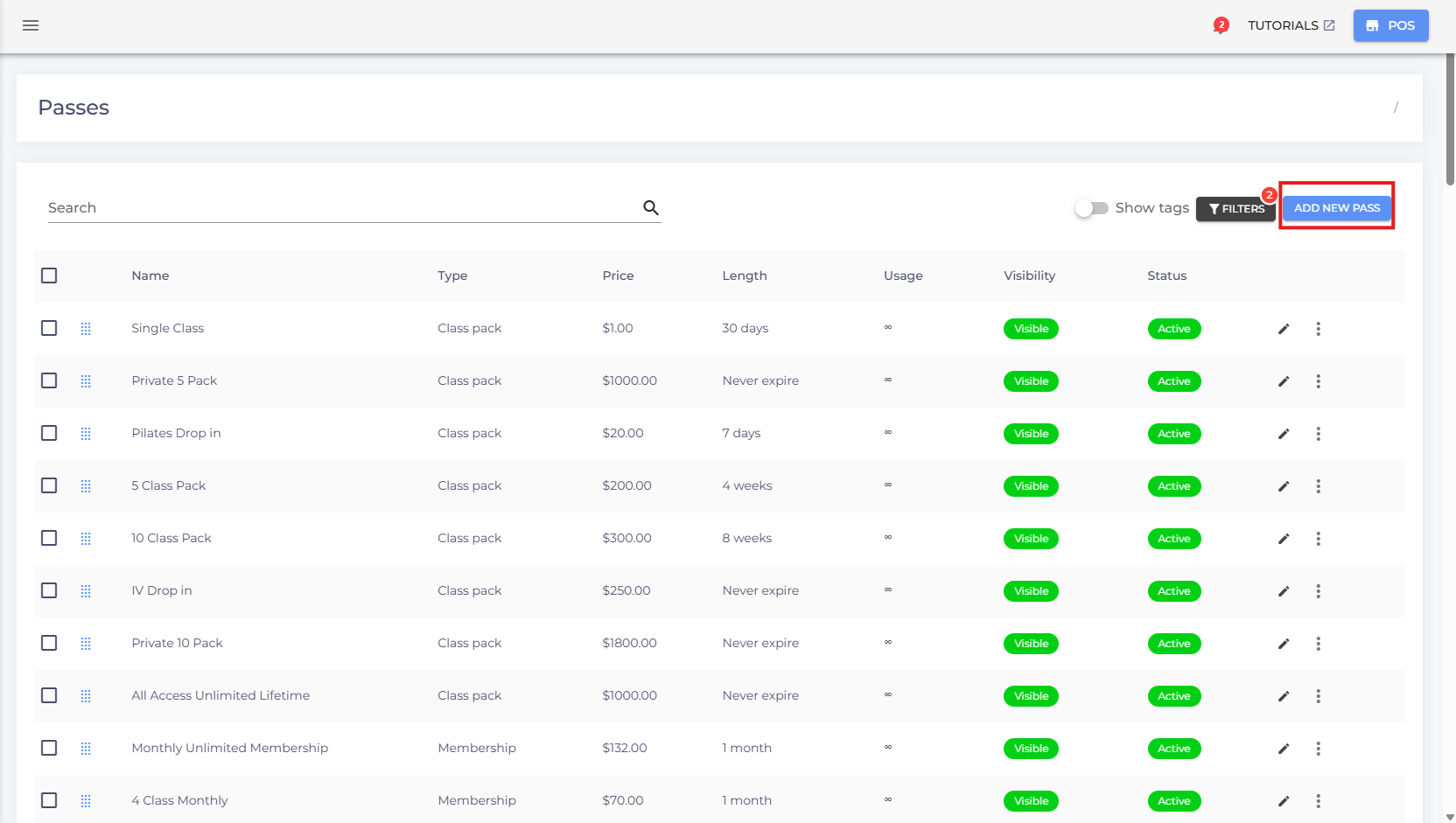
- Click Add New Pass.
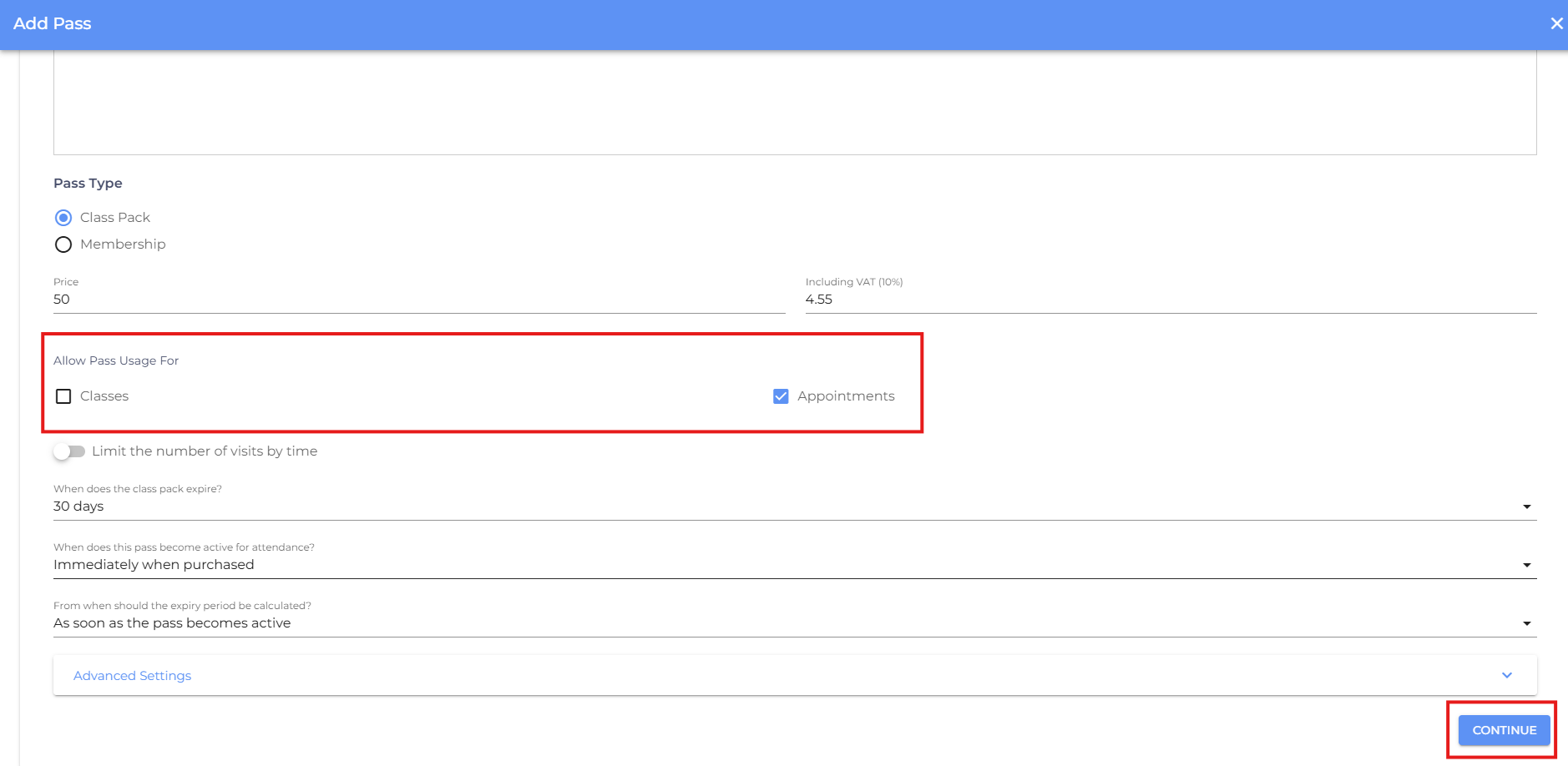
- Enter the required pass details, such as the pass name, price, validity, and any other applicable settings and select Allow Pass Usage For Appointments then click Continue.
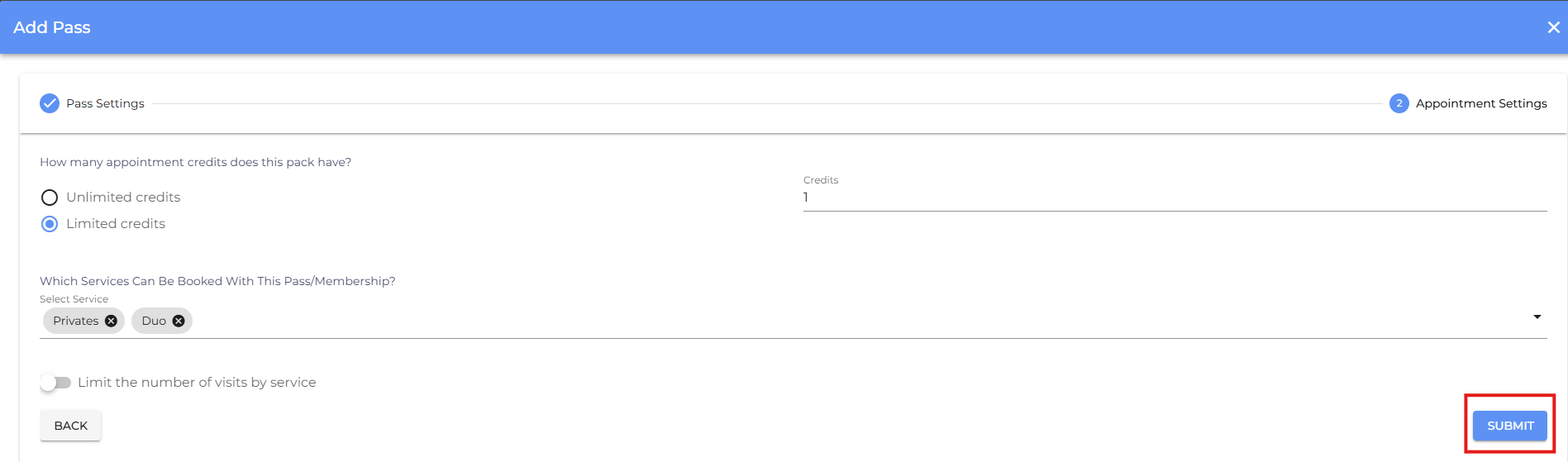
- Choose whether the pass includes Limited or Unlimited Credits.
Limited Credits – Customers receive a fixed number of appointment credits.
Unlimited Credits – Customers can book appointments without a credit limit during the pass validity.
- Under Services, select the appointment services that can be booked using this pass.
- (Optional) Configure Limit Number of Visits by Service to restrict how many times the pass can be used for each selected service.
- Review all the pass settings, then click Submit to create the appointment pass.
- If you are facing any difficulties, get in touch with us via help.studiogrowth.com and we'll help you to get up and running in no time.