
Configure Different Late Cancel and No-Show Fees
Studio Growth allows you to configure global late cancel and no-show fees for all classes and appointments, or override these settings with service-specific fees when needed.
Configure Global Fees for Group Classes
If you want to apply the same late cancel and no-show fees to all group classes:
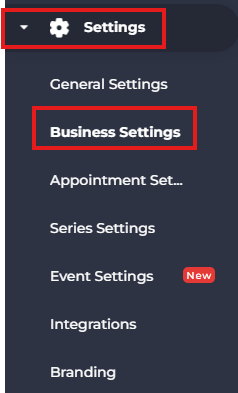
- From the side menu, navigate to Settings.
- Select Business Settings.
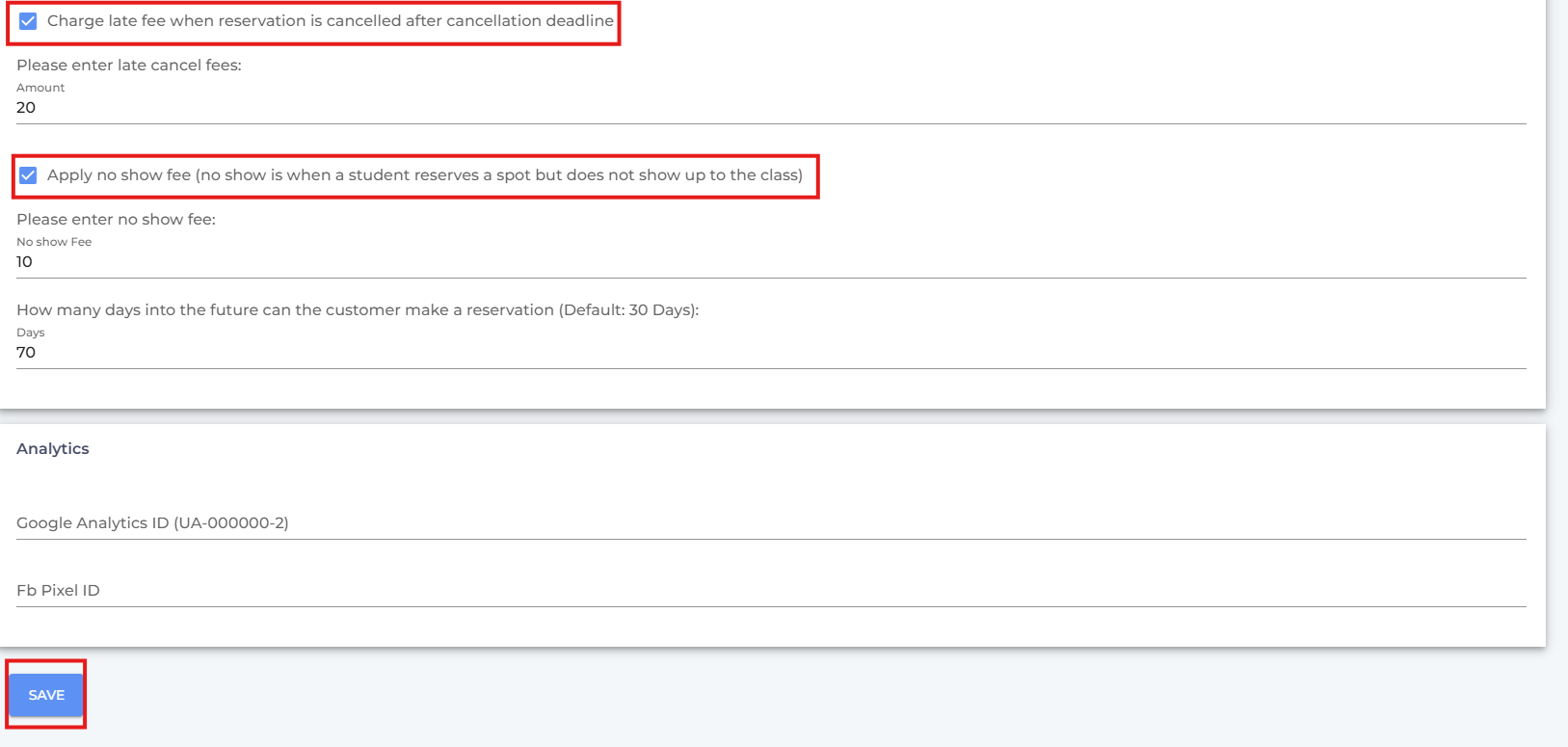
- Scroll down to the Reserve & Cancel Policy section.
- Enable Charge Late Fee When Reservation Is Cancelled After Cancellation Deadline.
- Enter the Late Cancel Fee.
- Enable Apply No-Show Fee.
- Enter the No-Show Fee.
- Click Save.
Configure Global Fees for Appointments
To apply the same fees to all appointment services:
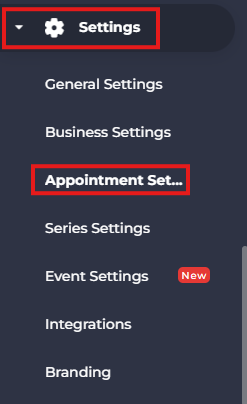
- Navigate to Settings.
- Select Appointment Settings.
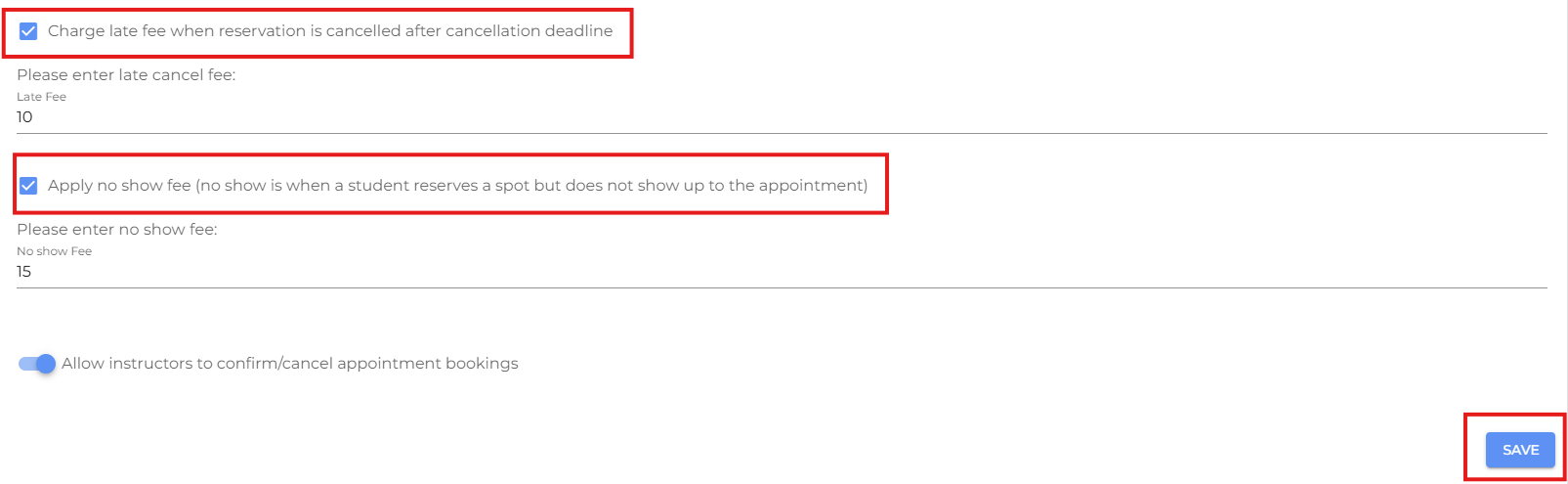
- Enable Charge Late Fee When Reservation Is Cancelled After Cancellation Deadline.
- Enter the Late Cancel Fee.
- Enable Apply No-Show Fee.
- Enter the No-Show Fee.
- Click Save.
Override the Global Fees
For Group Classes
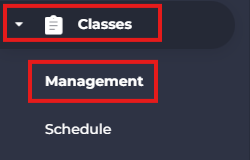
- Navigate to Classes > Management.
- Click on Add New Class or Bulk Edit the existing Classes.
Learn more: To update multiple classes at once, see How to Bulk Edit Classes.

- Enter the required class details, then enable Late Cancel Fee and No-Show Fee, and specify the fees you want to charge.

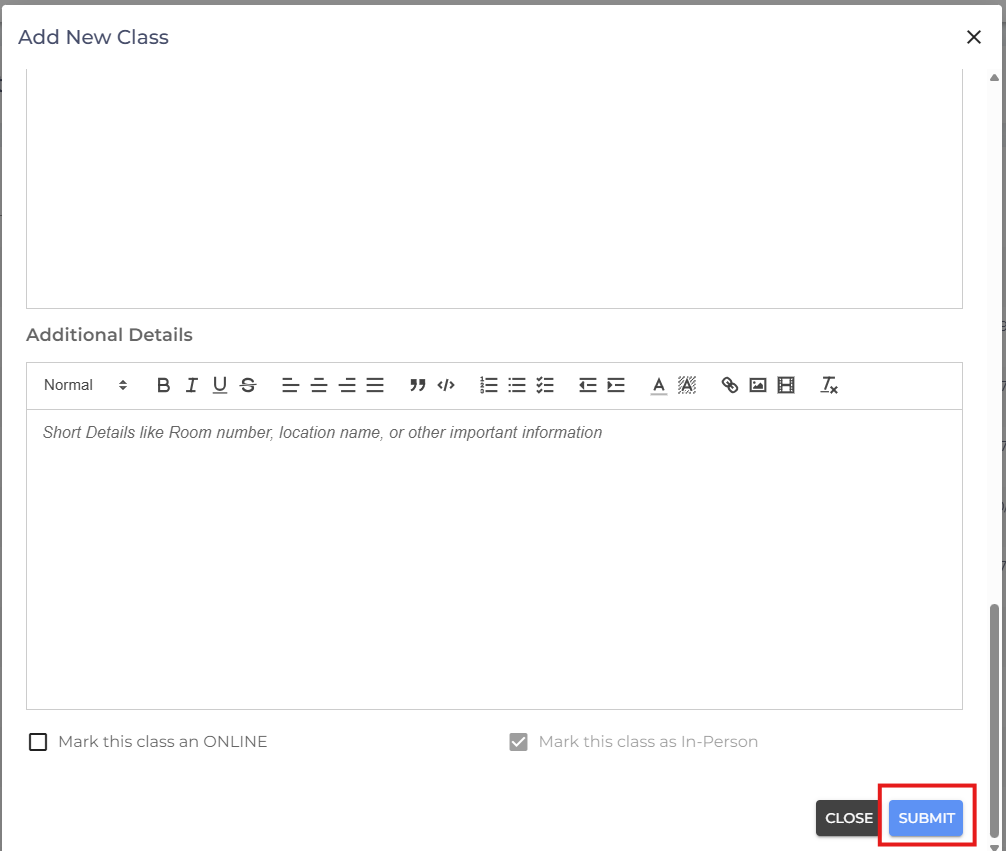
- Scroll and click Submit.
For Appointment Services
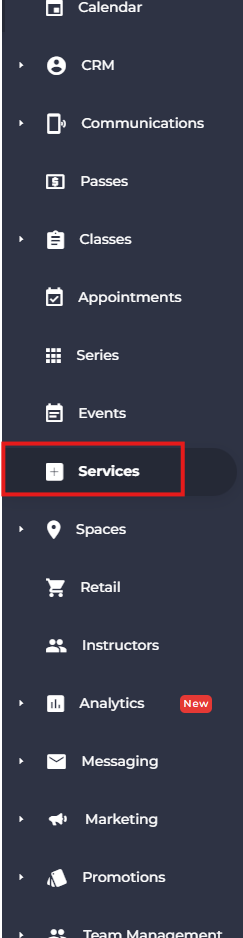
- Navigate to Services from the side menu.
- Click Add New Service.

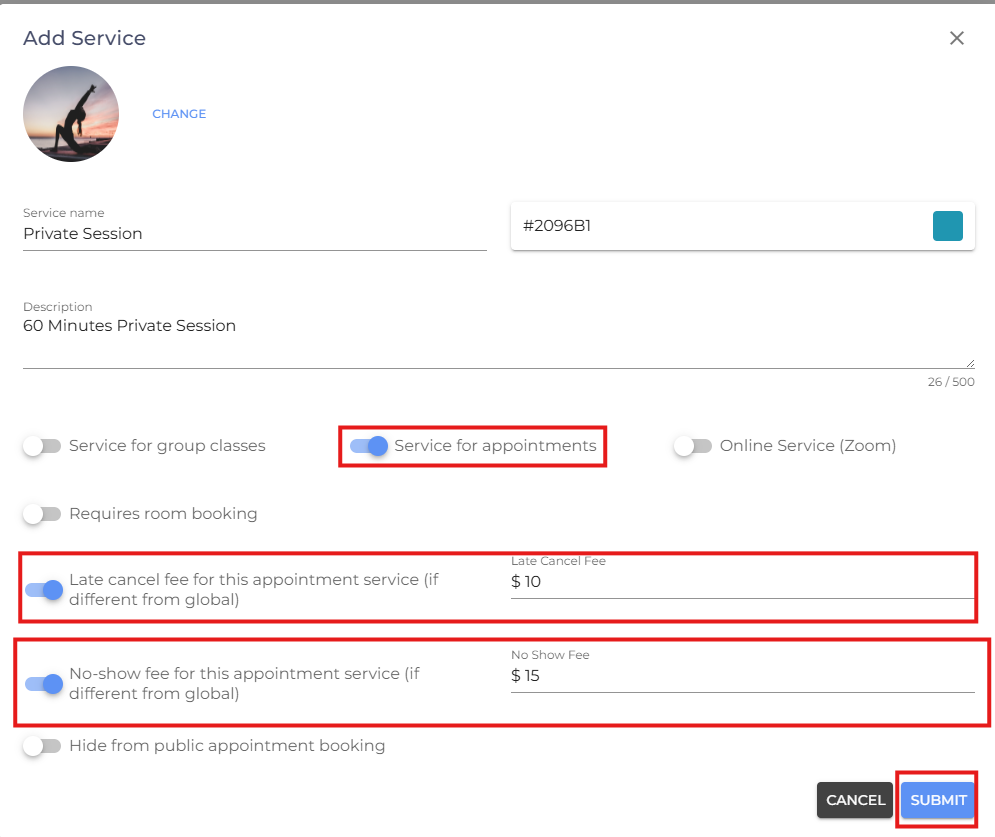
- Disable Service for Group Classes and Enable Service for Appointments.
- Enable Late cancel fee and No-show fee.
- Enter the amount respectively for the service.
- Click Submit.
Note: Any late cancel or no-show fees configured for a specific class or appointment service will override the corresponding global fee. If no service-specific fees are configured, the global settings will be used by default.
- If you are facing any difficulties, get in touch with us via help.studiogrowth.com and we'll help you to get up and running in no time.