
Assigning tags to customers
Customer tags can be assigned manually or automatically using marketing sequences. Tags help you organize customers and automate workflows based on your business needs.
- From the side menu, navigate to CRM.
- Select Customers.
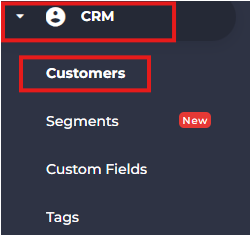
- Search for and open the customer you want to tag.

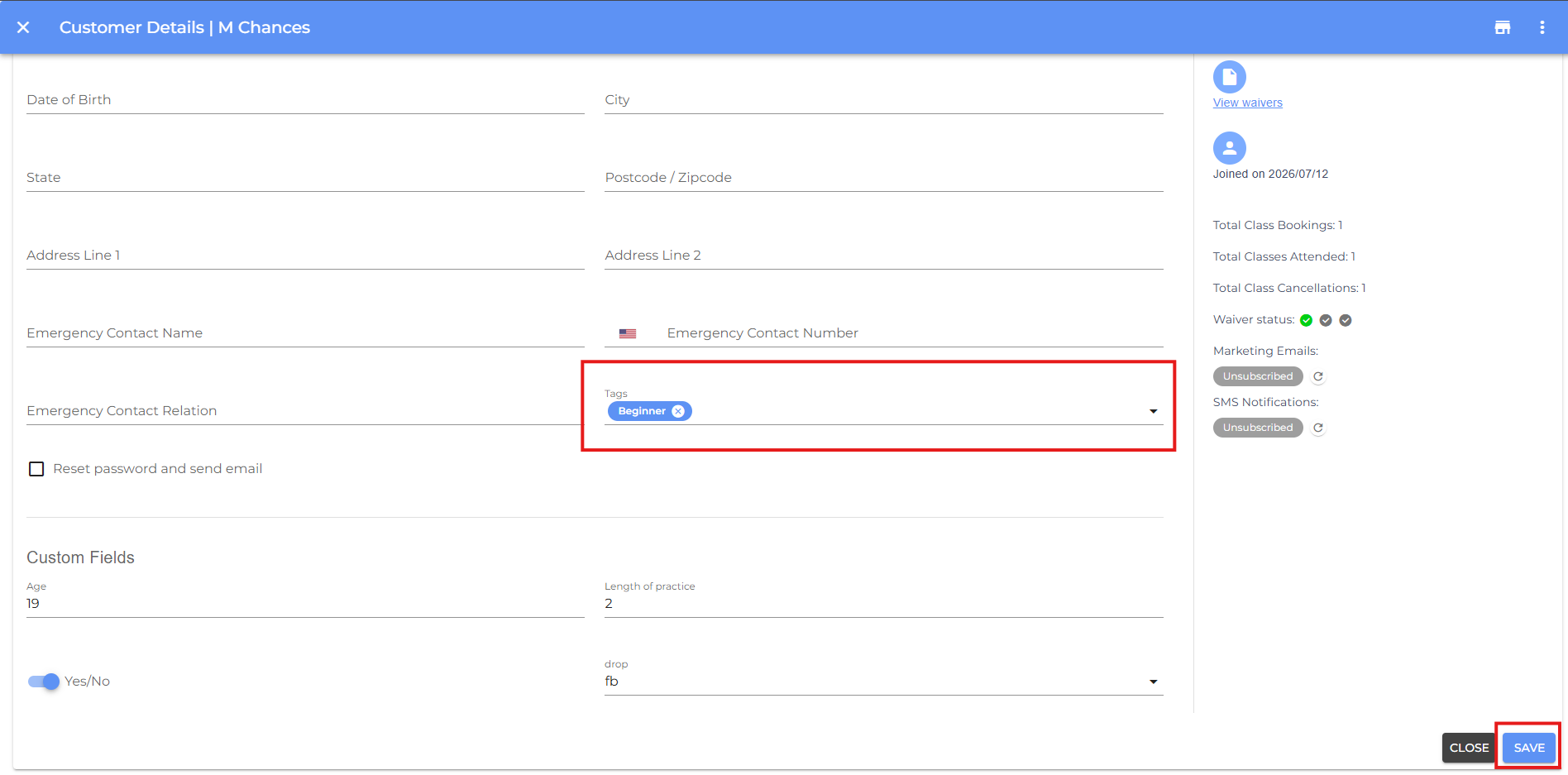
- Select the you want to assign to the customer.
- Click Save.
Related Article: See Create an Automated Sequence to assign tags automatically.
- If you have any questions or require additional clarifications, reach out to us at team@studiogrowth.com and we'll get you up and running in no time.